Retrieve Your Panasonic Chrysler Uconnect 12.0 UAV Radio Code
Panasonic | Chrysler | Instant Retrieval
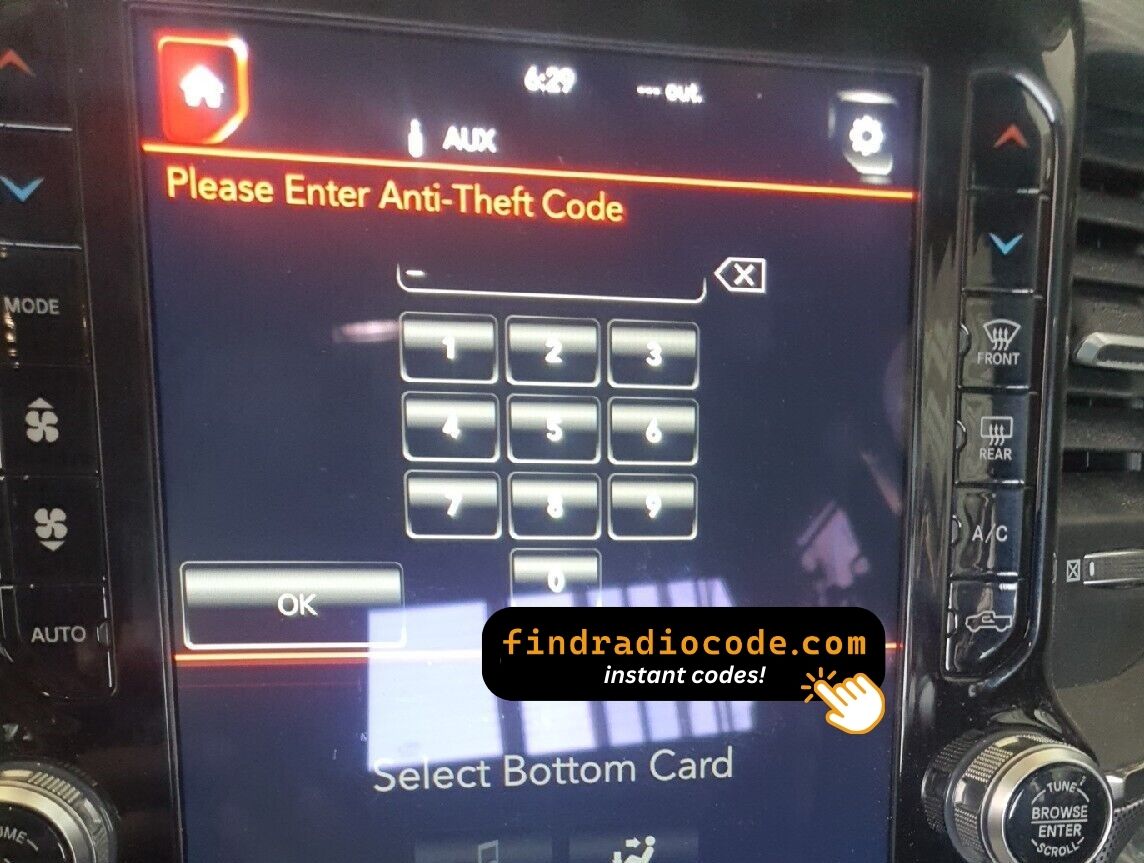
Read the full refund policy.
Serial Number Prefixes for the Chrysler Uconnect 12.0 UAV
| Serial Prefix | Status |
|---|---|
TM9 |
Supported |
If your serial starts with any prefix above, we can recover your code.
How the service works
Everything runs from the serial number on the radio's own label.
- 1 Check the unit's sticker It is printed on the unit's own label, usually near the barcode. Release keys slide the radio out far enough to read it.
- 2 Type it in the form Enter the full serial with your email address. A format check catches mistakes before checkout.
- 3 Your code arrives in seconds Payment done, code displayed on screen and emailed. It works for the life of the unit, so hold on to it.
Covered by a full refund if the code does not work on your unit.
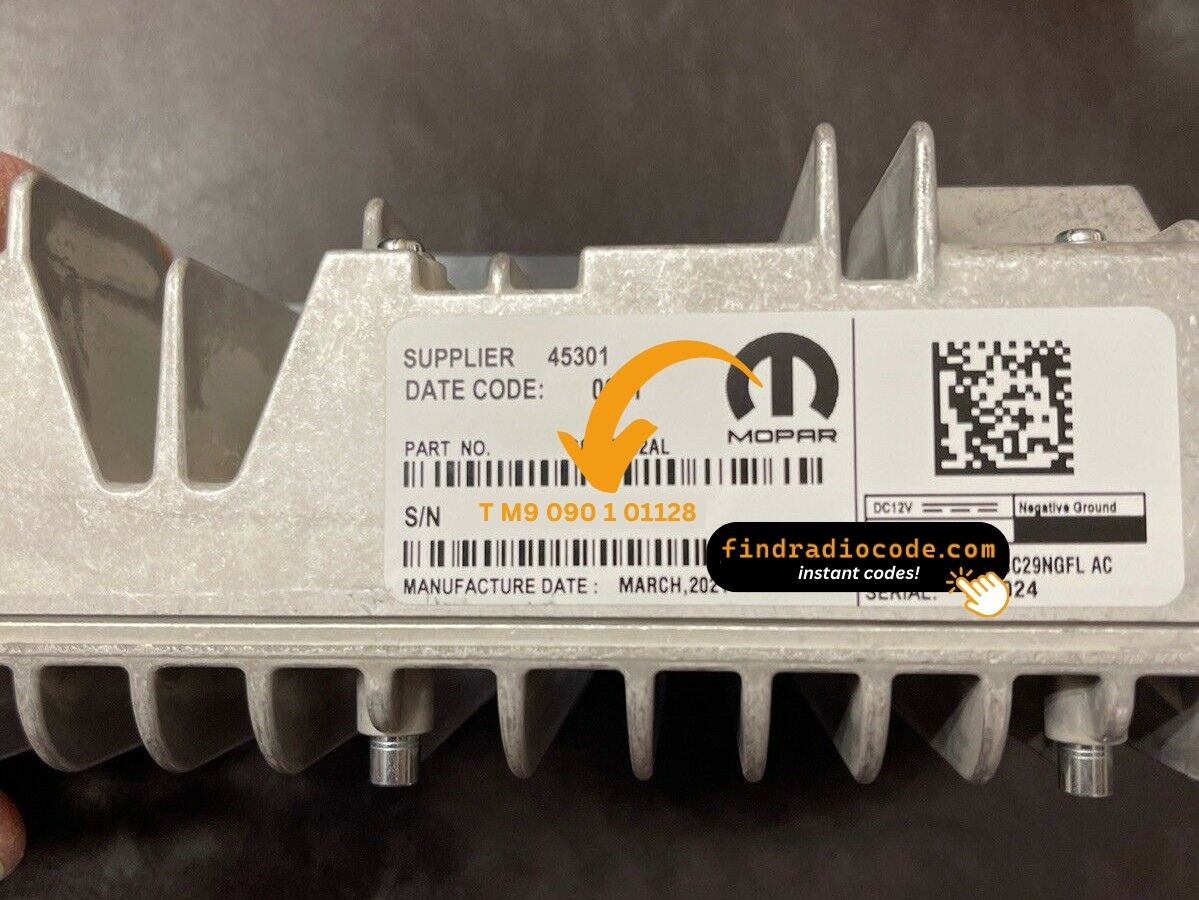
The sticker on your unit will look similar. Read the serial straight off it.
Sample serials we handle
Common Chrysler serial numbers look like this:
TM9341100221
(prefix: TM9)
TM9128455907
(prefix: TM9)
TM9067230144
(prefix: TM9)
Prefixes we see most: TM9
Confirm Your Radio Model
Line up the design, controls, display and features listed below with your factory-installed radio - the Chrysler Uconnect 12.0 UAV is easy to tell apart once you know what to look for.
How to spot it:
- 12.0" touchscreen set into the middle of the dash
- Factory navigation with maps built in
- Shipped for the North America market
- Sales code UAV on the chassis label
- Serial number starting with TM9
Your radio is the Chrysler Uconnect 12.0 UAV if:
- UAV appears as the sales code on the label
- the label serial begins with TM9
- the build year falls inside 2019-2022
- the 12.0" touchscreen is the one the Uconnect 12.0 family uses
Your screen must be physically 12 inches tall in portrait orientation. If your screen is the older 8.4 landscape unit, you have one of the U--V (UAV/UCV/UDV) 8.4 pages, not this one.
About the Chrysler Uconnect 12.0 UAV
The Chrysler Uconnect 12.0 UAV is a factory-fitted Chrysler audio and multimedia unit. Alongside standard radio and audio playback it may include touchscreen controls, Bluetooth, CD/DVD playback or factory navigation, depending on how the vehicle was specified.
Uconnect 12.0 UAV is the North American Panasonic 12-inch vertical-orientation Uconnect head unit with navigation - the tall portrait-mode screen used in the Ram 1500 DT Limited and similar premium trims. Apple CarPlay/Android Auto wireless, SiriusXM Travel Link, integrated climate controls in the lower half of the screen.
Look for the Chrysler Uconnect 12.0 UAV in Chrysler vehicles from 2019-2022. It came with the Panasonic multimedia platform and is still found in many cars from that period.
Typical features include:
12.0" touchscreen
AM/FM radio
Navigation built in, with factory map data
SiriusXM satellite radio*
Smartphone mirroring: CarPlay / Android Auto*
Steering wheel control support
Anti-theft security code
*Availability depends on the vehicle configuration.
Like many factory-installed radios, the Chrysler Uconnect 12.0 UAV is protected by an anti-theft system. If power is interrupted after replacing or disconnecting the vehicle battery, the unit may request the original radio code before it can be used again.
Background on the platform itself is published by the official Uconnect site.
Your Chrysler Uconnect 12.0 UAV Serial Number - Where to Look
Your unlock code is tied to the radio's serial number, so it is the one detail the form asks for. The number lives on the label printed on the housing of the radio itself.
On this unit: Top of the chassis assembly, behind the screen module. The 12.0 screen and the radio brain come out of the dash as a single bonded assembly via four bolts on the dash bracket. There is no on-screen serial display while the radio is locked.
How to reach the number:
- Ease the radio out of the dash - most units need a pair of release keys, which cost a few dollars online.
- Read the serial from the factory sticker on the housing, next to or under the barcode.
- Enter it exactly as it appears - no spaces, no dashes.
Where the label sits on this radio
Two minutes of video instead of a page of text

From our YouTube channel - the same steps apply to this unit.
The Situations That Lock a Chrysler Uconnect 12.0 UAV
Nearly all of the Chrysler Uconnect 12.0 UAV codes we generate follow one of these four events.
A repair cut the power
Alternator, starter or fuse-box work usually means disconnecting the battery - and the radio arms its anti-theft as a side effect of the repair.
A replacement radio
The code does not transfer between radios: the swapped-in unit has a different serial, and that serial is what the code is based on.
You bought the car used
No handbook, no code card, seller long gone - none of it matters. The radio's own serial number carries everything needed to calculate the code.
New battery, locked radio
A new battery - or a flat one after the car sat for a while - cuts power to the radio, and the anti-theft system arms itself the moment power returns.
The way out is the same in every case: serial number in, original code out, within seconds.
Chrysler Uconnect 12.0 UAV Specifications
| Specification | Value |
|---|---|
| Manufacturer | Panasonic |
| Radio Family | Uconnect 12.0 |
| Variant | UAV |
| Market | North America |
| Vehicle Brand | Ram |
| Production Years | 2019-2022 |
| Display | 12.0" touchscreen |
| Navigation | Yes |
| Serial Prefixes | TM9 |
Equipment on the Chrysler Uconnect 12.0 UAV varies with the car it came in: navigation, Bluetooth, USB and media playback depend on trim, market and model year.
Supported Part Numbers 6
The Chrysler Uconnect 12.0 UAV was built under the part numbers below. Spot the one on your unit's label and you can be sure this is the right page.
68472364AA 68472364AB 68472364AE 68472364AF 68472364AH 68472364AI You will find the part number on the chassis label of the unit, normally alongside the serial. A match in this list confirms you are on the right page for the Chrysler Uconnect 12.0 UAV.
Cars Equipped with the Chrysler Uconnect 12.0 UAV
| Vehicle Model | Typical Production Years | Notes |
|---|---|---|
| Ram 1500 DT Laramie, Longhorn, Limited (US nav trims) | 2019-2022 | |
| Ram 2500/3500 (US Limited with 12-inch screen) | 2019-2022 |
The vehicles listed above are the most common factory applications for the Chrysler Uconnect 12.0 UAV. Equipment packages and regional specifications differ, so verify the radio using its design, serial number or part number before ordering a code.
Once the code arrives
Nothing to install and no tools needed - only the code itself.
- Put the key in accessory position so the unit powers up and asks for the code.
- A four-digit keypad appears on the display.
- Key in the code, one digit at a time, left to right.
- The unit checks the code automatically on the last digit.
- Right code in, lock screen gone - the radio is back to normal.
Troubleshooting the Chrysler Uconnect 12.0 UAV
Too many wrong attempts
After a few wrong entries the radio stops accepting codes for a while - cutting power only restarts the clock. Three wrong codes triggers a "PLEASE WAIT" screen with a 60-minute timer (the 12.0 platform inherits the longer Uconnect 4C wait rather than the 30-minute 8.4 timer). Power must remain applied to the radio for the timer to count down.
The serial is hiding from you
Nothing on the car's menus shows it - the number lives on the radio's own label. Top of the chassis assembly, behind the screen module. The 12.0 screen and the radio brain come out of the dash as a single bonded assembly via four bolts on the dash bracket. There is no on-screen serial display while the radio is locked.
It is asking for the code a second time
By design, every loss of power re-arms the anti-theft lock. Loss of 12V power. The 12.0 platform is more tolerant of brief dips than older Uconnect 8.4 units but still locks on full battery disconnect, jump-start failure, or removal of the radio assembly.
I am not sure I have the right variant
Close relatives of this unit look almost identical from the driver's seat. Your screen must be physically 12 inches tall in portrait orientation. If your screen is the older 8.4 landscape unit, you have one of the U--V (UAV/UCV/UDV) 8.4 pages, not this one.
Note the four digits somewhere safe - they are yours for good and reusable after any power cut.
What Owners Usually Ask
What Customers Say
Short notes from people who used the service; the reviews page holds the full list.
"This was a simple procedure. My Chrysler 300s, I found out my radio S/N (I had to disassemble the radio to get it) and on my vehicle I had 2. The main unit was the right S/N to use and paid my fee, at the same time received my code. It beats paying an $100 + to get it from the dealership."
Best 20.00 dollars I've spent. Went to 3 different dealerships, and they acted like they couldn't find the code and i found seen findradiocode on youtube and it only took 3 second
FatLarry - Chrysler
Great job
Alvaro Ordonez - Chrysler
Ordering a Chrysler Uconnect 12.0 UAV Code
The original code on screen seconds after you pay, emailed to you as well.
Full money-back guarantee if the code does not open your radio.
Order at 3 a.m. or 3 p.m. - no dealership, no appointment, no towing.
Works again and again - the code stays valid for the life of the radio.
Compare with Similar Models
These units are easily confused with the Chrysler Uconnect 12.0 UAV. If the details above do not match your radio, open one of these instead.
The Chrysler Uconnect 12.0 UAV is only one of the Panasonic radios we support - the Panasonic radio codes page lists the rest.