Ram 2500 radio code: the short answer
Short answer: every 2013-2024 Ram 2500 radio has its own 4-digit anti-theft code, and it is calculated from the radio serial number. Get the serial from Dealer Mode on the Uconnect screen or from the label on the unit, then enter it in the form above. Codes are usually delivered within seconds, from $19.99 with a money-back guarantee.
Which head unit could the Ram 2500 have?
Each link below is a radio model that shipped in the Ram 2500. Match the screen size and buttons to pick the right one, then check where the serial is printed.
| Years | Factory radio | Serial starts with |
|---|---|---|
| 2008-2013 | MyGIG NTG4 RER Harman |
T00AM, T00BE, T0012
|
| 2013-2018 | Uconnect 8.4 RA3 VP3 CA Harman |
T00AM, T00BE, T0012
|
| 2014-2018 | Uconnect 8.4 RA4 VP4 NA Harman |
T00AM, T00BE, T0012
|
| 2014-2018 | Uconnect 8.4 RA4 VP4 ROW Harman |
T00AM, T00BE, T0012
|
| 2015-2017 | Chrysler Uconnect 8.4 RE3 Panasonic |
T00AM, T00BE
|
| 2017-2019 | Chrysler Uconnect 8.4 UAC Panasonic |
TM9
|
| 2017-2020 | Chrysler Uconnect 8.4 UDV Panasonic |
TM9
|
| 2019-2022 | Chrysler Uconnect 12.0 UAV Panasonic |
TM9
|
Radio Code Explained
When the radio is disconnected from power, it automatically locks and requires a security code to be entered before it can be operated.
A radio unlock code (also known as an anti-theft code) is a built-in security system integrated into factory car stereos to protect theft.
This system makes sure that a removed radio becomes useless without the correct code.
Entering the correct code restores full stereo and infotainment functionality.
Situations When your 2500 Requests a Code
Many drivers encounter radio lock problems on their 2500 after power loss.
Below are the most typical situations when this can occur.
Battery Replacement Radio Code Problem
When the battery is disconnected, the Ram 2500 radio requests a security code.
This security feature is designed to protect the original head unit by disabling the radio after electrical reset.
Other Situations
- When the radio is replaced, it usually requires the original code.
- If a fuse blows, the radio can enter anti-theft mode.
- After a jump-start, the radio may reset and request a radio code.
- After an ECU reset, software update, or electrical repair, some Ram 2500 radios display a CODE message.
Free Options First
Before you pay for it, you should check a few places where the code is often stored.
Some owners find their Ram 2500 radio code without needing any tools or paperwork.
Here are the most common things to check first.
Search the Vehicle Documents
- Near the boot panel, where some manufacturers place radio labels.
- In the radio manual, often on a separate page.
- On the head unit casing if the unit was previously removed.
- In the vehicle documentation provided with the car.
- On a sticker in the glove compartment.
Through the Dealer
Dealerships can generate your radio code by checking the VIN in their system.
They typically require proof of ownership before sharing the security PIN.
This is the official way to restore access to the factory radio.
Downsides:
- You may need to contact service support during business hours.
- The lookup is often slower and may require waiting.
- Dealers frequently charge a service fee (sometimes more than 100$).
- Some imported or older radios may not be in their database.
How to Find the S/N on a Radio
To retrieve the correct security code, you first need the radio serial number.
Depending on your radio model, you can find it shown on the display or check the radio hardware.
Common abbreviations are: Serial Num. / S/N / Serial Number etc.
These are the easiest ways to locate it:
1. Displaying the Serial Number on the 2500 Screen
The Ram 2500 Heavy Duty is a work truck and fleet vehicle as much as a personal vehicle. If your 2500 is part of a fleet or has received Stellantis OTA updates, be aware that fleet software pushes can sometimes restrict Dealer Mode — this is more common on HD trucks than on the 1500. Try the on-screen method first; if it doesn't open, the fallback is physical removal.
2013–2018 (Uconnect 8.4" Classic): Hold Fan Up + Fan Down + Front Defrost for 5 seconds to open Dealer Mode. Or hold Temp Up + Temp Down for 5 seconds for the Engineering Menu. Both lead to: System Info → Radio Part Info → Serial Number.
2019+ (Uconnect 8.4" NEW & 12"): Press the bottom-left + bottom-right plastic bezel edges simultaneously until Dealer Mode opens. Navigate the same path. If Dealer Mode is blocked (fleet OTA), see the physical removal guide below. Serial: 14 characters, e.g. T00AM1801T0282.
2. Locating your Serial on the Radio Body
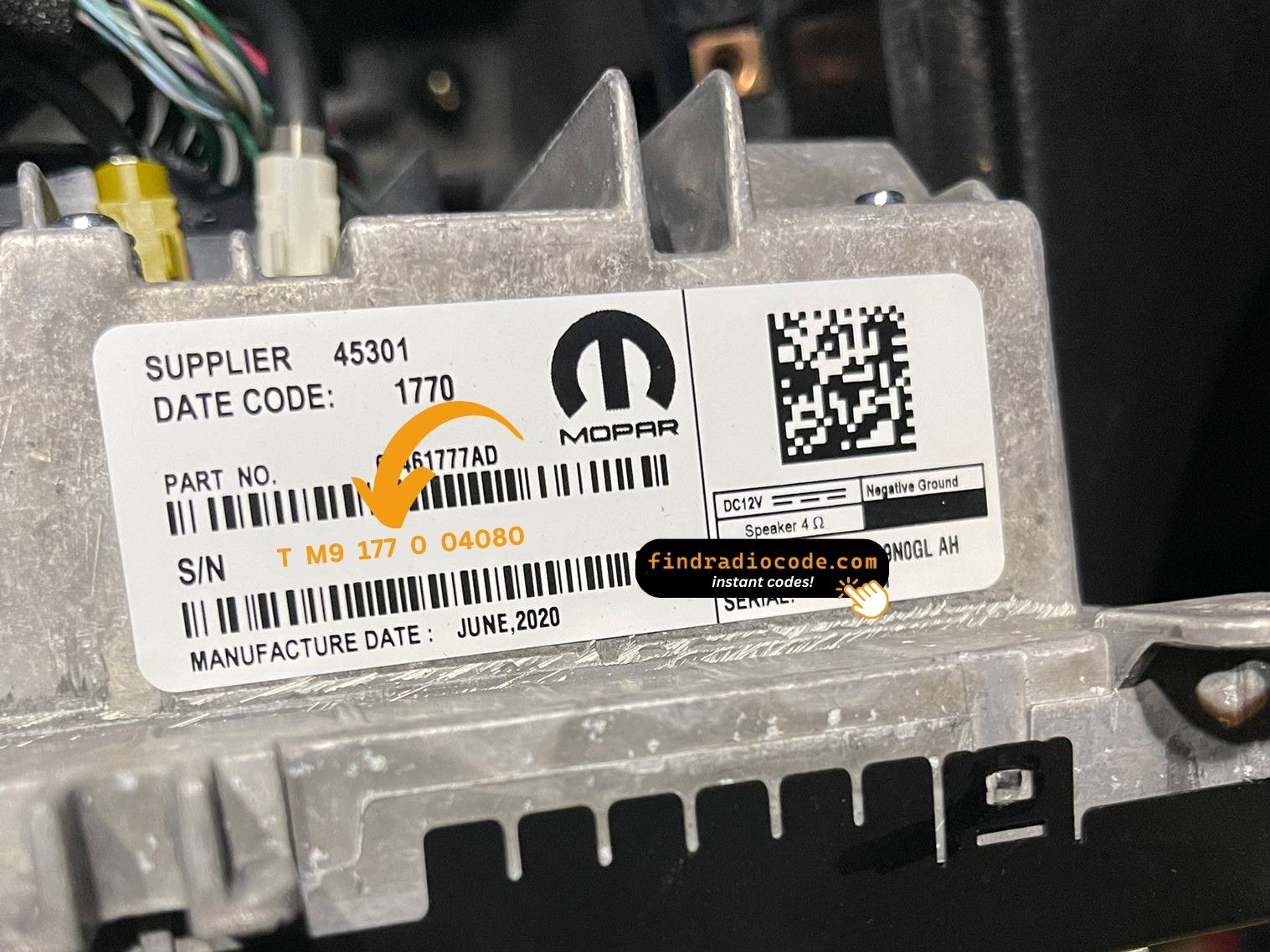
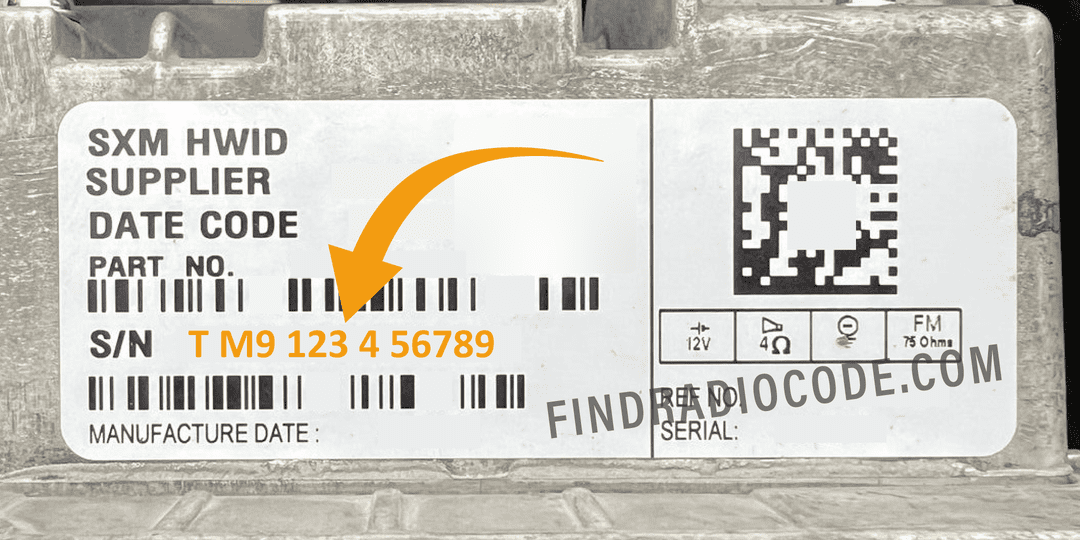
The serial number is usually located on a label attached to the radio casing.
Step 1: Turn off the vehicle.
Step 2: After that, take off the surrounding panel.
Step 3: Then unscrew the radio brackets.
Step 4: Carefully slide the unit out partially (Be careful not to damage the connections).
Step 5: Search for the serial number on the side of the unit.
Step 6: Write down the full S/N carefully and come back to our website so that we can generate your code.
Important: Be careful not to mix the Serial Number and the Part Number!
Physical Radio Removal (if Dealer Mode is unavailable)
If the on-screen method is not available on your vehicle, the radio can be physically removed to access the serial number label on the top or side of the unit:
- Remove the trim bezel – Gently remove the dashboard trim surrounding the radio using a plastic trim removal tool. The bezel is held by friction clips.
- Unscrew the mounting bolts – Remove the 4 mounting screws (usually Torx or Phillips) securing the radio to the dash frame.
- Slide the unit forward – Gently pull the radio out far enough to see the label. Do not disconnect the wiring harness unless necessary.
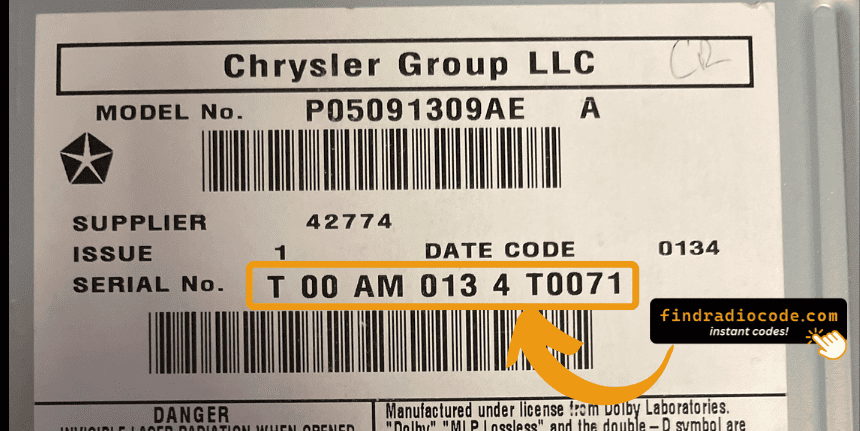
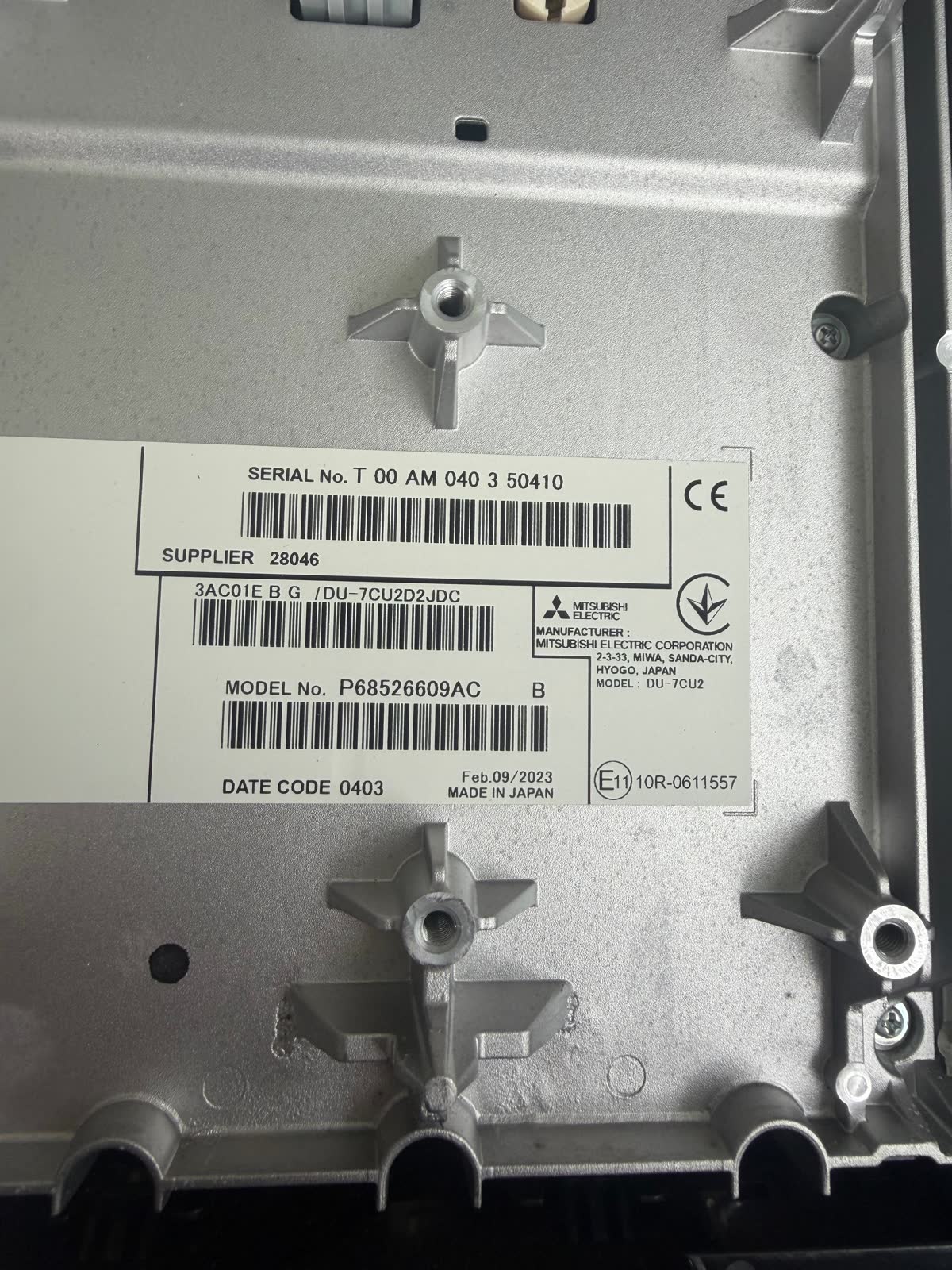
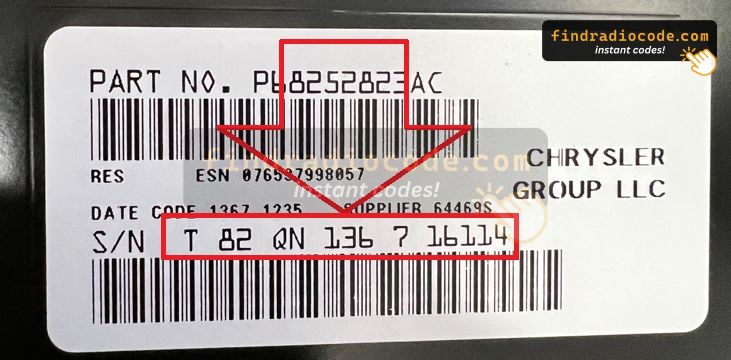
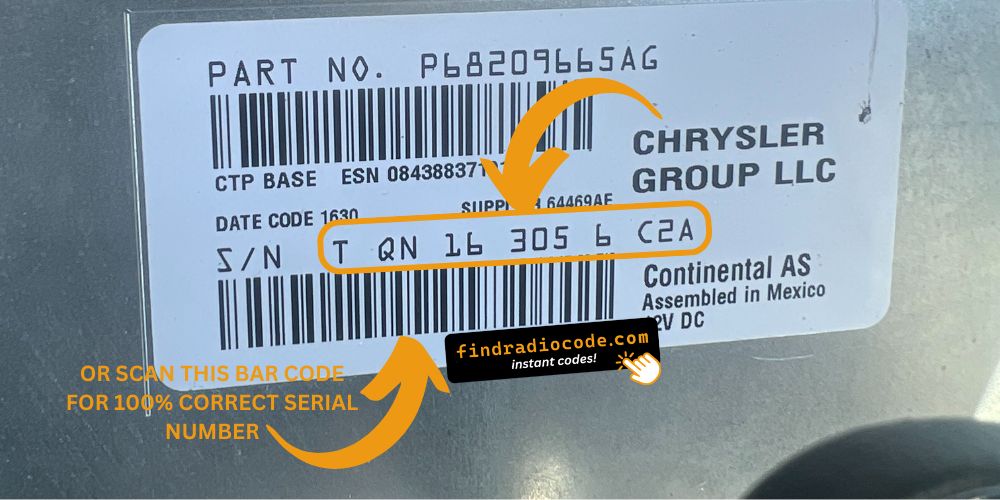
- Locate the serial number label – Locate a white or silver sticker with a barcode on the top or side of the unit. The serial number is a 14-character alphanumeric code (e.g.
T00AM1801T0282).
For step-by-step guidance with video tutorials for specific vehicles, see our Uconnect radio removal guide.
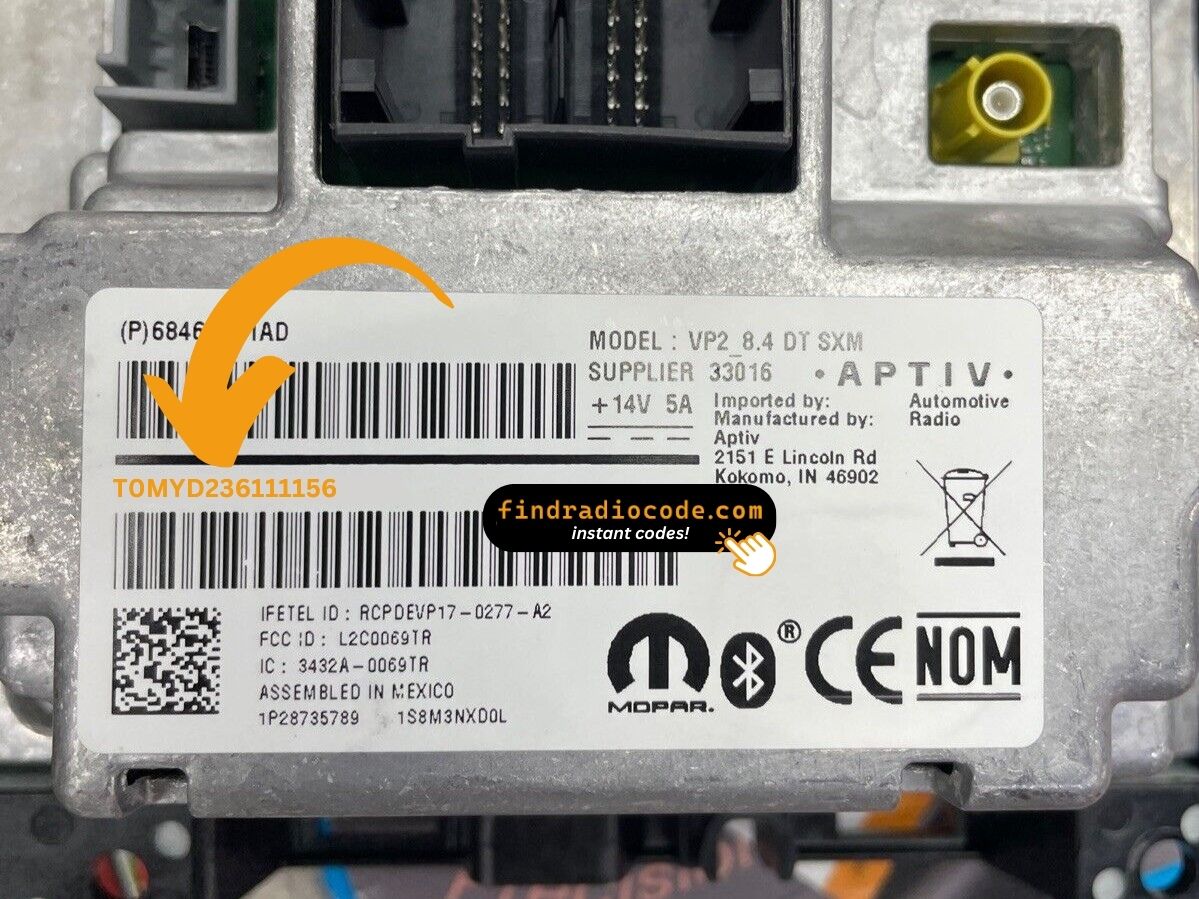
Example: Ram 2500 serial number label location
Typical Ram 2500 Serial Number Formats
Your Ram 2500 radio serial may be in T00AM format (14 characters, e.g. T00AM1801T0282), TM9 format, or A2C format on newer Uconnect systems. The serial is on a label on the radio housing.
How to Enter the Radio Code on Your Vehicle
Once you have the Ram's unlock code, you can type it in using the infotainment controls.
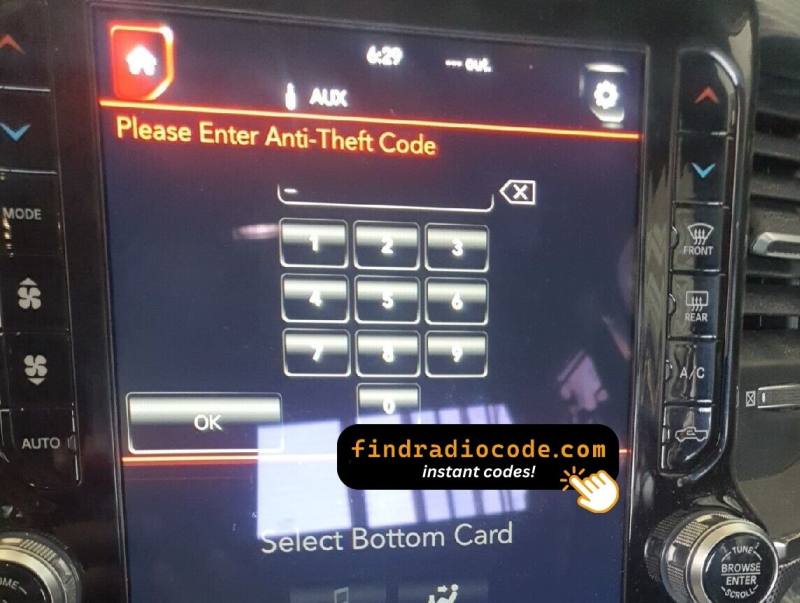
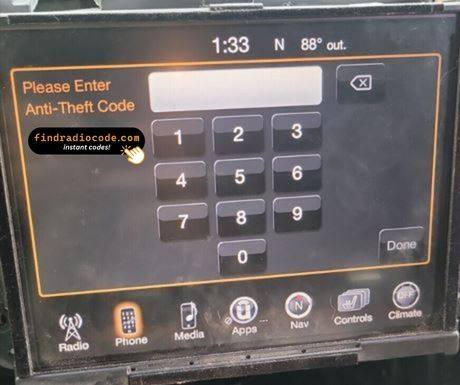
Most radios display "ENTER CODE", "----" or "XXXX" message when they are locked.
You typically use the number keys to input the code.
After entering the full code, the radio will unlock automatically.
To enter the unlock code on your Uconnect radio:
- When the radio is locked, the screen will display "ENTER CODE" or show four dashes (----).
- Use the on-screen keypad (touchscreen models) or the preset buttons (non-touchscreen models) to enter each digit of your 4-digit code.
- After entering all 4 digits, the radio will unlock automatically – no need to press a confirm button.
Tip: Ensure you enter the code carefully. Three incorrect attempts will trigger a temporary lockout.