Harman MyGIG NTG4 RER Radio Code - Immediate Online Retrieval
Harman | Chrysler | Instant Retrieval
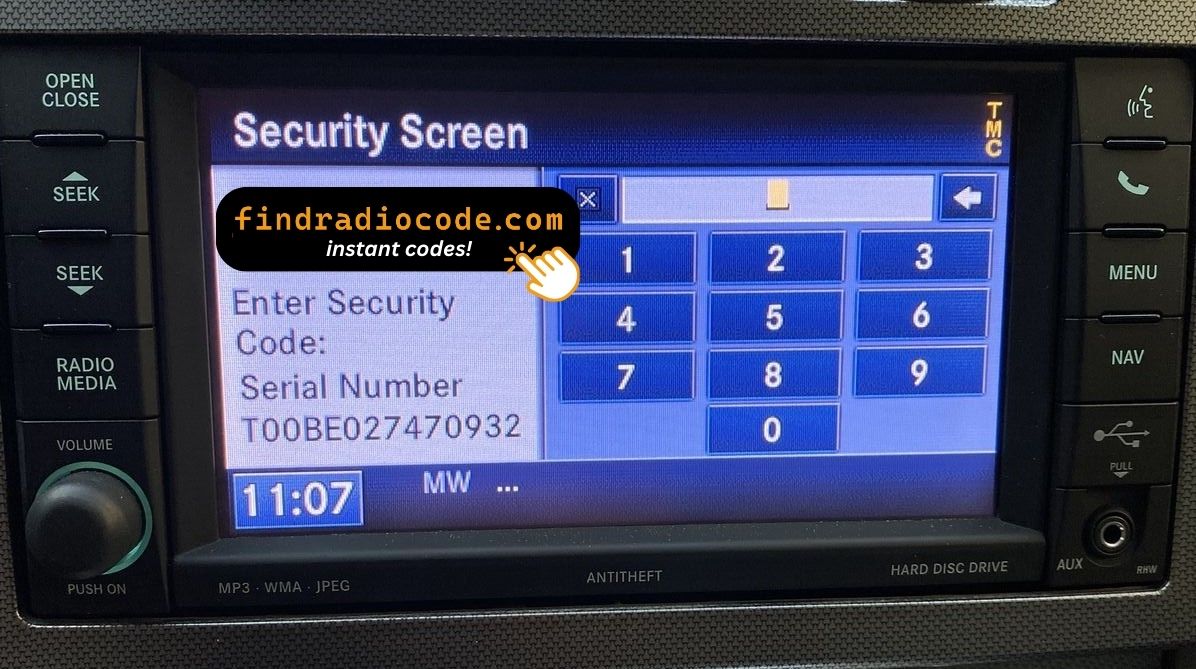
Full guarantee details.
Accepted Serial Number Formats
| Serial Prefix | Status |
|---|---|
T00AM |
Supported |
T00BE |
Supported |
T0012 |
Supported |
If your serial starts with any prefix above, we can retrieve your code.
How it goes
The entire thing needs one piece of information and two minutes of your time.
- 1 Find the serial number The serial sits on a label on the radio chassis, not in the car's paperwork. Ease the unit forward with release keys to see it.
- 2 Enter it in the form Exactly as printed, without spaces or dashes. The format is checked before any payment.
- 3 Unlock the radio The code is delivered automatically, day or night. Enter it on the radio and the anti-theft screen goes away.
Money-back guarantee if the code does not open your radio.
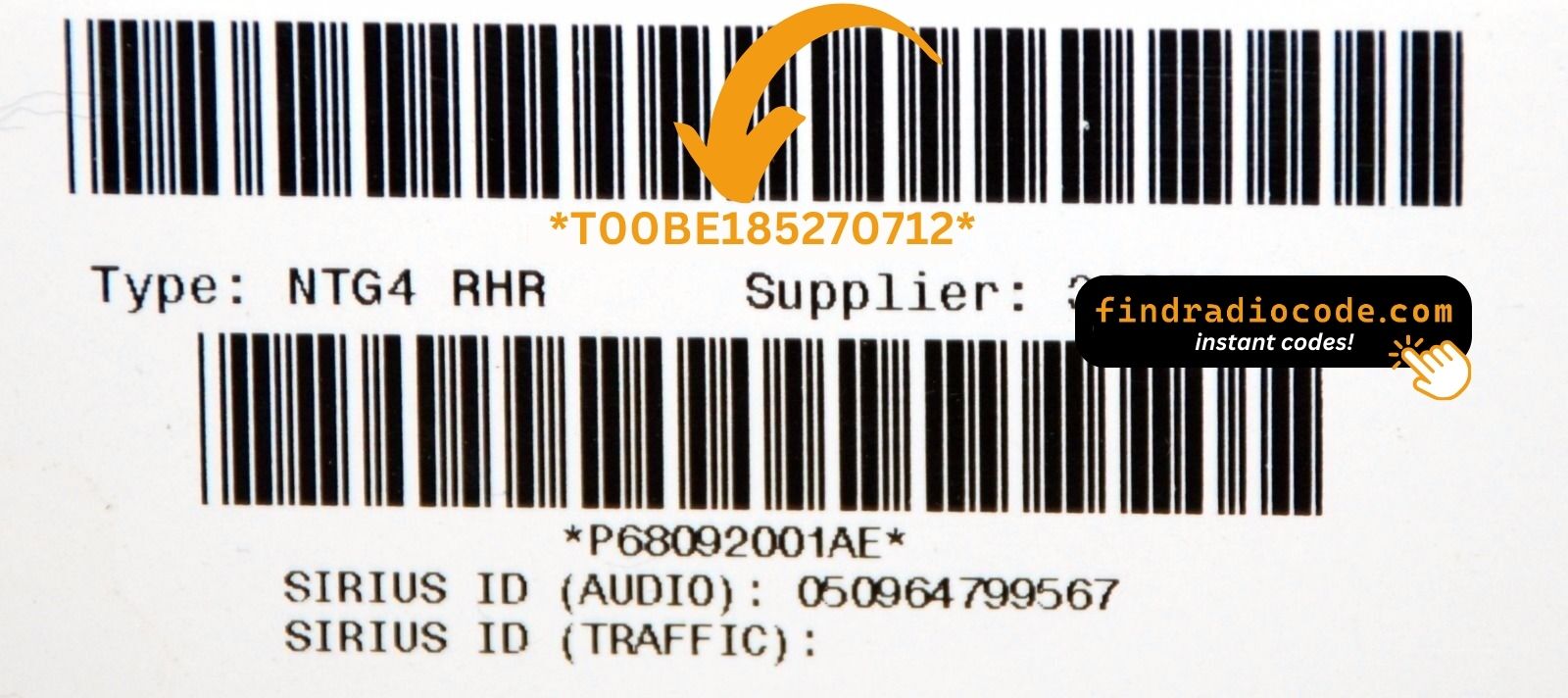
Same label, different radio: yours carries its own serial in this spot.
What a valid serial looks like
Common Chrysler serial numbers look like this:
T00AM1801T0282
(prefix: T00AM)
T00BE351823197
(prefix: T00BE)
T0012566327123
(prefix: T0012)
T00AM2244H1937
(prefix: T00AM)
T00BE104477269
(prefix: T00BE)
Prefixes we see most: T00AM, T00BE, T0012
How to Recognize the MyGIG NTG4 RER
Not sure if your vehicle is fitted with the MyGIG NTG4 RER? Compare the design, controls, display and features listed below against your factory radio.
Identifying details:
- 6.5" touchscreen in the centre of the dash
- Factory navigation with maps built in
- Sales code RER on the chassis label
- Label serial opening with T00AM, T00BE, T0012
You most likely have the MyGIG NTG4 RER if:
- the factory label reads RER
- the serial on the label starts with T00AM, T00BE, T0012
- the build year falls inside 2008-2013
- the display matches the MyGIG NTG4 6.5" touchscreen
Press the NAV soft key. If a map draws, you have RER (or its sibling REW/REU/REZ). If the screen says "Feature not available" you have a non-nav REN or REP. RER specifically uses part numbers in the P05064080, P05064114, P05064400, P05064401, P05064737, P05064739, P05064816, P05064818 and P68020152 ranges.
Learn More About the MyGIG NTG4 RER
The MyGIG NTG4 RER is an original factory-installed infotainment system developed for selected Chrysler vehicles. Designed to provide reliable audio playback and vehicle integration, this unit may also offer Bluetooth connectivity, touchscreen controls, CD/DVD playback, navigation or multimedia support, depending on the exact configuration.
RER is the MyGIG with full hard-drive navigation - 6.5-inch touchscreen plus a 30 GB internal HDD that stores both maps and ripped music. Recognisable by the NAV soft key in the lower row and an SD card slot behind the trim.
Production of the MyGIG NTG4 RER ran across 2008-2013, mainly in Chrysler models built around the Harman multimedia platform, so plenty of these units are still in daily use.
Typical features include:
6.5" touchscreen
AM/FM radio
Built-in navigation with factory maps
Internal hard drive for ripped music
CD playback
AUX and USB input*
Steering wheel control support
Anti-theft security code
*Availability depends on the vehicle configuration.
As with other Harman factory units, the MyGIG NTG4 RER locks itself when power is lost. After a battery disconnect or a workshop visit the screen will ask for the original security code before any audio returns.
Background on the platform itself is published by Uconnect support at driveuconnect.com.
How to Read the Serial Number Off Your MyGIG NTG4 RER
Your unlock code is tied to the radio's serial number, so it is the one detail the form asks for. The number lives on the label printed on the housing of the radio itself.
Where exactly: Top of the chassis on a small white label, right of centre. Two trim clips and four 7mm bolts release the radio - no harness disconnect needed to read the label, you can pull the unit forward by 4 inches and read it from above.
Three steps to the serial number:
- Pull the unit forward with release keys (a few dollars online) - the wiring can stay plugged in.
- Find the white label on the housing and read the serial off it - it sits beside the barcode.
- Type it into the form exactly as printed, with no spaces or dashes.
Where the label sits on this radio
See it done on camera

Our own clip of the process - more videos are on the channel.
Factory Radio Specifications
| Specification | Value |
|---|---|
| Manufacturer | Harman |
| Radio Family | MyGIG NTG4 |
| Variant | RER |
| Vehicle Brand | Chrysler / Dodge / Ram / Jeep |
| Production Years | 2008-2013 |
| Display | 6.5" touchscreen |
| Navigation | Yes |
| Serial Prefixes | T00AM, T00BE, T0012 |
Depending on the vehicle configuration, the MyGIG NTG4 RER may include additional multimedia features such as Bluetooth hands-free calling, USB media playback or factory navigation. Equipment levels can vary between production years and trims.
What Usually Triggers the Code Screen
The lock screen rarely appears out of nowhere - one of these four situations is behind almost every locked MyGIG NTG4 RER we see.
A battery swap
Any battery work counts as a power cut to the radio. It re-arms automatically and waits for the original code before playing again.
You swapped the radio itself
Swapping in a refurbished radio means a new serial and therefore a new code - the one from the old unit cannot work.
The car was in the garage
Any repair that touches the 12V supply - even for a few minutes - is enough to bring up the code screen on the next start.
The code card is long gone
The code card that shipped with the car disappeared an owner or two ago. That is not a problem - the code is generated from the radio's serial, not from any paperwork.
The way out is the same in every case: serial number in, original code out, in seconds.
Where Was the MyGIG NTG4 RER Installed?
| Vehicle Model | Typical Production Years | Notes |
|---|---|---|
| Chrysler 300, Aspen, Town & Country, Sebring | 2008-2010 | |
| Dodge Charger, Challenger, Avenger, Journey, Ram 1500/2500/3500, Durango | 2008-2013 | |
| Jeep Grand Cherokee WK, Commander, Wrangler JK, Liberty, Patriot, Compass | 2008-2013 |
Vehicle compatibility can differ between trims, model years and regional versions. Because the same car could leave the factory with different radios, identify your unit before placing an order.
Supported OEM References 74
The MyGIG NTG4 RER was built under the part numbers below. Spot the one on your unit's label and you can be sure this is the right page.
Behind the 74 references sit 11 base part numbers; suffix letters like AA or ZD separate factory revisions of the same hardware, all of them covered here.
P05064080AB P05064080AC P05064080AD P05064080AE P05064080AF P05064080AG P05064114AA P05064114AB P05064114AC P05064114AD P05064114AE P05064114AF P05064114AG P05064114AH P05064114AI P05064114AJ P05064114AK P05064400AB P05064400AC P05064400AD P05064400AE P05064400AF P05064400AG P05064400AH P05064400AI P05064400AJ P05064400AK P05064401AB P05064401AC P05064401AD All 74 supported references
P05064401AE P05064401AF P05064401AG P05064401AH P05064401AI P05064401AJ P05064401AK P05064737AA P05064737AB P05064737AC P05064737AD P05064737AE P05064737AF P05064737AG P05064737AH P05064737AI P05064737AJ P05064737AK P05064739AA P05064739AB P05064739AC P05064739AD P05064816AA P05064816AB P05064816AC P05064816AD P05064818AA P05064818AB P05064818AC P05064818AD P68020152AA P68020152AB P68020152AC P68020152AD P68020152AE P68020152AF P68020152AG P68020152AH P68020152AI P68020152AJ P68020152AK P68020152AL PZ5064400AI PZ5064401AI Look for the part number on the radio's identification sticker, typically beside the serial number. Any reference listed here is covered by this service.
Typing the code into your MyGIG NTG4 RER
It takes less than a minute once you have the four digits.
- Give the radio power - key to accessory is enough - and wait for the code prompt.
- The screen shows a numeric keypad for the four digits.
- Punch in the four digits, first to last.
- Verification happens by itself once the fourth digit is in.
- The security screen disappears and the unit returns to normal operation.
Things that can catch you out
The screen shows a wait timer
The timer is the radio guarding itself after failed entries - power on, patience, then try again. Three wrong entries shows "WAIT" plus a countdown that begins at 60 minutes. Leave the ignition on ACC; if you cut power the timer resets to 60 minutes. After the timer the keypad reappears and the correct code clears it permanently until next power loss.
The label is not where I expected
Only the radio itself carries it - slide the unit forward and the label is right there. Top of the chassis on a small white label, right of centre. Two trim clips and four 7mm bolts release the radio - no harness disconnect needed to read the label, you can pull the unit forward by 4 inches and read it from above.
Locked again after it was fine
Nothing is broken. Any interruption to the 12V supply brings the lock screen back. Any loss of 12V for more than 30 seconds - new battery, jump-start gone wrong, alternator replacement, or removal of the radio from the dash. RER never spontaneously locks while powered.
This radio looks like several others
A few models in this family share the same face, so the label is what settles it. Press the NAV soft key. If a map draws, you have RER (or its sibling REW/REU/REZ). If the screen says "Feature not available" you have a non-nav REN or REP. RER specifically uses part numbers in the P05064080, P05064114, P05064400, P05064401, P05064737, P05064739, P05064816, P05064818 and P68020152 ranges.
Save the code: it stays valid, so the next battery change costs you nothing.
MyGIG NTG4 RER Radio Code - Questions and Answers
From Drivers Who Unlocked Their Radio
What a few recent customers said after unlocking - every review is on the reviews page.
"Worked great! I ordered the code at 8pm est and received the code at 2am est put the code it this morning and radio is working great!"
Amazing people amazing service everything amazing I got my code immediately thank God for these people
Jesus Martinez - Chrysler
Nice the code worked great now I can use my radio thanks for your help
John flores - Chrysler
What Happens After You Order
The original code on screen within seconds of payment, emailed to you as well.
Full money-back guarantee if the code does not unlock your radio.
Available 24/7 - no appointment, no dealer visit, no towing.
The code never expires - keep it and future battery changes cost nothing.
You May Also Have
These units are easily confused with the MyGIG NTG4 RER. If the details above do not match your radio, check one of these instead.
Compare the MyGIG NTG4 RER with the rest of the Harman radios on the Harman radio code overview.