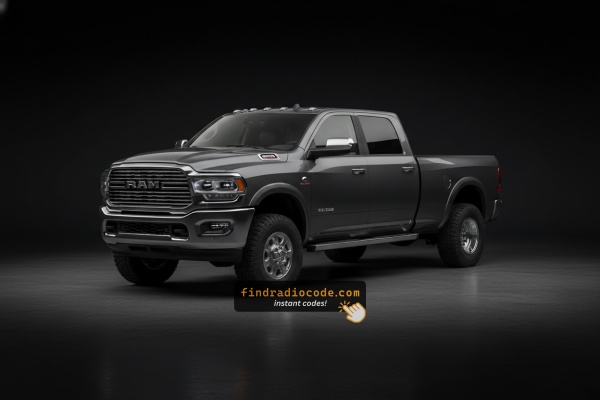
Where do I get my Ram 3500 radio code?
Short answer: each Ram 3500 radio from 2013-2024 is locked with its own 4-digit code, generated from the serial number of the radio itself. Get the serial from Dealer Mode on the Uconnect screen or from the label on the unit, then type it into the form above. Most codes appear instantly, from $19.99, money-back guaranteed.
OEM Radios Found in the Ram 3500
Every card below is a radio model that shipped in the Ram 3500. Match the screen size and buttons to find yours, then confirm where the serial is printed.
| Years | Factory radio | Serial starts with |
|---|---|---|
| 2011-2013 | MyGIG NTG4 RHW Harman |
T00AM, T00BE, T0012
|
| 2013-2018 | Uconnect 3.0 RA1 VP1 Continental |
TQN, TVPQN, A2C, A3C
|
| 2013-2017 | Uconnect 4.3 REB Continental |
TQN, TVPQN, A2C, A3C
|
| 2013-2018 | Uconnect 8.4 RA3 VP3 CA Harman |
T00AM, T00BE, T0012
|
| 2014-2018 | Uconnect 5.0 RA2 VP2 Continental |
TQN, TVPQN, A2C, A3C
|
| 2014-2018 | Uconnect 8.4 RA4 VP4 NA Harman |
T00AM, T00BE, T0012
|
| 2015-2017 | Chrysler Uconnect 8.4 RB5 Panasonic |
T00AM, T00BE
|
| 2017-2020 | Chrysler Uconnect 8.4 UDQ Panasonic |
TM9
|
What the serial label looks like
Real labels from these radio families. The serial is the code marked on each photo - not the part number. Tap a photo to see it full size.
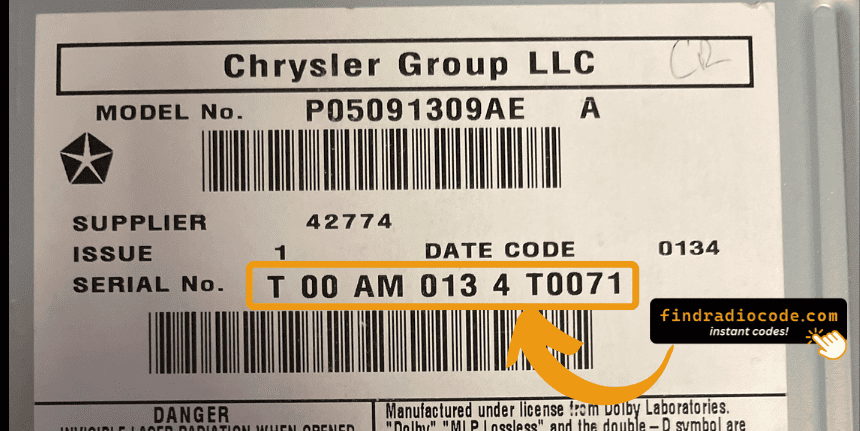
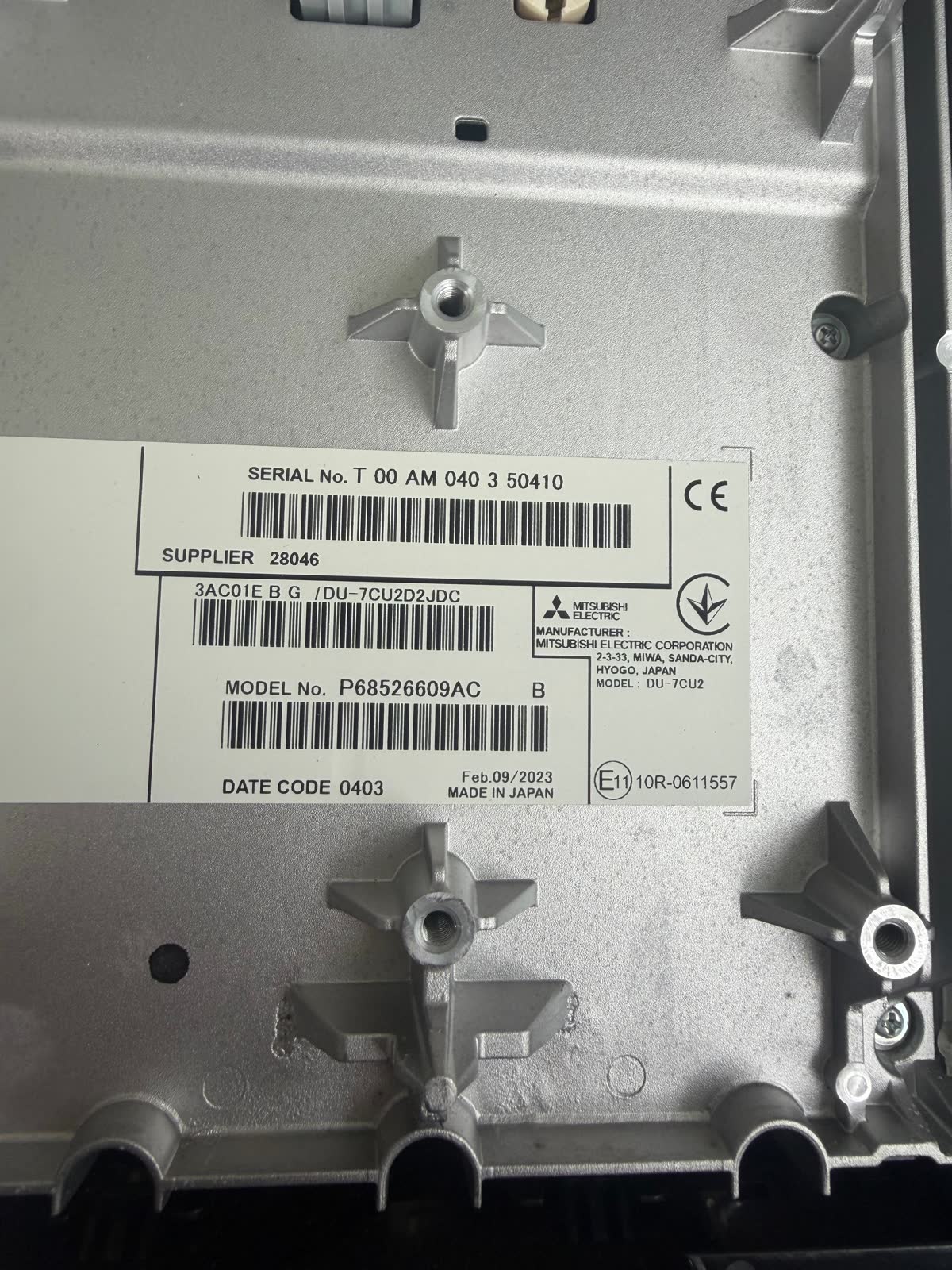
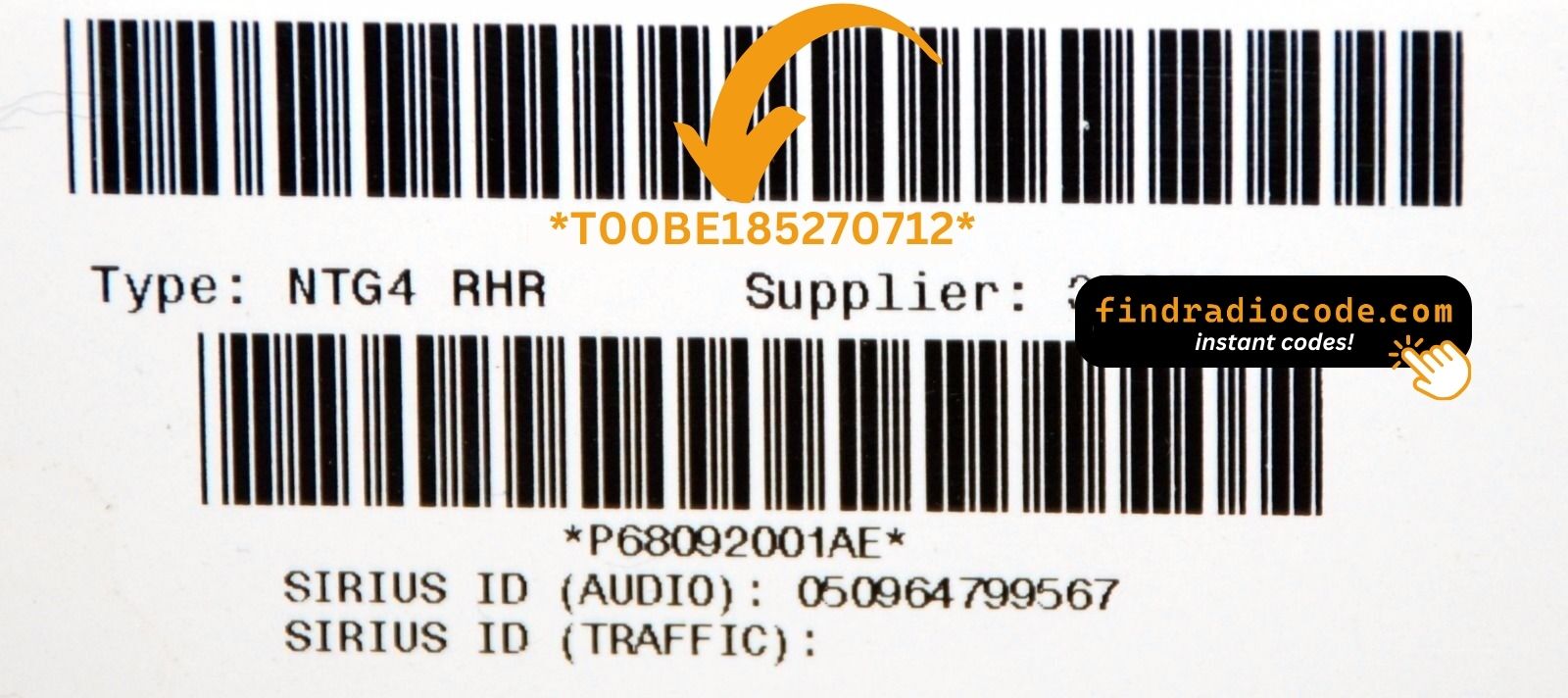
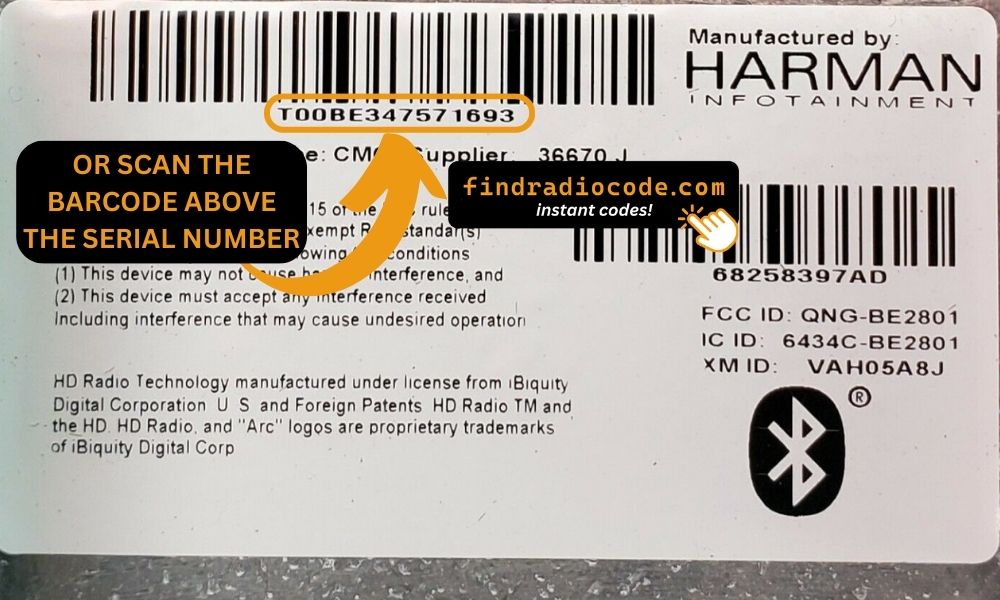
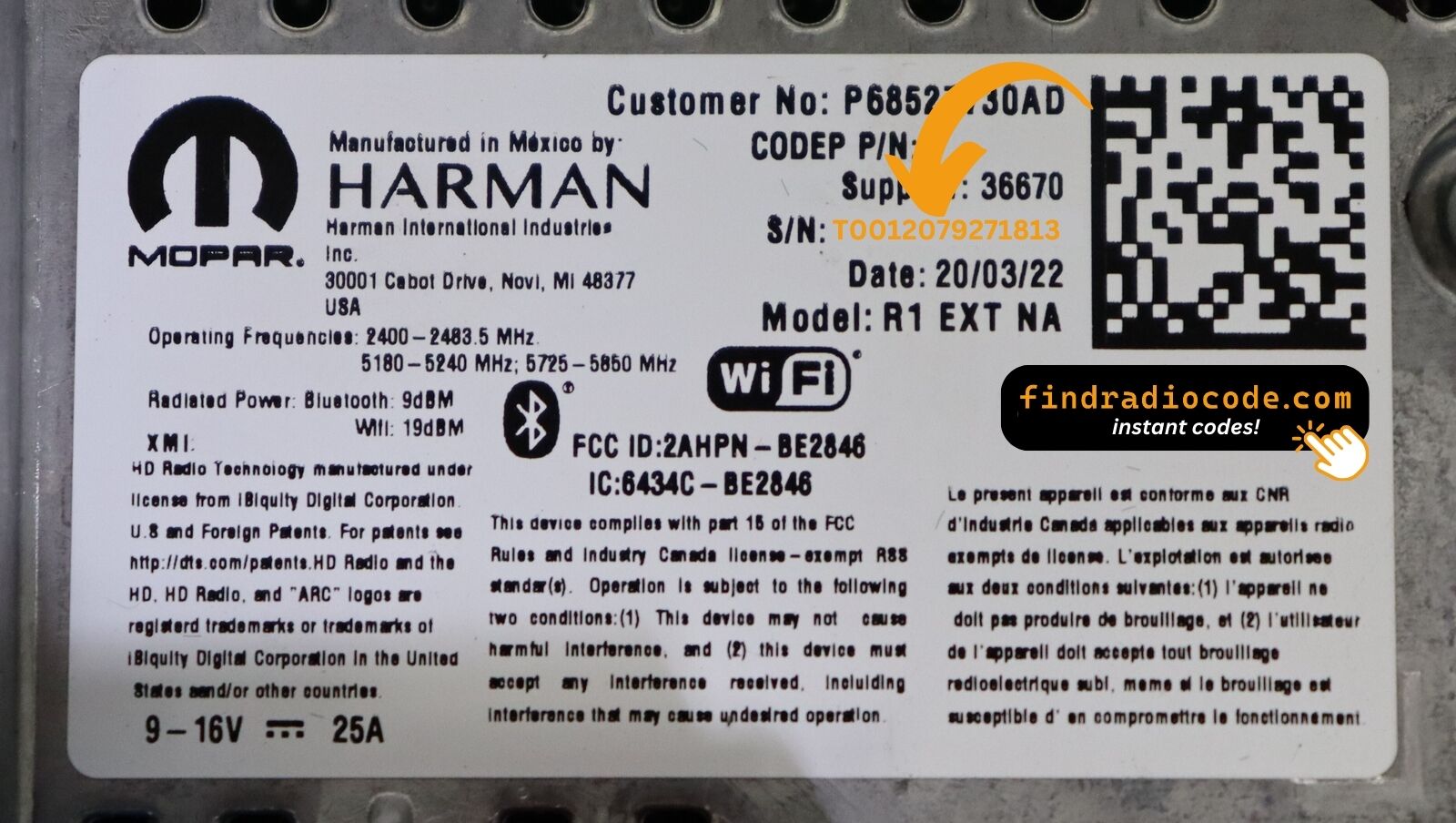
Finding the S/N on a 3500's Radio
To get the correct security code, you first need the radio serial number.
Depending on your radio model, you can find it shown on the display or find it on the radio unit itself.
It's often written as: Serial Num. / S/N / Serial Number etc.
These are the typical ways to locate it:
1. Displaying the Serial Number on the 3500 Screen
The Ram 3500 is the most heavy-duty consumer truck in the Ram lineup — dually, cab-chassis, and commercial upfit models all fall here. These trucks are frequently used in fleets, towing operations, and commercial applications, which means they are the most likely Ram variant to have received a fleet OTA firmware update that restricts Dealer Mode. Keep that in mind before you start.
The Uconnect hardware and methods are the same as the 1500 and 2500:
- 2013–2018 (Uconnect 8.4" Classic): Hold Fan Up + Fan Down + Front Defrost for 5 seconds → Dealer Mode. Or hold Temp Up + Temp Down for 5 seconds → Engineering Menu. Navigate: System Info → Radio Part Info → Serial Number.
- 2019+ (Uconnect 8.4" NEW & 12"): Press the bottom-left + bottom-right plastic bezel edges simultaneously and hold until Dealer Mode opens. Navigate the same path.
Fleet and cab-chassis note Some cab-chassis (3500 Regular Cab, 3500 Chassis Cab) configurations may have Dealer Mode locked via fleet software. If neither method opens anything, proceed to the physical removal guide below. Serial: 14 characters, e.g. T00AM1801T0282.
2. Locating the S/N on the Radio Itself
To find the serial number, you'll need to remove the radio unit out.
- Start by turning off the ignition and removing the trim panel.
- Next, release the clips and pull the unit forward to check the sticker on the side of the radio. Pay attention not to damage the connections.
- Write down the serial number precisely and come back to our website.
- Know that serial number and part number are not the same thing. You will find both of them on the unit, and you only care for the serial.
Physical Radio Removal (if Dealer Mode is unavailable)
If the on-screen method does not work on your vehicle, the radio can be physically removed to access the serial number label on the top, side, or back of the unit:
- Remove the trim bezel – Gently remove the dashboard trim surrounding the radio using a plastic trim removal tool. The bezel is held by friction clips.
- Unscrew the mounting bolts – Remove the 4 mounting screws (usually Torx or Phillips) securing the radio to the dash frame.
- Slide the unit forward – Gently pull the radio out far enough to see the label. Do not disconnect the wiring harness unless necessary.
- Locate the serial number label – Look for a white or silver sticker with a barcode on the top or side of the unit. The serial number is a 14-character alphanumeric code (e.g.
T00AM1801T0282).
For detailed instructions with video tutorials for specific vehicles, see our Uconnect radio removal guide.
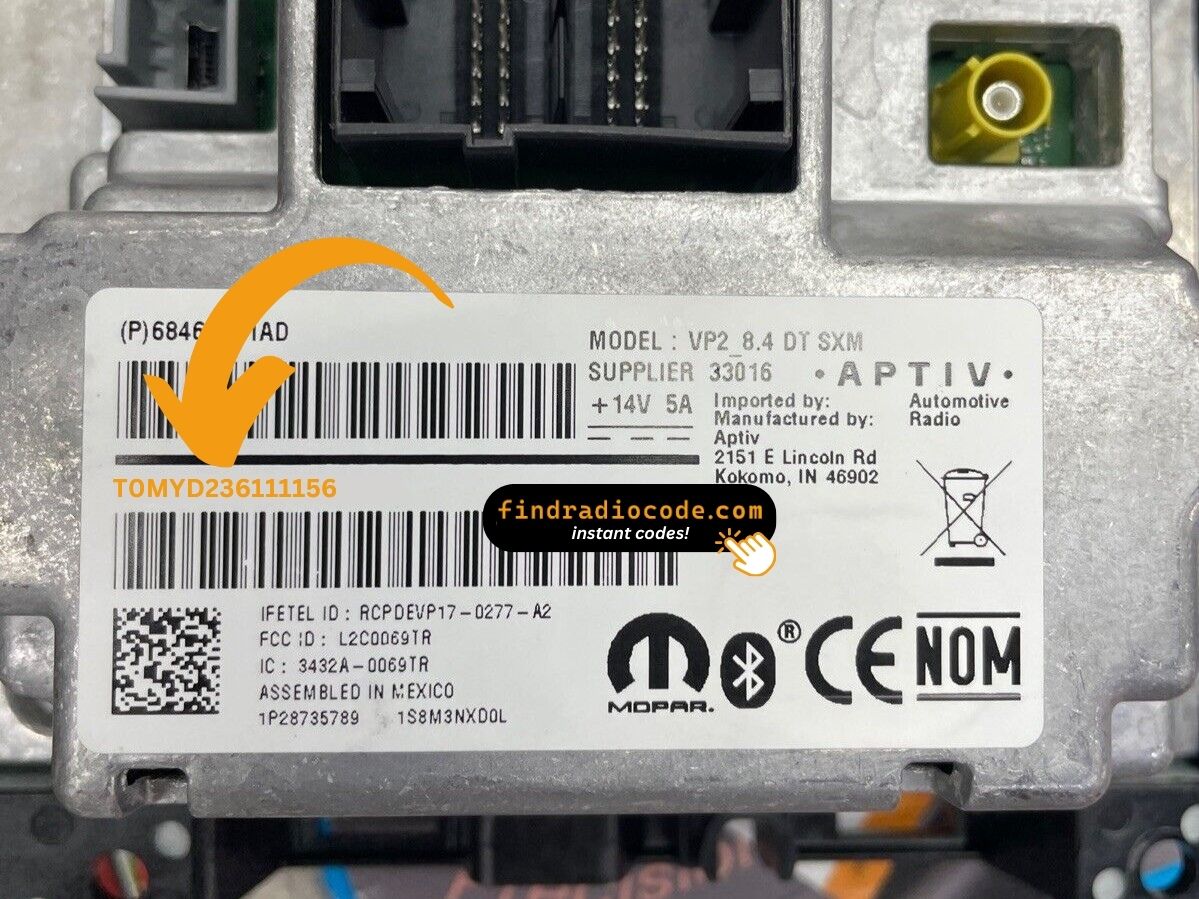
Example: Ram 3500 serial number label location
Usual Serial Prefixes on Ram 3500 Radios
Your Ram 3500 radio serial may be in T00AM format (14 characters, e.g. T00AM1801T0282), TM9 format, or A2C format on newer Uconnect systems. The serial is on a label on the radio housing.
Common Ram 3500 Radio Code Problems
Dealing with a locked Ram 3500 radio? Usually, it was triggered by one of these common situations.
Battery Replacement Radio Code Problem
When the battery is disconnected, the Ram 3500 radio locks automatically.
This security feature is designed to prevent theft by disabling the radio after power loss.
Additional Scenarios Where Radio Requires a Code
- Installing a used head unit will trigger the original anti-theft code.
- A blown fuse can cause the Ram 3500 radio to request a security code.
- After an ECU or software reset, the radio may enter security mode.
- Jump-starting the vehicle can trigger anti-theft mode, requiring the PIN.
Quick Things to Check
Looking for a free Ram 3500 Radio Code? Actually, you may find it.
In some cases, the code may already be available in the vehicle itself or in the documentation.
Checking these sources can save you time and money before using an online lookup tool.
Below are the most reliable places to look.
Check the Owner's Manual and Paperwork
- Inside the center console, sometimes on a small card.
- In the vehicle handbook, often on a sticker page.
- In the trunk, on a radio label.
- In your service book from the previous owner.
- On the radio unit itself, if it was removed before.
Can the Dealer Get It for You?
A Ram dealer can usually retrieve the radio code using your 3500's VIN.
In most cases, you need to visit or contact them and prove ownership.
Once verified, they can request the original anti-theft code for your radio.
Downsides:
- The process can take days depending on the model and database.
- Dealers often ask for payment for the lookup service and it's sometimes more than 100$.
- Some older Ram 3500 radios may require manual lookup.
- You usually need to visit in person and bring vehicle paperwork.
How to Enter the Radio Code on Ram 3500
Once you have the unlock code, it's time to input it into the Ram 3500's radio.
The locked radio will usually show a "CODE" prompt.
Use the radio presets or a rotary dial to dial in each digit, then confirm to activate the stereo.
To input the unlock code on your Uconnect radio:
- When the radio is locked, the screen will display "ENTER CODE" or show four dashes (----).
- Use the on-screen keypad (touchscreen models) or the preset buttons (non-touchscreen models) to enter each digit of your 4-digit code.
- After entering all 4 digits, the radio unlocks automatically – no need to press a confirm button.
Tip: Ensure you enter the code carefully. Three incorrect attempts will trigger a temporary lockout.
Why Do 3500 Radios Use a Security Code?
The security code is a factory-set numeric code that protects your car audio from theft.
It is stored within the radio at the factory and triggers automatically whenever the unit detects a power cut.
Without this code, the radio stays locked and produces no sound.
Entering the code tells the radio that the owner is present, restoring normal operation immediately.