Retrieve Your Panasonic Chrysler Uconnect 8.4 UAS Radio Code
Panasonic | Chrysler | Instant Retrieval
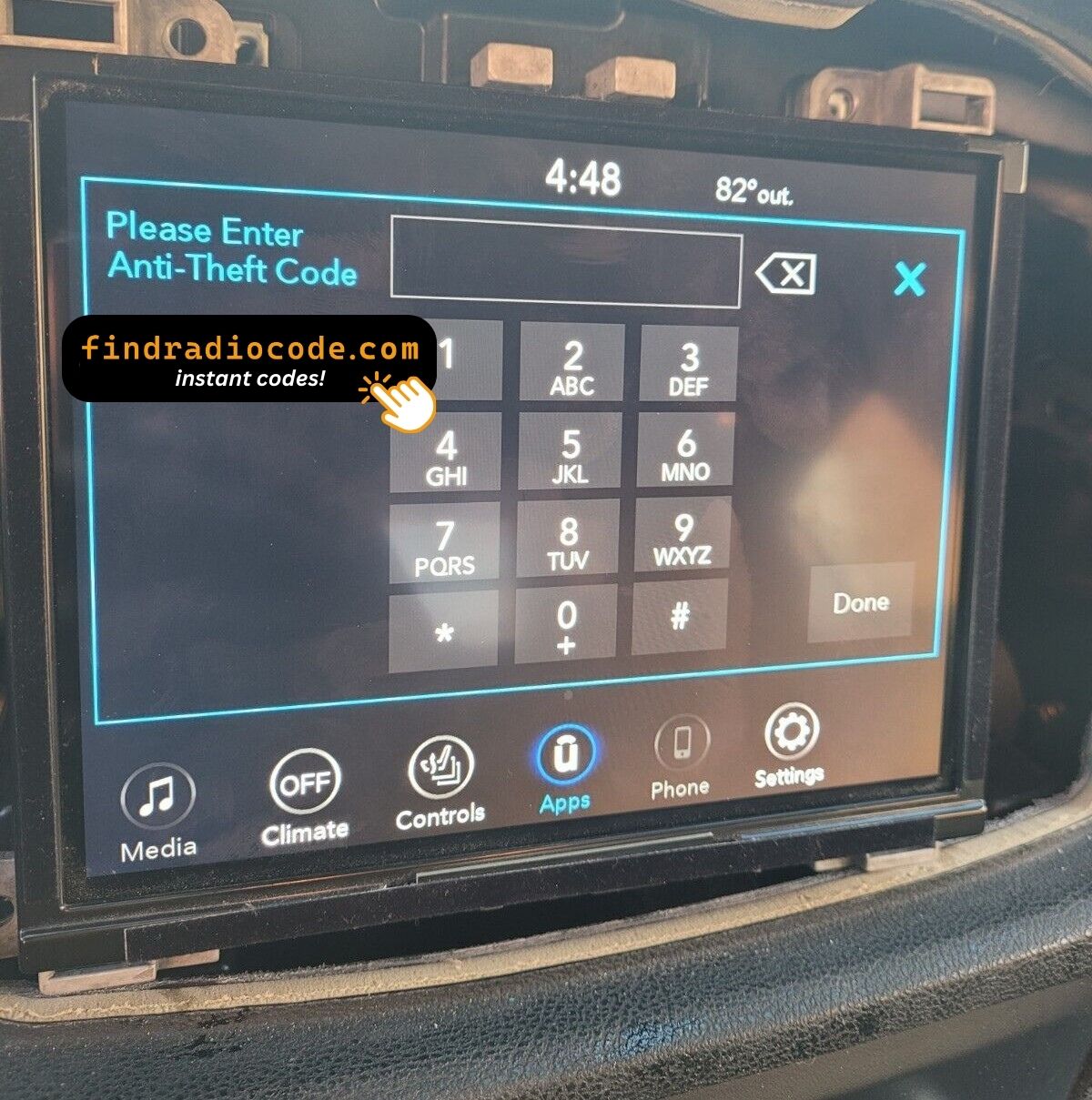
Refund terms explained.
Compatible Serial Number Prefixes
| Serial Prefix | Status |
|---|---|
TM9 |
Supported |
If your serial starts with one of these, we can retrieve your code.
Your code in three steps
Everything runs from the serial number on the radio's own label.
- 1 Track down the number on the unit Look for it on the sticker on the housing. The radio normally has to come forward a little - the wiring can stay plugged in.
- 2 Enter the serial Copy it character for character. We check the format up front, so a typo never costs you anything.
- 3 The code is delivered instantly You get the digits immediately, with an email copy for safe keeping. Type them into the radio and it plays again.
If it does not work, you get your money back.
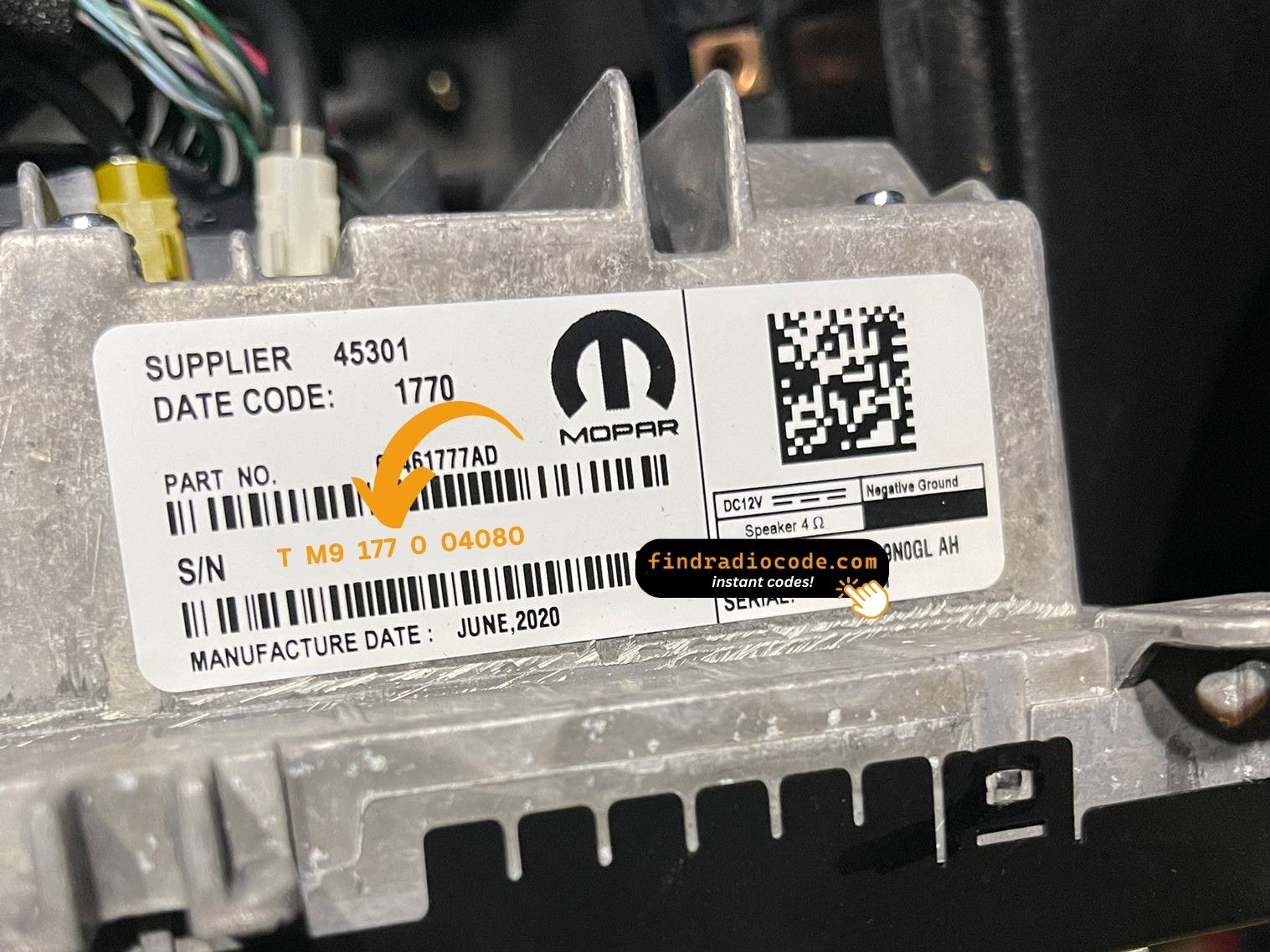
Your radio carries a label like this one. The serial is the code printed on it.
Sample serials we handle
Typical Chrysler serial numbers look like this:
TM9341100221
(prefix: TM9)
TM9128455907
(prefix: TM9)
TM9067230144
(prefix: TM9)
Usual starting characters: TM9
Identify Your Chrysler Uconnect 8.4 UAS Radio
Line up the design, controls, display and features listed below with your factory-installed radio - the Chrysler Uconnect 8.4 UAS is easy to tell apart once you know what to look for.
Visual signs on this unit:
- Centre-stack 8.4" touchscreen
- A North America-market build
- Sales code UAS on the chassis label
- A serial that begins with TM9
Your radio is the Chrysler Uconnect 8.4 UAS if:
- the factory label reads UAS
- the serial on the label starts with TM9
- the car left the factory between 2017-2020
- the 8.4" touchscreen is the one the Uconnect 8.4 family uses
UAS and UAQ share the face. The chassis part number plus the presence of a premium-audio badge on the speakers is the cleanest tell. If your vehicle has Alpine or H/K branded speakers, UAS is likely.
Where to Find Your Chrysler Uconnect 8.4 UAS Serial Number
Every Chrysler Uconnect 8.4 UAS has a unique serial number, and the unlock code is worked out from it. You will find that number on the unit's own label - it is not in the service book and not on the dashboard.
On this unit: White label on the top of the chassis, near the back edge. Remove via three 7mm bolts.
How to reach the number:
- Pull the unit forward with release keys (cheap online) - the wiring can stay plugged in.
- Find the printed label on the housing and read the serial off it - it sits beside the barcode.
- Copy it into the form precisely as printed; the checker catches any typo before payment.
Serial number location on this unit
Watch the full process

Our own clip of the process - more videos are on the channel.
Chrysler Uconnect 8.4 UAS Overview
The Chrysler Uconnect 8.4 UAS is a dealer-installed Chrysler audio and multimedia unit. Alongside everyday radio and audio playback it may include touchscreen controls, Bluetooth, CD/DVD playback or factory navigation, depending on how the vehicle left the factory.
Uconnect 8.4 UAS is the North American Panasonic 8.4-inch head unit paired with premium audio (Alpine, Harman/Kardon depending on the vehicle). Same screen and UI as UAQ; the differences live in the amplifier and speaker package outside the head unit.
Look for the Chrysler Uconnect 8.4 UAS in Chrysler vehicles from 2017-2020. It came with the Panasonic multimedia platform and is still found in many cars from that period.
Typical features include:
8.4" touchscreen
AM/FM radio
Bluetooth hands-free and audio streaming
USB input for music playback
SiriusXM satellite radio*
Steering wheel control support
Anti-theft security code
*Availability depends on the vehicle specification.
Like many factory-installed radios, the Chrysler Uconnect 8.4 UAS is protected by an anti-theft system. If power is interrupted after replacing or disconnecting the vehicle battery, the unit may request the original radio code before it can be used again.
Background on the platform itself is published by the official Uconnect site.
What Usually Triggers the Code Screen
Almost all of the Chrysler Uconnect 8.4 UAS codes we generate follow one of these four events.
After electrical work
The repair worked - the locked radio is just the side effect of the battery being off the car for a while.
The seller had no code
Used cars routinely arrive with a locked radio and no code card in the glovebox. The serial number on the unit is all that is needed to recover it.
A battery swap
Whether the battery was changed or just ran flat, the radio sees a power loss and asks for the code when it starts.
A different unit is in the dash now
A used unit from a donor car always arrives locked, and the code from your old radio will not fit - the code follows each radio's own serial number, so order it for the serial on the REPLACEMENT unit.
The way out is the same in every case: serial number in, original code out, within seconds.
Technical Overview
| Specification | Value |
|---|---|
| Manufacturer | Panasonic |
| Radio Family | Uconnect 8.4 |
| Variant | UAS |
| Market | North America |
| Vehicle Brand | Chrysler / Dodge / Ram |
| Production Years | 2017-2020 |
| Display | 8.4" touchscreen |
| Serial Prefixes | TM9 |
The exact functionality of the Chrysler Uconnect 8.4 UAS depends on the vehicle it was installed in. Some versions include advanced multimedia features like navigation and Bluetooth, others ship in a more basic configuration. Features vary by production year, trim and regional specification.
Vehicles Equipped with the Chrysler Uconnect 8.4 UAS
| Vehicle Model | Typical Production Years | Notes |
|---|---|---|
| Chrysler 300 (premium audio trims) | 2017-2020 | |
| Dodge Charger R/T, Challenger R/T and SRT (premium audio) | 2017-2020 | |
| Ram 1500 Laramie/Limited (premium audio non-nav) | 2017-2020 |
Some vehicle models were available with several different factory radio depending on trim level, production year or regional market. Always confirm your radio model before ordering a code.
Supported Part Numbers 91
The Chrysler Uconnect 8.4 UAS was built under the part numbers below. Spot the one on your unit's label and you can be sure this is the right page.
Behind the 91 references sit 10 base part numbers; suffix letters like AA or ZD separate factory revisions of the same hardware, all of them covered here.
68306687AB 68306687AC 68306687AD 68306687AE 68306687AF 68306687AG 68306687AH 68306687AI 68331635AA 68331635AB 68331635AC 68331635AD 68331635AE 68331635AF 68331635AG 68331635AH 68331635AI 68331635AJ 68331635AK 68331635ZA 68331635ZB 68331635ZC 68331635ZD 68331635ZE 68332801AA 68332801ZA 68332801ZB 68332801ZC 68332801ZD 68332801ZE Show all 91 part numbers
68332801ZF 68332801ZG 68332801ZH 68332801ZI 68332801ZJ 68332801ZK 68332807AA 68332807AB 68332807AC 68332807AD 68332807AE 68332807AF 68332807AG 68332807AH 68332807AI 68332807AJ 68332807AK 68332807AZ 68332807ZB 68332807ZC 68332807ZD 68332807ZE 68332807ZF 68332807ZG 68332807ZH 68332807ZI 68332807ZJ 68332807ZK 68396538AA 68396538AB 68396538AC 68461703AA 68461703AB 68461703AC 68461747AA 68461747AB 68461747AC 68461747AD 68461747AE 68461747AF 68461747AG 68461747AH 68461747AI 68461747AJ 68461747AK 68461747AL 68472642AA 68472642AB 68472642AC 68472642AD 68472642AE 68472642AF 68615153AA 68615153AB Z8306687AB Z8306687AC Z8306687AD Z8306687AE Z8306687AF Z8306687AG Z8306687AH The part number is printed on the label on top of or on the side of the radio chassis, usually next to the serial number. If yours appears above, the Chrysler Uconnect 8.4 UAS is the correct page.
Entering the code on the Chrysler Uconnect 8.4 UAS
It takes less than a minute once you have the four digits.
- Switch the ignition on and let the radio boot to its security screen.
- The code prompt comes up with its own keypad.
- Enter the four digits in the order you received them.
- As soon as the last digit lands, the radio verifies on its own.
- On a correct code the radio leaves security mode and plays again.
Things that can catch you out
Too many wrong attempts
After a few wrong entries the radio stops accepting codes for a while - cutting power only restarts the clock. 30-minute "INCORRECT CODE - WAIT" timer after three wrong codes.
Where the number actually is
The serial is on the unit itself, not in the vehicle papers or on the dashboard. White label on the top of the chassis, near the back edge. Remove via three 7mm bolts.
The radio locked itself again
Expected behaviour: the security system trips again whenever power is cut. Loss of 12V supply.
Same face, different radio
One glance at the label removes the doubt - worth doing before the order. UAS and UAQ share the face. The chassis part number plus the presence of a premium-audio badge on the speakers is the cleanest tell. If your vehicle has Alpine or H/K branded speakers, UAS is likely.
The code belongs to the radio and never changes, so keep it somewhere safe once you have it.
Before You Order - Common Questions
After the Code Arrived
What a few recent customers wrote after unlocking - every review is on the reviews page.
"I am very glad I found this website. The code I received was the correct code. I am so happy that my radio works. I have a 2019 Chrysler Pacifica. I replaced the radio with a used one. Sad I needed a code to fix it after replacing it."
Replaced broke screen radio in a 2016 Chrysler 200. New radio needed code dealership wanted all kinds of information. This website gave me the code instantly! Very helpful!
Josh - Chrysler
100% Legit It Works
Chris - Chrysler
What Is Included
Code delivered instantly once payment clears - on screen and in your inbox.
A complete refund whenever the code fails to open your unit.
Available 24/7 - no appointment, no dealer visit, no towing.
Works again and again - the code stays valid for the life of the radio.
Compare with Similar Models
The models below share the same family and are frequently mistaken for the Chrysler Uconnect 8.4 UAS. Not your radio? Try one of these.
Not sure this is your unit? Browse every Panasonic radio we cover on the Panasonic radio codes page.