Panasonic Chrysler Uconnect 8.4 UGQ Radio Code - Immediate Online Recovery
Panasonic | Chrysler | Instant Retrieval
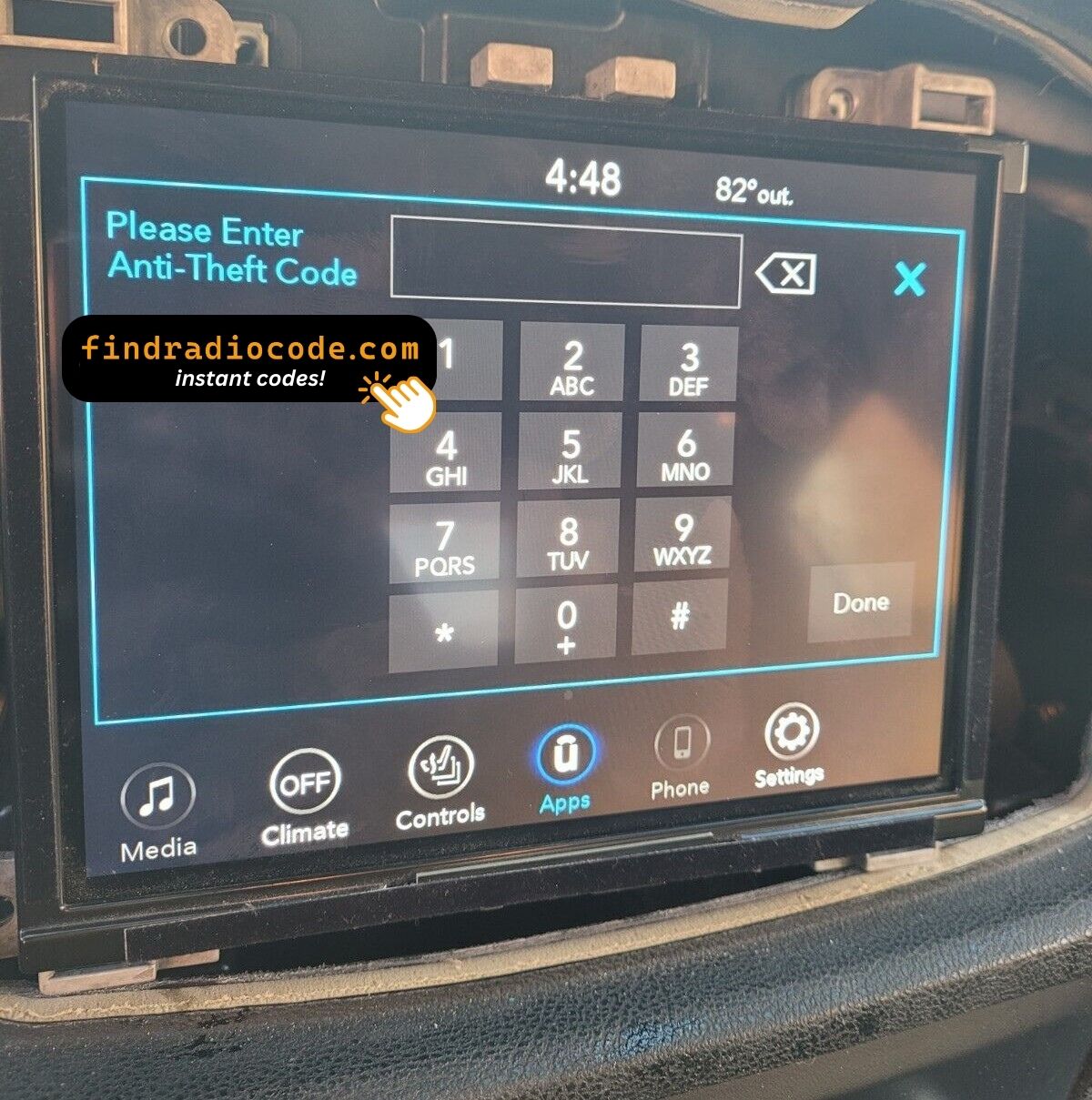
Our refund policy in full.
Supported Serial Prefixes
| Serial Prefix | Status |
|---|---|
TM9 |
Supported |
If your serial starts with any prefix above, we can recover your code.
Three steps to your code
Everything runs from the serial number on the radio's own label.
- 1 Track down the number on the unit Look for it on the chassis label. The radio normally has to come forward a little - the wiring can stay plugged in.
- 2 Add it to the order form Just the serial and your email. The format check runs before the payment step.
- 3 The code is delivered instantly The code is on screen straight away and in your inbox. It never expires and works after every battery disconnect.
Covered by a full refund if the code turns out not to fit your unit.
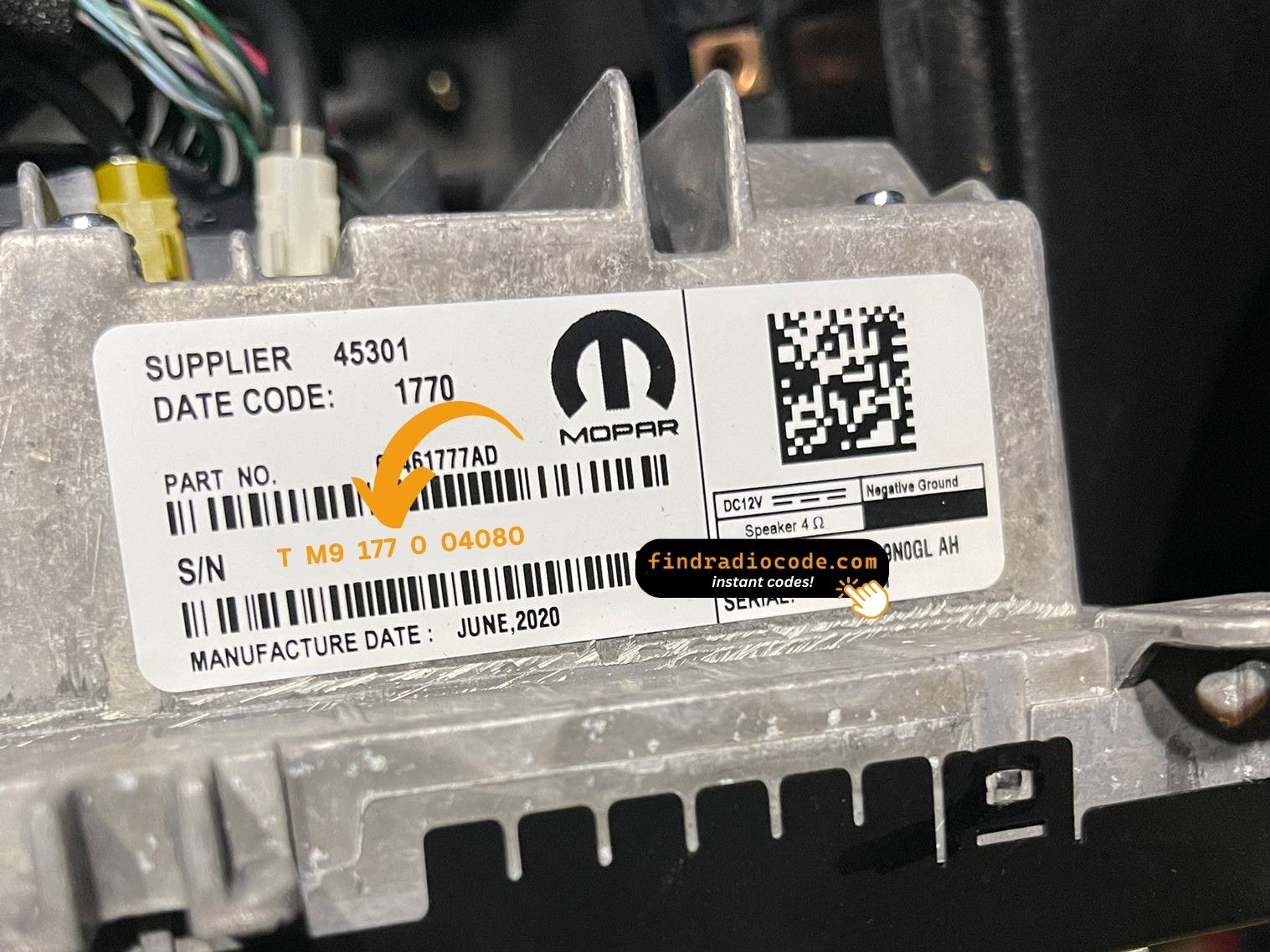
An example from the same family - find the matching sticker on your unit.
Serial number examples
Typical Chrysler serial numbers look like this:
TM9341100221
(prefix: TM9)
TM9128455907
(prefix: TM9)
TM9067230144
(prefix: TM9)
Usual starting characters: TM9
Identify Your Chrysler Uconnect 8.4 UGQ Radio
Before requesting a radio code it is important to confirm the exact model. Compare the design, controls, display and features below with the unit in your dashboard.
Identifying details:
- 8.4" touchscreen in the centre of the dash
- The home screen has no NAV tile and no maps on board
- Shipped for the Europe market
- Sales code UGQ on the chassis label
- Label serial opening with TM9
Your radio is the Chrysler Uconnect 8.4 UGQ if:
- UGQ appears as the sales code on the label
- the printed serial opens with TM9
- the build year falls inside 2017-2020
- the 8.4" touchscreen is the one the Uconnect 8.4 family uses
UGQ has DAB+ but no maps. If your radio shows a DAB band selector but tapping NAV returns "Feature not available", you have UGQ. UGV is the nav sibling.
Learn More About the Chrysler Uconnect 8.4 UGQ
The Chrysler Uconnect 8.4 UGQ is a factory-fitted Chrysler audio and multimedia unit. Alongside everyday radio and audio playback it may include touchscreen controls, Bluetooth, CD/DVD playback or factory navigation, depending on how the vehicle was specified.
Uconnect 8.4 UGQ is the European-market Panasonic 8.4-inch non-navigation head unit (the "G" middle letter denotes Europe). 8.4-inch touchscreen, DAB+ digital radio, EU language packs, no built-in maps.
Between 2017-2020 the Chrysler Uconnect 8.4 UGQ appeared across a number of Chrysler models, usually on vehicles using the Panasonic multimedia platform. It stayed in production long enough to become a familiar sight in that generation of cars.
Typical features include:
8.4" touchscreen
AM/FM radio
Bluetooth for hands-free calls and music streaming
USB media playback
SiriusXM satellite radio*
Steering wheel control support
Anti-theft security code
*Availability depends on the vehicle specification.
As with other Panasonic factory units, the Chrysler Uconnect 8.4 UGQ locks itself when power is lost. After a battery disconnect or a workshop visit the screen will prompt for the original security code before any audio returns.
For the manufacturer's own documentation of this platform, see the official Uconnect site.
Where to Find Your Chrysler Uconnect 8.4 UGQ Serial Number
The code is generated from the radio's own serial number, so that number is the only thing you need before ordering. It is printed on the chassis label of the unit itself, not in the vehicle documents.
Where exactly: Chassis top label. Three 7mm bolts release the radio behind the dash bezel.
Three steps to the serial number:
- Pull the unit forward with release keys (cheap online) - the wiring can stay plugged in.
- Find the white label on the housing and read the serial off it - it sits beside the barcode.
- Copy it into the form precisely as printed; the checker catches any typo before payment.
The label you are looking for
Watch the whole process

Recorded on a radio from this family; your unit behaves the same.
Factory Radio Specifications
| Specification | Value |
|---|---|
| Manufacturer | Panasonic |
| Radio Family | Uconnect 8.4 |
| Variant | UGQ |
| Market | Europe |
| Vehicle Brand | Jeep / Fiat |
| Production Years | 2017-2020 |
| Display | 8.4" touchscreen |
| Navigation | No |
| Serial Prefixes | TM9 |
Equipment on the Chrysler Uconnect 8.4 UGQ varies with the car it came in: navigation, Bluetooth, USB and media playback depend on trim, market and model year.
Typical Ways a Chrysler Uconnect 8.4 UGQ Gets Locked
Almost all of the Chrysler Uconnect 8.4 UGQ codes we generate follow one of these four events.
The car was in the workshop
Any repair that touches the 12V supply - even for a few minutes - is enough to bring up the code screen on the next start.
You swapped the radio itself
A radio from a scrapyard or an online sale comes with its own serial, so it needs its own code - use the serial on the newly installed unit.
The code card is long gone
The code card that shipped with the car went missing an owner or two ago. That is not a problem - the code is generated from the radio's serial, not from any paperwork.
The battery was disconnected
Any battery work counts as a power cut to the radio. It re-arms automatically and waits for the original code before playing again.
All four roads lead to the same solution - read the serial off the unit, enter it above, and the original code arrives instantly.
Supported Factory Identifiers 92
Check your radio's label against this list - any match means the code for your unit can be recovered here.
Do not worry about the trailing letters: the 92 numbers span 13 base references, and the letter suffixes only mark production revisions - the code works across all of them.
68283243AA 68283243AB 68283243AC 68283243AD 68283243AE 68283243AF 68283243AG 68283243AH 68283243AI 68283243AJ 68283243AK 68289301AA 68289301AB 68289301AC 68289301AD 68289301AE 68289301AF 68289301AG 68289301AH 68289301ZC 68289301ZD 68289301ZF 68289301ZG 68306659AC 68306659AI 68306659AJ 68306659AK 68306659AL 68306659AM 68306659AN See the complete list of 92 part numbers
68306659AO 68306659AP 68306659AR 68306659ZC 68306659ZD 68306659ZE 68306659ZF 68306659ZG 68306659ZH 68306659ZI 68306659ZJ 68306659ZK 68306659ZL 68306659ZM 68306659ZN 68306659ZO 68306659ZP 68332804AA 68332804AB 68332804ZA 68332804ZB 68366558AA 68366558AB 68396161AA 68396161AC 68401428AA 68401428AB 68417864AB 68417864AD 68417864AE 68417864AF 68417864AG 68417864AH 68417864AK 68429176AB 68440839AA 68440839AB 68440839AC 68461694AA 68461694AB 68461694AC 68472590AA 68472590AB 68472590AD 68472590AE 68472590AF 68472590AG 68472590AH 68472590AI 68472590AJ 68472590AL Z8283243AA Z8283243AB Z8283243AC Z8283243AD Z8283243AE Z8283243AF Z8283243AG Z8283243AH Z8283243AI Z8283243AJ Z8283243AK You will find the part number on the chassis label of the unit, normally alongside the serial. A match in this list confirms you are on the right page for the Chrysler Uconnect 8.4 UGQ.
Vehicles Equipped with the Chrysler Uconnect 8.4 UGQ
| Vehicle Model | Typical Production Years | Notes |
|---|---|---|
| Jeep Cherokee KL, Renegade, Compass (EU non-nav trims) | 2017-2020 | |
| Jeep Grand Cherokee WK2 (EU non-nav) | 2017-2020 | |
| Fiat Freemont, 500X (Uconnect 8.4 EU non-nav) | 2017-2020 |
The vehicles listed above are the most common factory applications for the Chrysler Uconnect 8.4 UGQ. Equipment packages and regional specifications differ, so verify the radio using its design, serial number or part number before requesting a code.
Typing the code into your Chrysler Uconnect 8.4 UGQ
The code goes into the unit itself, not into the car's menus.
- Switch the ignition on and let the radio boot to its security screen.
- The code prompt comes up with its own keypad.
- Enter the four digits in the order you received them.
- As soon as the last digit lands, the radio verifies on its own.
- On a correct code the radio leaves security mode and plays again.
Common problems
The screen shows a wait timer
The timer is the radio guarding itself after failed entries - power on, patience, then try again. 30-minute "INCORRECT CODE - WAIT" timer after three wrong codes.
Where the number actually is
The serial is on the unit itself, not in the vehicle papers or on the dashboard. Chassis top label. Three 7mm bolts release the radio behind the dash bezel.
The radio locked itself again
Expected behaviour: the security system trips again whenever power is cut. Battery service or radio removal.
Same face, different radio
One glance at the label removes the doubt - worth doing before the order. UGQ has DAB+ but no maps. If your radio shows a DAB band selector but tapping NAV returns "Feature not available", you have UGQ. UGV is the nav sibling.
The code belongs to the radio and never changes, so keep it somewhere safe once you have it.
Before You Order - Common Questions
Recent Customer Feedback
A few of the most recent reviews left after an unlock - the full list is on the reviews page.
"It’s legit, i’m skeptical about these kinds of websites but i trusted it and it worked, i got the code instantly. You guys should trust it if you’re struggling to find the anti theft code."
Quick and easy! Got my code immediately after payment.
Twig - Chrysler
This actually works it is worth it to buy
Emily - Chrysler
What Is Included
Code delivered instantly once payment clears - on screen and in your inbox.
A complete refund whenever the code fails to open your unit.
Available 24/7 - no booking, no dealer visit, no towing.
One code, for good: the same digits unlock the unit after every power cut.
Related Radio Models
Still unsure? These closely related units share much of the same hardware as the Chrysler Uconnect 8.4 UGQ and may be what you actually have.
Not sure this is your unit? See every Panasonic radio we cover on the Panasonic radio codes page.