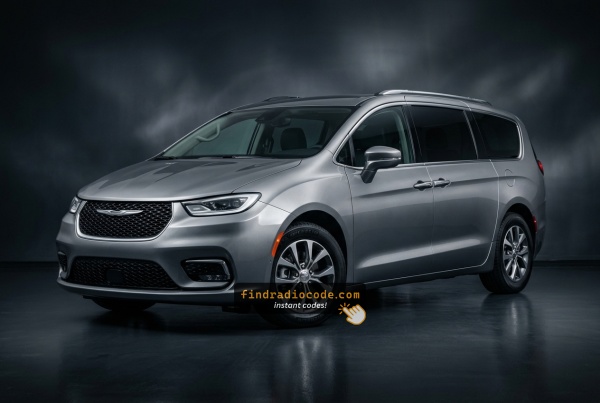
2022 Chrysler Pacifica Factory Radios We Support
These radio models shipped in the 2022 Chrysler Pacifica. Pick the one that matches your dash to check its serial format and how to get the code.
| Years | Factory radio | Serial starts with |
|---|---|---|
| 2018-2022 | R1 INT NA Harman |
T0012, T00BE
|
From Serial Number to Unlock Code for your Chrysler Pacifica - Explained
Car radios use anti-theft codes dependent on the radio unit itself instead of the model or production year.
- The generator identifies your Chrysler radio via serial-based verification.
- When you input the serial into the generator, the system identifies the radio family and retrieves the corresponding code.
- Simply input the digits into the Pacifica stereo.
- Compared to Chrysler dealer retrieval, this method is faster and more convenient.
Inputting the Security Code
After receiving 2022 Chrysler Pacifica unlock code from the serial, you're ready to reactivate the radio.
Many drivers get stuck at this stage because input process can look different across radio versions, but it's usually quick.
When the radio shows dashed lines, it means the unit is waiting for the correct numbers.
Entering Process Explained
To unlock the 2022 Chrysler Pacifica Uconnect 4C:
- Turn ignition to ON. Screen shows "ENTER CODE".
- Enter each digit of your 4-digit code on the touchscreen keypad.
- Radio auto-confirms after the 4th digit. No confirm button needed.
3 wrong attempts cause a 60-minute lockout. Keep ignition ON. Turning off restarts the timer.
Radio Serial Number Explained - Finding It on Your Chrysler
The initial step is writing down the radio S/N.
Many drivers assume the code depends on the Chrysler model or year, but actually, the unlock process depends on the unique radio unit's serial number.
The serial is the key used to calculate the correct unlock code.
This is actually better, because if you have an aftermarket radio, the VIN or other vehicle-specific data wouldn't be of much use.
Based on the radio used, you can see the serial directly from the screen or by looking at the label on the radio chassis.
Factory Radios on the 2022 Chrysler Pacifica
The 2022 Pacifica continues the refreshed RU generation with Uconnect 5 hardware standard across the lineup. The 10.1-inch landscape touchscreen launched on the 2021 refresh carries over unchanged in physical form, and from the 2022 model year the UBN radio module also receives 4G FOTA (firmware over-the-air) software updates, which is documented in pacificaforums.com retrofit threads as a meaningful difference between 2021 and 2022 modules even though the screen size and software family are the same.
Uconnect 5 with 10.1-inch touchscreen (standard). A landscape colour touchscreen mounted high on the centre stack, billed as the largest-in-class infotainment display on a minivan. Uconnect 5 is built on an Android-based platform, supports up to five user profiles, wireless Apple CarPlay and wireless Android Auto, and over-the-air software updates. From 2022 onward the UBN module receives FOTA updates over a 4G connection, so the unit you have in a 2022 car is hardware-similar but firmware-different to a 2021.
Audio system pairings. The factory audio package layered on top of the Uconnect 5 head unit varies by trim - a 6-speaker base system on lower trims, a 13-speaker Alpine premium system on mid trims and a 20-speaker Harman Kardon system with a 760 W amplifier on Limited and Pinnacle. The audio system does not change which Uconnect 5 head unit you have, only the amplifier and speaker package behind it.
Optional Uconnect Theater rear-seat entertainment. A separate option that adds two seatback-mounted screens for second-row passengers along with HDMI input, wireless headphones and Amazon Fire TV streaming integration. These rear screens are tied to their own controller and are not the same module as the Uconnect 5 head unit at the front.
Hybrid-specific Uconnect pages. Pacifica Hybrid models continue to add EV-specific Uconnect 5 pages - charging schedule, energy flow and hybrid-electric data - layered on the same 10.1-inch head unit rather than as a separate radio.
Fast Serial Lookup Using Radio Controls
Try the following for your 2022 Chrysler Pacifica:
The 2022 Chrysler Pacifica — including the Pacifica Hybrid PHEV variant — features the Uconnect 4C (RA4) on the updated platform. Press the bottom-left and bottom-right corners of the physical bezel frame simultaneously for 5 seconds (ignition ACC or ON) to open Dealer Mode. Navigate to: System Info → Radio Part Info → Serial Number.
Note: press the plastic bezel frame, not the touchscreen itself.
Taking Out the Unit to Access the S/N on the Tag
If the serial does not appear on screen, the next step is checking the radio itself.
Many Chrysler radios require physical access to the ID label attached to the unit.
Common approach:
- Start by completely turning off the engine - pull the key out.
- Then detach the radio surround.
- Next, unscrew the mounting points and slide the radio forward.
- Look for a printed tag showing the serial number.
If Dealer Mode is unavailable on the 2022 Chrysler Pacifica Pacifica, remove the RA4 unit from the minivan's elevated center stack.
- Pry off the bezel panel with a plastic trim tool.
- Remove the 4 Torx T20 mounting screws.
- Slide the unit out to access the serial label.
Note: the Pacifica's high-mounted screen position has a slightly different trim layout from older Chrysler minivans.
View Serial by Pulling Out the Radio Unit
The 2022 Pacifica head unit shares the redesigned centre stack of the 2021 refresh - the 10.1-inch Uconnect 5 display is integrated with the climate controls and surrounded by a layered receiver trim panel. Forum DIY writeups for the 2021-2024 UBN module note that the unit sits behind several layers of trim and is wired into the vehicle data bus, so dropping it out is meaningfully more involved than on a pre-refresh Pacifica.
Recommendation: have the unit pulled by a Chrysler dealer or a trim/audio specialist. If the radio is already being removed for service or warranty work, ask the technician to photograph the chassis label so the serial number can be transcribed accurately.
Safety first. If any DIY work is unavoidable, switch the ignition off, remove the key fob from the cabin, disconnect the negative battery terminal and wait several minutes before touching any harness; never disturb yellow airbag/SRS connectors and only use plastic trim tools so the centre-stack clips and surrounding bezels stay intact.
Tools you would need. A full plastic trim removal kit, a 7 mm socket with ratchet and extension, a Phillips screwdriver, a small Torx bit set and a good flashlight; pacificaforums.com installation threads describe removing several screws between the A/C console and the radio surround before prying the trim free.
Removal overview (information only). The receiver trim panel is unclipped at the bottom edge with a plastic tool to release the retaining clips; the small fasteners between the climate console and the radio surround are removed first to relieve tension. Behind the trim sit screws holding the screen/receiver assembly to the dash. With those out, the assembly comes forward and the multi-pin harnesses on the rear of the unit are unplugged.
Where the serial sits. On Uconnect 5 hardware the radio serial number is printed on a thermal/barcode label on the back or top of the chassis, next to the Mopar part number and supplier markings.
Tips. Photograph the label in good light, copy each character exactly and double-check ambiguous characters such as 0/O, 1/I and B/8 before submitting the serial.

Example: Chrysler Pacifica serial number label location
How Serial Numbers Usually Look on These Pacifica Radios
Year Chrysler Pacifica RA4 serial formats:
T00AM– Harman RA4 Uconnect 4C (standard on 2020+ Pacifica)T00BE– Continental version
Serial is 14 alphanumeric characters. Ignore the part number (starts with P or 68).
Common S/N Formats Used on 2022 Pacifica Units
The 2022 Pacifica ships exclusively with the Uconnect 5 10.1-inch head unit (UBN platform) across the lineup. Stellantis sources Uconnect 5 modules from more than one supplier, and the prefix on the chassis label varies with which supplier built the unit, so the only authoritative reference is the printed sticker on the radio itself.
Uconnect 5 (10.1" UBN)
The serial is typically a continuous alphanumeric block printed on a thermal/barcode label on the chassis, with no dashes or spaces. Newer Stellantis Uconnect 5 head units have been observed using T-style prefixes such as T0071 and T00AD, but a comprehensive 2022-specific prefix list is not publicly published. Treat the printed label on the unit itself as authoritative and copy each character exactly - do not infer the prefix from the trim level or audio package.
Why Did the Radio Lock and Ask for a Code?
The 2022 Chrysler Pacifica radio locks automatically after battery is disconnected. Pacifica Hybrid owners may encounter this after battery servicing that involves disconnecting the 12V auxiliary battery.
Typical cause: battery replacement or disconnect. Other causes:
- Blown radio fuse
- Buying the Pacifica used without a code
- Battery disconnect for service
- Battery drained from sitting unused
Code is derived from the radio serial number — not the VIN.
Understanding Unlock Issues with Your Pacifica
If no code prompt appears, anti-theft is inactive. Force the prompt: briefly disconnect the battery, reconnect, turn ignition to ON.
3 wrong entries lock the Pacifica RA4 for 60 minutes. Keep ignition in ON or ACC. Cutting power restarts the timer.
The Pacifica RA4 label has both serial and part number. Serial: 14 chars starting with T00AM or T00BE. Part number (skip): starts with P or 68.
Double-check the label carefully. Contact support for a free re-check if needed.
The radio label: serial = 14 alphanumeric chars starting with T00AM or T00BE. Part number starts with P or 68 — not the serial.
The Pacifica Uconnect 4C uses touchscreen-only code entry. Tap each digit on the on-screen keypad. Auto-unlocks after the 4th digit. No physical buttons needed.