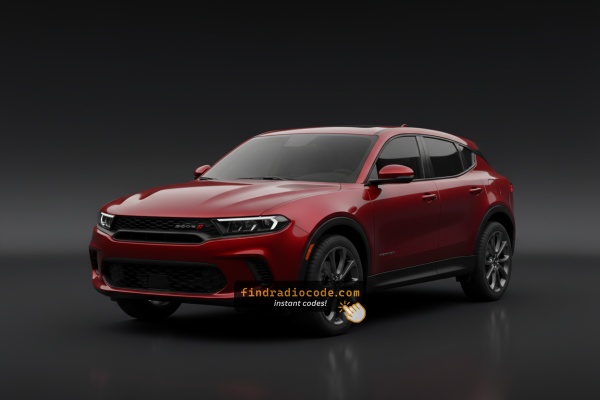
How Serial Numbers Work and Where to Find Them on 2023 Dodge Hornet Radios
The first part is to find the radio's serial num.
Based on the head unit type used in your 2023 Hornet, the S/N can be accessed either through the screen menu or by pulling the unit out and checking the label on the radio itself.
Below are the most common methods to identify your S/N the right way.
Factory Radios on the 2023 Dodge Hornet
The 2023 Hornet launched as a brand-new compact crossover and shipped with a single factory head-unit configuration across both the gas Hornet GT and the plug-in hybrid Hornet R/T. There is no 7-inch base radio on this car - all trims share the same Uconnect 5 hardware, and the choice you make at the dealer affects audio output rather than the touchscreen itself.
Uconnect 5 (10.25-inch touchscreen) is the only factory head unit. Visual ID: a wide, landscape-oriented 10.25-inch capacitive touchscreen mounted in the centre of the dashboard, paired with a 12.3-inch fully-digital instrument cluster behind the wheel. The home screen is the modern Uconnect 5 tile layout, with wireless Apple CarPlay and wireless Android Auto, AM/FM radio, SiriusXM, Bluetooth (two devices simultaneously), and over-the-air update support.
Audio output varies by trim. The standard system is a 6-speaker setup. The optional Harman Kardon premium audio system upgrades this to 14 speakers with an external amplifier - this is a speaker/amplifier package and does not change the head unit itself. If you are trying to identify your radio for code retrieval, all 2023 Hornets share the same Uconnect 5 module regardless of whether you have the base or Harman Kardon audio.
Quick Method: Find the Serial Number on the Screen
Try the following for your 2023 Dodge Hornet:
The 2023 Dodge Hornet is built on the Alfa Romeo Tonale platform and comes with the Uconnect 5 infotainment system with a 10.25" touchscreen. This latest-generation system may allow serial number access through the settings menu:
- Turn ignition to ON.
- Navigate to: Settings → System → About or System Information.
- Check the serial number listing.
If the serial is not visible in the settings menu, you may also try the bezel corner press method: press the bottom-left and bottom-right corners of the physical bezel for 5 seconds to access Dealer Mode. If neither method succeed, physical removal is required.
Locate Serial on Hornet's Radio Chassis
If the serial number cannot be accessed on-screen, use the pull-out method.
Most Dodge Hornet original radios include a label with the serial number printed on the chassis.
Basic process:
- Shut down the car.
- Lift away surrounding panel pieces.
- Loosen screws holding the radio.
- Slide outward to inspect the label.
The 2023 Dodge Hornet's Uconnect 5 radio is built into the new-generation center console. To remove it for serial number access:
- Turn off the vehicle.
- Carefully pry off the center stack trim surrounding the 10.25" display. The trim uses plastic clips.
- Unscrew the mounting bolts securing the display module.
- Pull the unit forward to read the serial label.
Caution: The Hornet's infotainment system is closely integrated into the dashboard compared to previous generations. Consider using the on-screen serial retrieval methods before physical removal.
Manufacturer Label Inspection
The 2023 Dodge Hornet is a brand-new vehicle and a clean DIY procedure for releasing its 10.25-inch Uconnect 5 head unit is not yet publicly documented. The screen is deeply integrated into the centre dashboard and shares the same general construction as the Alfa Romeo Tonale (which is built on the same Stellantis Small Wide LWB platform in Pomigliano, Italy), and these integrated centre stacks typically require staged removal of the surrounding dash trim before the radio screws are exposed.
Because the procedure is not yet documented and the dash carries airbag wiring, climate control modules, and a delicate digital cluster, this is a job we recommend handing to a Stellantis technician or an experienced trim/audio shop rather than attempting blind. A dealer can also typically read your radio serial number directly via the wiTECH diagnostic tool plugged into the OBD port, which avoids removing the unit at all.
Before booking a service appointment, it is worth checking the most accessible places for the anti-theft code first - the original window sticker, the owner's wallet card, the glovebox, and any paperwork delivered with the car often carry the radio code on a printed label.

Example: Dodge Hornet serial number label location
Serial Number Format Guide for 2023 Dodge Hornet
The 2023 Dodge Hornet uses the Uconnect 5 system, a recent evolution of Stellantis infotainment:
T00AMprefix – Likely Harman-manufactured unitsT00BEprefix – Continental-manufactured variants
The Hornet's radio platform is designated Uconnect 5 (built on Android Automotive in some markets). Serial numbers follow the same 14-character alphanumeric format as other Uconnect radios.
Note: As the Hornet is built on the Alfa Romeo Tonale platform, some radio components may overlap under Alfa Romeo part numbers.
Locked Hornet Radio? Here's Exactly How to Get the Code
Getting your radio code takes only a few easy steps.
- Locate the radio's serial number - this is the only information required to generate the correct unlock code.
Unlike dealership lookup, no VIN is needed. - Enter the serial number into our generator above.
The system checks it against a database of supported units and automatically retrieves the matching security code. - In most cases, the code will appear instantly on the screen after you pay and is also sent to your email for backup.
If we need to check it manually, you'll be notified before checkout. - Once you receive it, simply enter it into the radio to restore the functionality.
Entering the Radio Security Code
After locating the S/N and received the unlock code, the next step is entering it into your radio.
Dodge original head units display a CODE prompt when ready for input.
The process is usually quick, but button layouts and confirmation methods may vary depending on the radio version installed in your Hornet.
Entering Process
To input the unlock code on the 2023 Dodge Hornet's Uconnect 5:
- Turn ignition ON. The 10.25" screen shows "ENTER CODE" with a code input screen.
- Use the touchscreen to type each digit of the 4-digit code.
- The radio confirms after the final digit.
Lockout: Incorrect attempts will activate a timed lockout. Keep the ignition ON and wait before trying again.
What Caused the Radio to Lock?
The radio in this vehicle requests a code whenever power is lost. Common triggers on this newer platform:
- Battery service or replacement — any battery disconnect during maintenance will trigger the lock.
- Software updates disconnecting power — certain software procedures temporarily cut power as part of the procedure, which activates the anti-theft.
- Used purchase — buying a used Hornet without the original code leaves the radio locked.
- Dead or discharged battery — even on newer vehicles, a drained battery will cause the code entry screen.
Your code is linked to the serial number and remains valid indefinitely.
Understanding Unlock Issues with Your Hornet
The Hornet's Uconnect 5 uses a 10.25" touchscreen for all code entry — there are no physical buttons in this step. When the "ENTER CODE" prompt shows:
- Touch each digit on the large touchscreen.
- The system auto-accepts after the final digit — no "OK" step is needed.
If the touchscreen is unresponsive, restart the Uconnect system and wait for the system to fully reload.
On the Hornet, a rejected code usually indicates a serial number error. The Uconnect 5 serial is 14 characters, starting with T00AM or T00BE. Ensure you are not using the part number (P... or 68...) which also appears on the radio label.
Because the Hornet is built on the Hornet, some label fields may differ from other Dodge vehicles. If uncertain, contact support for a free re-check.
Retrieving the serial number on the Hornet is easiest through the Uconnect 5 Settings menu: navigate to Settings → System → About. If that fails, press the bottom-left and bottom-right corners of the screen frame for 5 seconds to open Dealer Mode.
- Serial number — 14 characters, beginning with
T00AMorT00BE. Submit this. - Part number — begins with
Por68. Not the serial.
Given the Hornet's Alfa-derived hardware, some labels may show Stellantis or Alfa designations alongside Uconnect identifiers — the serial format remains the same.
Should the Hornet's display not show a code prompt after a battery event:
- Ensure the ignition is in the ON position and give a moment for the Uconnect 5 to boot — the system takes a moment than older Uconnect generations.
- Check the fuse panel — a blown radio fuse prevents any startup.
- A brief screen interaction may be needed to trigger the code entry screen.
New Hornet buyers should be aware that software-based serial retrieval may be the easiest option before attempting to pull the unit.
The Hornet's Uconnect 5 applies the same lockout rules as other Uconnect systems: 3 wrong attempts = 60-minute lockout. The large 10.25" display will display a wait message. To handle it:
- Keep the ignition ON for the full 60 minutes.
- Switching off the ignition restarts the lockout.
Because the Hornet is a newer vehicle, this issue can occur from dealer service. The procedure is identical regardless of cause.