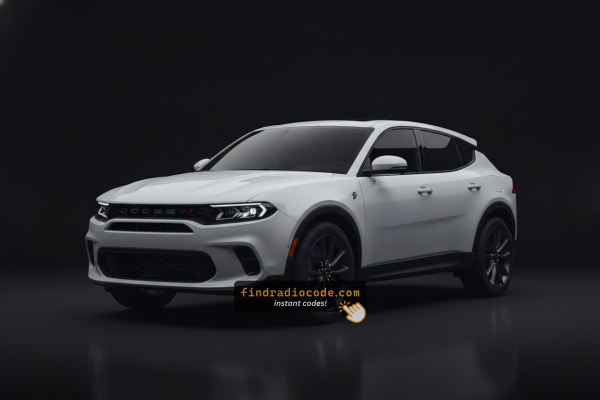
Finding the Radio S/N for Dodge
Very useful thing to know is that factory radios use a specific S/N to identify each unit.
Your anti-theft system matches the code directly to this serial.
Unlike car-specific data like VIN or registration info, it is not determined by the model or production year, so you'll be able to retrieve it even if you have an aftermarket radio.
Depending on the maker and radio installed in your Dodge Hornet, the access method is different.
Here are the best ways to find it.
2024 Hornet - Which Radio Did You Get?
The 2024 Hornet line-up is unchanged on the infotainment side - one head unit covers every trim, and the audio differences come from speaker and amplifier packages rather than from the radio itself.
- Uconnect 5 (10.25-inch touchscreen) - the only factory head unit on every 2024 Hornet, including Hornet GT, Hornet GT Plus, Hornet R/T plug-in hybrid, and Hornet R/T Plus. Visual ID: a wide 10.25-inch landscape touchscreen in the centre of the dash, paired with a 12.3-inch full-digital instrument cluster behind the steering wheel.
- Wireless smartphone integration - wireless Apple CarPlay and wireless Android Auto are standard on all trims. Bluetooth supports two paired devices at the same time. AM/FM, SiriusXM (with introductory trial), USB and voice control round out the audio sources.
- Standard audio - 6-speaker system on Hornet GT and base Hornet R/T. The home screen and head unit are identical to higher trims.
- Optional Harman Kardon premium audio - 14-speaker premium system with an external amplifier, available on GT Plus and R/T Plus. This is a speaker and amplifier package; the Uconnect 5 module itself is the same physical part as the standard-audio cars.
For code retrieval purposes you can treat every 2024 Hornet as having the same head unit - the radio you need to identify is the 10.25-inch Uconnect 5 unit regardless of audio package or powertrain.
Quick Method: Find the Serial Number on the Screen
Try the following for your 2024 Dodge Hornet:
The 2024 Dodge Hornet is based on the Alfa Romeo Tonale platform and features the Uconnect 5 infotainment system with a 10.25-inch touchscreen. The Uconnect 5 system might support serial number access through the system information menu:
- Turn ignition to ON.
- Go to: Settings → System → About or System Information.
- Look for the serial number listing.
Should the serial not be shown in the settings menu, the alternative is the bezel corner press method: press the bottom-left and bottom-right corners of the screen frame for 5 seconds to access Dealer Mode. If none of these succeed, physical removal is required.
Locate Serial on Hornet's Radio Chassis
If the serial number cannot be accessed through menu, use the hardware method.
Most Dodge Hornet OEM radios include a sticker with the serial number printed on the chassis.
Step-by-Step:
- Power down the vehicle.
- Detach the dashboard frame surrounding the radio.
- Release the clips.
- Slide the unit forward to access the label.
The serial number is usually located near the barcode.
The 2024 Dodge Hornet's Uconnect 5 radio is mounted into the new-generation center console. To extract it for serial number access:
- Power down the vehicle.
- Carefully pry off the dashboard bezel surrounding the 10.25" screen. The trim is held by snap-fit clips.
- Unscrew the mounting bolts securing the infotainment unit.
- Pull the unit forward to access the serial label.
Caution: The Hornet's infotainment system is tightly packaged into the dashboard compared to previous generations. Consider using the software-based serial retrieval methods first.
Locate Serial on Hornet's Radio Chassis
- The 2024 Dodge Hornet uses the same Stellantis Small Wide LWB dashboard architecture as the 2023 car and the sister Alfa Romeo Tonale, with the 10.25-inch Uconnect 5 screen integrated into a moulded centre stack. A clean step-by-step DIY procedure for releasing this assembly is not yet publicly documented.
- The centre dash carries airbag wiring, climate control modules, USB-C ports and a paired 12.3-inch digital cluster - all of which sit close to the head unit and can be damaged or trigger warning lights if disturbed without the proper sequence.
- For these reasons we recommend leaving the physical removal to a Stellantis technician or an experienced trim/audio specialist rather than attempting a blind teardown.
- A Stellantis-authorised dealer can normally read the radio serial number directly through the wiTECH diagnostic tool on the OBD-II port, which avoids any removal at all and is usually the fastest path to a clean serial reading.
- Before booking the appointment, check the obvious places first - the original window sticker, the owner's wallet card delivered with the car, the glovebox and any paperwork in the service binder often have the radio anti-theft code printed on a small label.

Example: Dodge Hornet serial number label location
Serial Number Format Guide for 2024 Dodge Hornet
The 2024 Dodge Hornet is equipped with the Uconnect 5 platform, a recent evolution of Stellantis infotainment:
T00AMprefix – Likely Harman-manufactured unitsT00BEprefix – Continental-manufactured versions
The Hornet's radio system is designated Uconnect 5 (built on Android Automotive in some markets). Serial numbers follow the same 14-character alphanumeric format as previous Uconnect systems.
Note: Since the Hornet is built on the Alfa Romeo Tonale platform, some infotainment parts may also be listed under Alfa Romeo part numbers.
How Code Entry Works on Your Dodge Radio
After locating the serial number and retrieved the unlock code, the last part is entering it into your radio.
Dodge OEM units display a locked screen when ready for input.
The process is usually straightforward, but button layouts and confirmation methods may vary depending on the radio version installed in your Hornet.
Step-by-Step Code Input Guide
To enter the unlock code on the 2024 Dodge Hornet's Uconnect 5:
- Turn ignition ON. The display shows "ENTER CODE" or a code input screen.
- Use the touchscreen to enter each digit of the 4-digit code.
- The radio restores after the final digit.
Lockout: Failed attempts will trigger a timed lockout. Keep the ignition ON and wait before re-entering.
Steps to Unlock Your 2024 Dodge Hornet Radio
- Instead of contacting Dodge dealer or searching forums you can generate the code online using the radio serial number.
- Identify your radio's serial. It is always present on the unit itself, and sometimes you can see it on the Hornet's display.
- Type it into the field above, and our software will generate the correct 2024 Hornet unlock code.
- When you receive the code, input it using Hornet's radio buttons to unlock the system successfully.
- The entire process takes less than a minute for most users and requires no VIN, documents, or technical knowledge.
Troubleshooting Common Radio Problems - Hornet 2024
The Hornet's Uconnect 5 uses the same lockout rules as classic Uconnect: 3 wrong attempts = 60-minute lockout. The large 10.25" display will display a wait message. To handle it:
- Keep the ignition ON for the entire 60 minutes.
- Cycling the ignition resets the timer.
Because the Hornet is a newer vehicle, battery-related lockouts can occur from dealer service. The process to clear is identical regardless of cause.
Retrieving the serial number on the Hornet is best done through the Uconnect 5 Settings menu: navigate to Settings → System → About. Alternatively, try the bezel corner press of the screen frame for 5 seconds to trigger Dealer Mode.
- Serial number — 14 characters, starting with
T00AMorT00BE. Submit this. - Part number — starts with
Por68. Do not use this.
Because the Hornet shares the Alfa Romeo Tonale platform, certain fields might include Stellantis or Alfa designations alongside Uconnect identifiers — the 14-character format is consistent.
If no code entry screen appears after a power interruption:
- Confirm the ignition is in the ON position and allow a moment for the Uconnect 5 to start up — the system takes a moment than older Uconnect generations.
- Inspect the fuse panel — a blown radio fuse prevents any startup.
- Tapping the screen may be needed to trigger the code entry prompt.
Hornet owners should be aware that software-based serial retrieval may be preferred before physical removal.
The Hornet's Uconnect 5 uses a 10.25" touchscreen for all code entry — no preset buttons are used in this process. When the "ENTER CODE" prompt shows:
- Tap each digit on the large touchscreen.
- The system confirms after the final digit — no separate submit button is needed.
Should input not register, cycle the ignition and allow 30 seconds for the display to restart.
For this vehicle, a rejected code typically means the wrong serial was used. The Uconnect 5 serial is 14 characters, beginning with T00AM or T00BE. Make sure you are not using the part number (P... or 68...) which also shows up on the radio label.
Because the Hornet is built on the Hornet, some label fields may vary from other Dodge vehicles. If uncertain, contact support for a free re-check.
Why Is the Radio Asking for a Code?
The radio in this vehicle requests a code whenever the battery is disconnected. Likely causes on this newer platform:
- Battery service or replacement — routine dealer work for service causes the code prompt.
- Software updates disconnecting power — certain software procedures temporarily cut power as part of the process, which activates the anti-theft.
- Used purchase — second-hand purchase without the prior owner's code leaves the radio locked.
- Dead or discharged battery — despite being a recent model, full discharge will activate the lock.
The unlock code is permanently tied to the serial number and remains valid indefinitely.