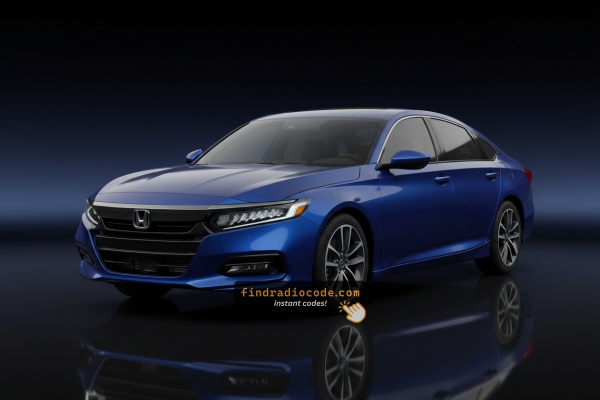
How the Code Retrieval Process Works for Honda Accord 2025
- Rather than relying on Honda dealership lookup or online threads you can generate the code online using the radio serial number.
- Identify the serial number. It is always present on the unit itself, and in some cases you can see it on the Accord's display.
- Enter it into the form above, and the system will calculate the correct 2025 Accord unlock code.
- After getting it, input it using Accord's radio buttons to unlock the system successfully.
- The entire process takes less than a minute for most users and requires minimal effort.
Radio Serial Number Explained - Finding It on Your Honda
The initial step is locating the radio S/N.
Most people assume the code depends on the Honda model or year, but actually, the whole process depends on the unique radio's serial number.
The serial is the key used to calculate the correct unlock code.
This is even better, because if you have a used radio, the VIN or other vehicle-specific data wouldn't be of much use.
Based on the radio used, you can see the serial directly from the display or by looking at the label on the radio chassis.
2025 Accord - Which Radio Did You Get?
The 2025 Accord keeps the 11th-generation two-radio split that has been in place since launch, with one small naming change - the EX gas trim was rebadged so the trim line-up now reads LX and SE on the 7-inch side, while every Hybrid trim continues with the 12.3-inch Google-built-in head unit.
- 7-inch Display Audio (LX, SE gas trims) - the smaller landscape touchscreen in the centre dashboard, with wired Apple CarPlay, wired Android Auto, Bluetooth, AM/FM, two USB ports and HondaLink. The audio system speaker count varies by trim, but the head unit itself is the same 7-inch hardware on both LX and SE.
- 12.3-inch Touchscreen with Google built-in (Sport Hybrid, EX-L Hybrid, Sport-L Hybrid, Touring Hybrid) - the larger landscape touchscreen with native Google services on the Touring Hybrid (Google Maps, Google Assistant 'Hey Google' voice control, and Google Play apps). Wireless Apple CarPlay and wireless Android Auto are standard. On the Touring Hybrid this head unit pairs with a 12-speaker Bose premium audio system.
- Standard connectivity - every 2025 Accord, regardless of head-unit family, has Bluetooth, steering-wheel voice controls and the option to connect a phone to use the Accord's audio system as the playback device. The differences are screen size and whether Google services run natively on the head unit.
- For radio code retrieval - your 2025 Accord falls into one of two head-unit families: the 7-inch Display Audio (LX/SE) or the 12.3-inch Google-built-in unit (Hybrid trims). Audio packages and powertrain choices change the speakers, amplifier and on-screen apps but not which physical head-unit module is in the dash.
- If your 2025 Accord has been updated over-the-air - the visible home screen tiles, app names or Google services menu may have moved or been renamed slightly, but the underlying head-unit hardware is unchanged across the model year.
Display-Based Serial Number Retrieval
Try the following for your 2025 Honda Accord:
The 2025 Honda Accord is equipped with Honda's latest infotainment system with a larger touchscreen. The serial number can usually be found via the system settings:
- Turn ignition to ON.
- Navigate to: Settings → System → Device Information or System Information.
- The serial number should be displayed on this screen.
Fallback: The traditional buttons 1+6 method still works on some units if the menu method doesn't show the serial. Press and hold buttons 1 and 6 for 3-5 seconds while the radio displays "CODE".
Serial Number on the Unit
If the serial does not appear on screen, the next step is checking the radio itself.
Many Honda radios require physical access to the serial tag attached to the unit.
Usual approach:
- Start by completely turning off the engine - pull the key out.
- Then remove the trim panel.
- Next, unscrew the mounting points and pull the radio forward.
- Look for a barcode label showing the serial number.
If menu access cannot display the serial on the 2025 Honda Accord:
- Turn off the vehicle.
- Detach the center stack trim around the touchscreen. Modern Honda models use tightly-fitted trim with friction clips.
- Remove the fasteners securing the display module.
- Ease the unit forward to access the serial label on the rear of the unit.
Caution: Modern Honda infotainment units are highly integrated into the dashboard. Attempt the software-based method first.
Manufacturer Label Inspection
- The 2025 Honda Accord shares the same 11th-generation integrated centre dashboard used since the 2023 launch, with the 7-inch Display Audio or 12.3-inch Google-built-in screen mounted into a moulded centre stack alongside the climate controls and a paired digital instrument cluster. A clean public DIY removal procedure for this head unit has still not been published.
- The centre dash carries airbag wiring (passenger airbag and side curtain harness), the climate module, USB-C ports and the digital cluster harness, all sitting close to the head unit. Disturbing these without the correct sequence can damage the trim, set off airbag warning lights or leave the car needing dealer re-coding.
- On Hybrid trims the 12.3-inch Google-built-in unit also runs paired authentication tied to the VIN, so a careless disconnection can leave the head unit in a 'not paired' state that only a Honda dealer can resolve through HDS.
- For these reasons we recommend handing the physical removal to a Honda dealer technician or to an experienced car-audio installer with 11th-generation Accord experience, rather than attempting a blind teardown on a near-new car. The serial number sticker is on the top or side of the metal radio chassis once the unit is out of the dash.
- A Honda dealer can usually read the radio serial number directly via their HDS (Honda Diagnostic System) tool on the OBD-II port without removing the unit at all - this is the fastest and lowest-risk path on a 2025 car still under warranty.
- Before booking an appointment, check the obvious places first - the owner's manual pouch, the glovebox, the original window sticker and any paperwork delivered with the car. Honda dealers commonly place a small white label with the radio anti-theft code in the glovebox or owner's manual wallet at delivery, which avoids a service visit entirely.

Example: Honda Accord serial number label location
These are the Common Serial Formats
The 2025 Honda Accord uses Honda's current infotainment platform. Serial number formats:
HBM####– Primary format for modern Honda Display Audio unitsU1234L5678– Still used on certain lower-trim radio versions
The 2025 Accord's infotainment is made by Honda's OEM supplier (Panasonic). The serial is typically 8-10 characters.
Note Some 2025+ Accord configurations may use Android-based infotainment that might not require a traditional radio code. If the unit never displayed "CODE" after a battery disconnect, it may not be code-locked.
Code Entry Process for 2025 Accord
Now that you've found the S/N and generated the unlock code, the next step is entering it into your radio.
Honda OEM units display a ENTER CODE message when ready for input.
The process is usually simple, but button layouts and confirmation methods may change depending on the radio version installed in your Accord.
Detailed Entering Instructions for Accord 2025
To enter the code on the 2025 Honda Accord:
- Ignition ON. The display shows "CODE" or "ENTER CODE".
- If an on-screen keypad is displayed: Press each digit and confirm.
- If the radio has preset buttons: Use buttons 1-5 to cycle to each digit of the 5-digit code, then press and hold button 6 to confirm.
Lockout: 3 incorrect entries = 60-minute lockout. Ignition must remain ON for the full period.
Understanding Unlock Issues with Your Accord
Modern Honda infotainment usually uses the HBM#### serial format, though base radio configurations may retain the U####L#### format. The easiest way to confirm the serial is:
- Go to Settings → System → Device Information — the serial appears directly.
- Alternatively, use the 1+6 preset button method while the "CODE" screen is displayed.
The part number — which begin with 39100 — appears on the same label but should not be used as the serial. Submit only the serial retrieved via the menu or the button method.
On modern Honda infotainment, code entry is primarily done via the on-screen keypad:
- Tap each digit of the five-digit code directly on the touchscreen.
- Press OK or Enter to submit the full code.
For trims where hardware preset buttons are still available, they can also be used for digit selection and button 6 held to confirm — the same method to older Honda platforms. When in doubt, try the touchscreen first.
If the modern Honda infotainment starts up normally but never shows a "CODE" prompt, it's probable one of the following:
- Some trims skip the code lock — certain current-generation models use VIN-linked security instead of a traditional code.
- It might still be unlocked — try normal radio operation first.
- Navigate to Settings → System → Device Information — if this menu is accessible, the system might not be in a locked state.
Should this not resolve the situation, the unit may require a dealer reset — reach out to us with the model year for guidance.
On Honda's modern infotainment, a rejected code is almost always the wrong serial used. The serial can be retrieved through Settings → Device Information — check that the serial you used is the same as what appears there.
Some newer Accord trims have switched to Google-based infotainment which doesn't use a traditional radio code. Should the unit never showed "CODE", a traditional code might not be relevant. Reach out to clarify which type of unit is fitted.
After three wrong code entries, the modern Honda infotainment triggers a 60-minute lockout. Recovery is straightforward:
- Leave ignition ON — do not switch off the vehicle.
- Allow the full 60 minutes to pass. The touchscreen may dim or sleep — this is fine.
- After the lockout period, the "CODE" prompt reappears.
If the vehicle cannot be left running for 60 minutes, accessory mode works too to keep the timer running. Do not turning the key fully off — it restarts the countdown.
Why Is the Radio Asking for a Code?
Even on Honda's most recent infotainment platform, the anti-theft system is still possible when the battery is fully drained. The trigger is the same across all Honda generation: loss of battery power resets the radio's security state.
- Battery swap or disconnect — by far the most common cause.
- Dead battery from storage or neglect — complete power loss triggers the same lock.
Important caveat: many recent Honda vehicles use Google-built infotainment that no longer use a conventional unlock code. If the screen never prompted for a code after a battery event, it may use VIN-based protection instead.