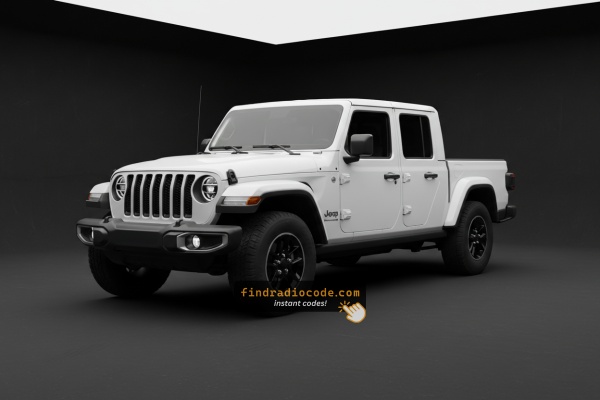
Why Did the Radio Lock and Ask for a Code?
The 2024 Gladiator sees radio lockouts primarily from:
- Battery disconnect or replacement — the leading trigger on all Uconnect 4C vehicles.
- Aftermarket truck accessory installation — JT builds often include bed racks, auxiliary lighting, winches, or power accessories that require battery disconnects, triggering the lock.
- Off-road use battery drain — high accessory use drains charge faster, triggering the anti-theft.
- Used purchase — widely traded second-hand, and unlock documentation is often missing at resale.
The code is linked to the radio serial and does not change.
How Serial-Based Jeep Gladiator Radio Unlock Works
Vehicle radios use security codes dependent on the radio unit itself rather than the vehicle model or production year.
- The generator identifies your Jeep radio via serial-based verification.
- When you input the serial into the generator, the system identifies the radio family and generates the code that you need.
- Simply input the digits into the Gladiator stereo.
- Compared to Jeep dealer retrieval, this method is faster and more convenient.
How Serial Numbers Work and Where to Find Them on 2024 Jeep Gladiator Radios
The important thing to know is that factory radios use a unique serial number to identify each unitindividually.
Your security system matches the code directly to the serial.
Unlike vehicle-specific data like VIN or registration info, it is not determined by the model or production year, so you'll be able to generate it even if you have an aftermarket radio.
Depending on the maker and radio installed in your Jeep Gladiator, the retrieval method varies.
These are the best ways to find it.
Which Head Unit Is in Your 2024 Gladiator?
2024 brought the Gladiator's mid-cycle refresh and a major infotainment change. The Uconnect 4 line-up was retired and every trim moved to a single new head unit on the Uconnect 5 platform.
Uconnect 5 (12.3-inch touchscreen) is now standard across Sport, Sport S, Willys, Rubicon, Mojave and Rubicon X. It runs Stellantis' Android-based Uconnect 5 software with wireless Apple CarPlay and wireless Android Auto, a seven-microphone array for improved voice recognition and pre-loaded Jeep Badge of Honor trail guides. Visual ID: a single landscape-orientation 12.3-inch screen dominating the upper centre stack, replacing the previous 5-inch / 7-inch / 8.4-inch options entirely.
If you bought your 2024 Gladiator new from a dealer, you have the 12.3-inch Uconnect 5 system - there is no smaller-screen option in this model year. The previous Uconnect 4 (UAG/UCQ/UAQ) units only appear in 2024 Gladiators that have had an aftermarket downgrade or a rare carry-over fleet build, and those would not be representative.
Display-Based Serial Number Retrieval
These are the steps you should follow for 2024 Jeep Gladiator:
The 2024 Jeep Gladiator (JT) uses the Uconnect 4C (RA4) 8.4" touchscreen. The Gladiator shares its JL Wrangler platform, so the radio and dashboard layout are virtually identical. The 8.4" screen is positioned in the same center stack as the Wrangler. Access the serial via Dealer Mode:
- Turn ignition to ACC or ON.
- Press the bottom-left and bottom-right corners of the physical screen bezel (plastic frame) at the same time for 5 seconds.
- Dealer Mode appears.
- Navigate to: System Info → Radio Part Info → Serial Number.
Should the bezel press fail: physically remove the radio to access the label on the top of the unit.
Releasing the Unit to See the S/N on the Tag
If the serial number cannot be accessed through menu, use the pull-out method.
Most Jeep Gladiator original radios include a label with the serial number printed on the casing.
Step-by-Step:
- Turn off the vehicle.
- Remove the bezel surrounding the radio.
- Release the clips.
- Move the unit outward to access the label.
The serial number is usually located near the printed code.
If Dealer Mode is unavailable on your 2024 Gladiator, remove the radio:
- Turn off the Gladiator.
- Pry off the center stack trim. The Gladiator shares the JL Wrangler's utilitarian trim design – a trim tool, starting at the top or bottom edge. A small trim piece above the radio might need to be removed first.
- Unscrew the 4 Torx T20 mounting screws.
- Slide the unit out to access the serial label.
Gladiator Note: The Gladiator's pickup truck body doesn't affect the radio removal procedure — the interior is identical to the JL Wrangler.
Manufacturer Label Inspection
On 2024 Gladiator cars with the Uconnect 5 12.3-inch unit, the manufacturer label is still printed on the radio chassis. The 2024 dash trim is different from the earlier JT layout - the trim above the radio now uses four Phillips screws rather than the earlier two-screw bezel.
Safety preparation
Place the ignition in OFF and remove the key fob from the cabin. Disconnect the negative battery terminal and wait at least 10 to 15 minutes for the SRS/airbag system to discharge. Avoid touching yellow airbag connectors during the work. Work on a dash that is at room temperature so the soft-touch surface is less prone to marking.
Tools you will want
You will need a set of plastic trim/panel removal tools, a Phillips #2 screwdriver for the four screws on the upper tray and any radio retaining screws, and a clean cloth or surface to rest the trim panels on once removed.
Removal overview
Start at the tray panel above the radio - on 2024 cars, remove the four Phillips screws securing this panel and lift it out using a plastic panel tool to release any clips. Work the surrounding trim pieces with the panel tool to expose the screws holding the 12.3-inch display assembly. Once the retaining screws are out, slide the unit forward and disconnect the antenna and main multi-pin connectors at the rear.
Where the serial label sits
Inspect the top or side of the chassis for a barcode label - on Uconnect 5 modules this is typically a printed sticker with a barcode and a long alphanumeric serial separate from the part number. Photograph the label as a backup before refitting.
The 2024 dash is unfamiliar territory for many DIYers because the layout changed with the refresh - if you are uncertain, a Jeep dealer technician can pull the unit and read the label far quicker than working it out the first time.

Example: Jeep Gladiator serial number label location
S/N Patterns and Prefixes
The 2024 Gladiator Uconnect 4C (RA4) serial formats:
T00AM– Primary Harman prefix (RA4)T00BE– Continental variantT0MYD– Newer Harman production (2021+)
Serial: 14 characters, alphanumeric. Don't use the part number (P... or 68...) from the same label.
S/N Patterns and Prefixes
For 2024 Gladiator radios with the Uconnect 5 12.3-inch unit, publicly documented serial-number patterns are limited because the platform is recent and not as widely catalogued as the Uconnect 4 generation.
Many Uconnect 5 modules that have been reported on Mopar/Jeep platforms start with a T-prefix structured into a longer alphanumeric block, with some 2021-2024 R1 units described as starting with sequences like T0071 or T00AD. The exact prefix on your radio may differ depending on the supplier and build batch, and there is no single fixed format that covers every Uconnect 5 unit fitted to the 2024 Gladiator.
The serial shown on the chassis label is the definitive value - cross-check it against the value reported by your dealer's diagnostic tool if possible, and strip out any leading S/N text, dashes or whitespace before submitting it to a code retrieval service. Treat any prefix list found online as a guide rather than a strict rule.
Radio Code Input Guide
After generating the correct unlock code based on the S/N, you can restore default functionality by entering it into the unit.
The code entry process depends on the head unit design, but most 2024 Gladiator systems follow a similar structure using preset buttons, touch controls, or rotary knobs - depending on if it's a factory or an aftermarket unit.
You will typically see SAFE displayed on screen.
Detailed Entering Instructions for Gladiator 2024
To input the code on the 2024 Gladiator's Uconnect 4C:
- Ignition ON. Screen displays "ENTER CODE".
- Tap the touchscreen keypad for each digit of the 4-digit code.
- Radio unlocks after the 4th digit. No confirm required.
Lockout: 3 wrong attempts = 60-minute lockout. Keep ignition ON. Turning off the ignition restarts the wait.
Gladiator 2024 Common Radio Problems
The recommended way to retrieve the serial on the Gladiator RA4 is Dealer Mode: press the bottom-left + bottom-right bezel corners for 5 seconds, then go to System Info → Serial Number.
- Serial — 14 characters, prefixed by
T00AM,T00BE, orT0MYD. - Part number — begins with
Por68. Ignore.
When the code fails on the Gladiator's Uconnect 4C usually means a serial number error. The RA4 label shows both the serial (T00AM, T00BE, or T0MYD, 14 chars) and the part number (P... or 68...). Only the serial produces the code.
Verify via Dealer Mode to cross-check the serial. Contact support for a free re-check.
If the Gladiator doesn't show after a power event: ensure ignition is ON and allow a moment for the system to boot. Inspect the radio fuse — a blown fuse prevents the display from powering on.
The Gladiator's Uconnect 4C (RA4) uses touchscreen-only code entry — no hardware buttons involved. Tap each digit on the virtual number pad. The radio auto-confirms after the 4th digit.
After 3 wrong attempts, the Gladiator's Uconnect 4C triggers a 60-minute lockout showing "WAIT". Leave the ignition ON for the complete 60 minutes. Turning off the ignition restarts the wait.