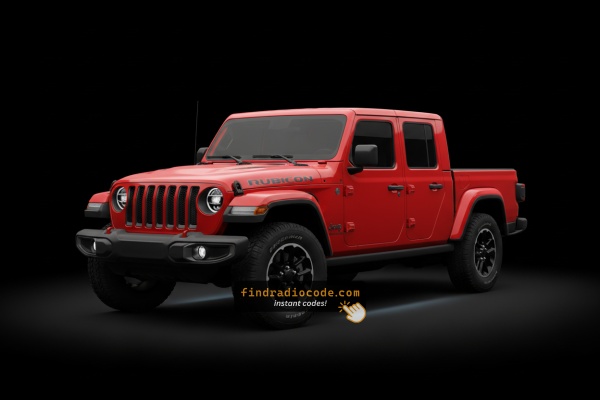
2020 Jeep Gladiator Radio Units by Manufacturer
Unsure which unit is in your dash? Match your screen and faceplate against the 2020 Jeep Gladiator radios below. Each page lists the serial format and how to tell it apart.
| Years | Factory radio | Serial starts with |
|---|---|---|
| 2018-2022 | R1 EXT ER Harman |
T0012, T00BE
|
| 2018-2022 | R1 EXT NA Harman |
T0012, T00BE
|
| 2018-2022 | R1 EXT RW Harman |
T0012, T00BE, T00HL
|
| 2020-2023 | Aptiv Uconnect 5 UAA VP2_5 JT NA SXM Aptiv |
T0MYD
|
| 2020-2023 | Aptiv Uconnect 7.0 VP2_7 JT ECE Aptiv |
T0MYD
|
| 2020-2023 | Delphi Uconnect 5 UGA VP2_5 JL ECE Delphi |
T0MYD
|
| 2020-2022 | Delphi Uconnect 7.0 UKG VP2_7 JL ROW Delphi |
T0MYD
|
Why Did the Radio Lock and Ask for a Code?
The 2020 Gladiator sees radio lockouts most commonly from:
- Battery disconnect or replacement — the leading trigger on all Uconnect 4C vehicles.
- Aftermarket truck accessory installation — Gladiator owners frequently build out the truck bed racks, auxiliary lighting, winches, or power accessories that require battery disconnects, which locks the radio.
- Off-road use battery drain — high accessory use can deplete the battery, triggering the anti-theft.
- Used purchase — widely traded second-hand, and the code is rarely documented.
The code is linked to the radio serial and does not change.
Can't Locate Your Unit's Serial Number? Follow These Steps for Jeep Gladiator 2020
The initial step is to find the radio's S/N.
Depending on the radio unit installed in your 2020 Gladiator, the serial can be found either through the screen menu or by pulling the unit out and checking the label on the radio itself.
Follow the steps below to identify your serial the right way.
Factory Radios on the 2020 Jeep Gladiator
The 2020 Gladiator launched on the JT platform sharing its dash and infotainment hardware with the JL Wrangler. Three Uconnect 4 head units were offered across the Sport, Sport S, Overland and Rubicon trims.
- Uconnect 4 (sales code
UAG) - 5-inch touchscreen base radio. Standard on Sport. Visual ID: small 5-inch screen sitting in the centre of the dash opening with the climate controls below; no Apple CarPlay or Android Auto on the very base UAA build, but the UAG configuration adds Bluetooth audio and basic media support. - Uconnect 4 (sales code
UCQ) - 7-inch non-NAV touchscreen. Standard on Sport S and Overland, optional on Sport. Visual ID: 7-inch glass with rotary volume and tuning knobs flanking the screen, Apple CarPlay and Android Auto wired-only support, no Map/NAV tile on the home screen. - Uconnect 4C NAV (sales code
UAQ) - 8.4-inch touchscreen with built-in GPS. Standard on Rubicon when ordered with the NAV group, optional on most other trims. Visual ID: large 8.4-inch screen filling the bezel opening, dedicated NAV/Map tile on the home screen, on-board maps for USA/Canada plus Apple CarPlay and Android Auto.
Quick test: if your 8.4-inch screen shows a Map/NAV tile on the home grid you have UAQ - the same 8.4-inch hardware without that tile would be the rare non-NAV variant of the larger screen.
Quick Method: Find the Serial Number on the Screen
Try the following for your 2020 Jeep Gladiator:
The 2020 Jeep Gladiator (JT) is equipped with the Uconnect 4C (RA4) 8.4" touchscreen. The Gladiator shares its JL Wrangler platform, so the radio and dashboard layout match the Wrangler JL. The 8.4" screen sits in the same upright center dash as the Wrangler. Access the serial via Dealer Mode:
- Turn ignition to ACC or ON.
- Press the bottom-left and bottom-right corners of the physical screen bezel (plastic frame) simultaneously for 5 seconds.
- Dealer Mode opens.
- Select: System Info → Radio Part Info → Serial Number.
If Dealer Mode is blocked: physically remove the radio to read the label on the side or top of the unit.
Display-Based Serial Number Retrieval
The 2020 Gladiator ships with the Uconnect 4 family, and the 7-inch UCQ and 8.4-inch UAQ units both respond to a hidden dealer-mode shortcut that reveals the radio serial without removing anything.
Uconnect 4 (UCQ / UAQ)
- Switch the ignition to RUN with the radio powered on.
- On the climate panel below the screen, press and hold the front defrost button together with the temperature UP and temperature DOWN buttons (driver side) at the same time.
- Hold all three for roughly 5 to 7 seconds until the screen jumps into the dealer/diagnostic menu.
- Look for the radio identification entry - on Uconnect 4 the serial is typically a 14-character alphanumeric string used by Mopar for code lookup.
- Write the value down exactly as shown, then back out of the menu or cycle the ignition to return to the normal radio screen.
If the dealer menu does not appear after several attempts, the software build on your unit may have it disabled - and the 5-inch UAG base radio is much less consistent with the shortcut, so for that radio you should fall back on the chassis-label method.
Gladiator's Hardware Label Method
If the serial number cannot be accessed via display, use the pull-out method.
Most Jeep Gladiator original radios include a sticker with the serial number printed on the casing.
Basic process:
- Shut down the car.
- Lift away surrounding dashboard trim.
- Loosen screws holding the radio.
- Slide outward to inspect the label.
If Dealer Mode is blocked on your 2020 Gladiator, remove the radio:
- Turn off the Gladiator.
- Remove the center stack trim. The Gladiator shares the JL Wrangler's rugged trim design – a trim tool, beginning at the lower edge. A small panel above the radio may need to come off first.
- Remove the 4 Torx T20 mounting bolts.
- Slide the unit forward to read the serial label.
Gladiator Note: The Gladiator's pickup truck body doesn't affect the radio removal procedure — it's the same cabin and dash.
View Serial by Pulling Out the Radio Unit
The same serial is printed on a manufacturer label on the radio chassis. The 2020 Gladiator shares its centre stack layout with the JL Wrangler - a small bezel surrounds the radio and climate controls, secured by clips and a couple of screws.
Safety preparation
- Switch the ignition fully OFF and remove the key fob from the cabin.
- Disconnect the negative battery terminal and wait at least 10 to 15 minutes before touching wiring - the SRS/airbag system needs time to discharge.
- Avoid prying near airbag harnesses (yellow connectors) at all costs.
- Work on a cool dash so the soft-touch material is less prone to marking.
Tools you will want
- Plastic trim/panel removal tools (a metal screwdriver will scratch the dash).
- A Phillips #2 screwdriver for the radio trim panel screws and the radio retaining screws.
- A clean cloth and somewhere to place the bezel without scuffing it.
Removal overview
- Remove the two Phillips screws securing the radio trim panel - they are visible at the bottom edge of the bezel that surrounds the screen.
- Unclip the panel by pulling it straight back to release the spring clips around its perimeter.
- Disconnect any small wiring on the back of the bezel before setting it aside on a clean cloth.
- Remove the four Phillips screws from the radio cage that are now exposed.
- Slide the radio out toward you and disconnect the antenna lead and the multi-pin connectors at the rear.
Where the serial label sits
- Look for a white or silver sticker on the top or one side of the metal chassis - it carries the part number, a barcode and the serial number you need.
- The serial line is the longer alphanumeric string, distinct from the part/finis number.
- Photograph the label so you have a clean record before reinstalling the unit.
If the dash trim is the soft-touch black plastic typical of 2020 cars, plastic-only tools are strongly preferred - it scuffs easily.

Example: Jeep Gladiator serial number label location
These are the Common Serial Formats
The 2020 Gladiator Uconnect 4C (RA4) serial formats:
T00AM– Most common Harman prefix (RA4)T00BE– Continental versionT0MYD– Newer Harman production (later Gladiators)
Serial: 14 characters, alphanumeric. Don't use the part number (P... or 68...) from the same label.
Typical Serial Number Formats for 2020 Gladiator Radios
2020 Gladiator Uconnect modules were supplied by more than one vendor, so the printed serial pattern depends on which radio you have rather than a single fixed format.
- A frequently seen pattern starts with T00 followed by two letters and a numeric tail, structured into roughly 14 characters total - this layout is associated with Mitsubishi Electric-built Uconnect 4 modules.
- Some 8.4-inch UAQ 4C NAV units use a different alphanumeric block associated with Harman builds.
- The serial shown via the dealer-mode screen and the serial on the chassis label should match exactly - cross-check both before submitting the value to a code retrieval service.
- Strip away any leading
S/Ntext, dashes, or whitespace and submit only the core alphanumeric block.
Because more than one supplier was used in this generation, treat any pattern listed online as a guide rather than a strict rule. The reading from your own radio is the only definitive value.
How to Get Your 2020 Jeep Gladiator Radio Code
Vehicle radios use anti-theft codes dependent on the radio unit itself instead of the model or production year.
- Our lookup service works by matching your Jeep Gladiator radio's serial number.
- When you input the serial into the generator, the system identifies the radio unit and generates the code that you need.
- You can then enter the code directly into your Jeep radio.
- The online process is quicker and more accessible than visiting the Jeep dealer.
Final Step - Enter the Radio Code
Now that you've generated 2020 Jeep Gladiator unlock code from the serial, you're ready to reactivate the radio.
Many drivers hesitate at this stage because input methods can look different across radio versions, but it's usually simple.
When the radio shows ENTER CODE, it means the unit is waiting for the correct numbers.
Entering Process
To enter the code on the 2020 Gladiator's Uconnect 4C:
- Ignition ON. Screen shows "ENTER CODE".
- Enter via the touchscreen keypad for each digit of the 4-digit code.
- Radio auto-unlocks after the 4th digit. No confirm required.
Lockout: 3 wrong attempts = 60-minute lockout. Keep ignition ON. Turning off the ignition resets the timer.
Entering Process
Once you have the anti-theft code, the 2020 Gladiator Uconnect 4 unit accepts it through the audio preset buttons. The unit will not unlock until the full sequence is accepted.
Limited Attempt Warning
- You only get a small number of attempts (typically 3) before the radio enters a lockout state.
- If the lockout activates, the radio must remain powered with the ignition in RUN for 30 continuous minutes before another try is permitted.
- Repeated wrong-code lockouts can stretch into much longer waits, so confirm every digit before you press a preset.
Entry sequence
- Turn the ignition to RUN (engine does not need to be running) and let the radio power up.
- Wait until the screen prompts for the anti-theft code - it will display a CODE prompt or an Enter Anti-Theft Code message.
- Use radio presets 1 through 0 to input each digit of the code in order. For example, for code 1234 press preset 1, then 2, then 3, then 4.
- Confirm with the OK/Enter soft key on the touchscreen if prompted.
- The radio should switch back to its normal source after the correct sequence is accepted.
When entering the code, double-check that the VIN you provided matches the vehicle the radio is currently installed in - a VIN mismatch is the most common reason a correct-looking code is rejected.
Gladiator 2020 Common Radio Problems
After 3 wrong attempts, the Gladiator's Uconnect 4C enters a 60-minute lockout showing "WAIT". Keep the ignition ON for the complete 60 minutes. Cycling the ignition restarts the wait.
The Gladiator's Uconnect 4C (RA4) uses touchscreen-only code entry — no physical preset buttons used. Enter each number on the on-screen keypad. The radio auto-confirms after the last digit.
The fastest way to get the serial on the Gladiator RA4 is Dealer Mode: press the bottom-left + bottom-right bezel corners for 5 seconds, then navigate to System Info → Serial Number.
- Serial — 14 characters, starting with
T00AM,T00BE, orT0MYD. - Part number — begins with
Por68. Not the serial.
If the Gladiator doesn't show after a power event: confirm ignition is ON and wait 15–20 seconds for the system to initialize. Check the radio fuse — a blown fuse stops the radio from powering on.
When the code fails on the Gladiator's Uconnect 4C usually means a serial number error. The RA4 label shows both the serial (T00AM, T00BE, or T0MYD, 14 chars) and the part number (P... or 68...). Only the serial produces the code.
Verify via Dealer Mode to confirm the serial. Contact support for a free re-check.