Buying a Used Car With a Locked Radio? What to Check Before You Pay
The car drives well, but the radio is asking for a code and the seller hasn't shown it working. Before you pay, find out what can be tested and agree how any remaining issue will be handled.
November 13, 2026 Updated: November 13, 2026
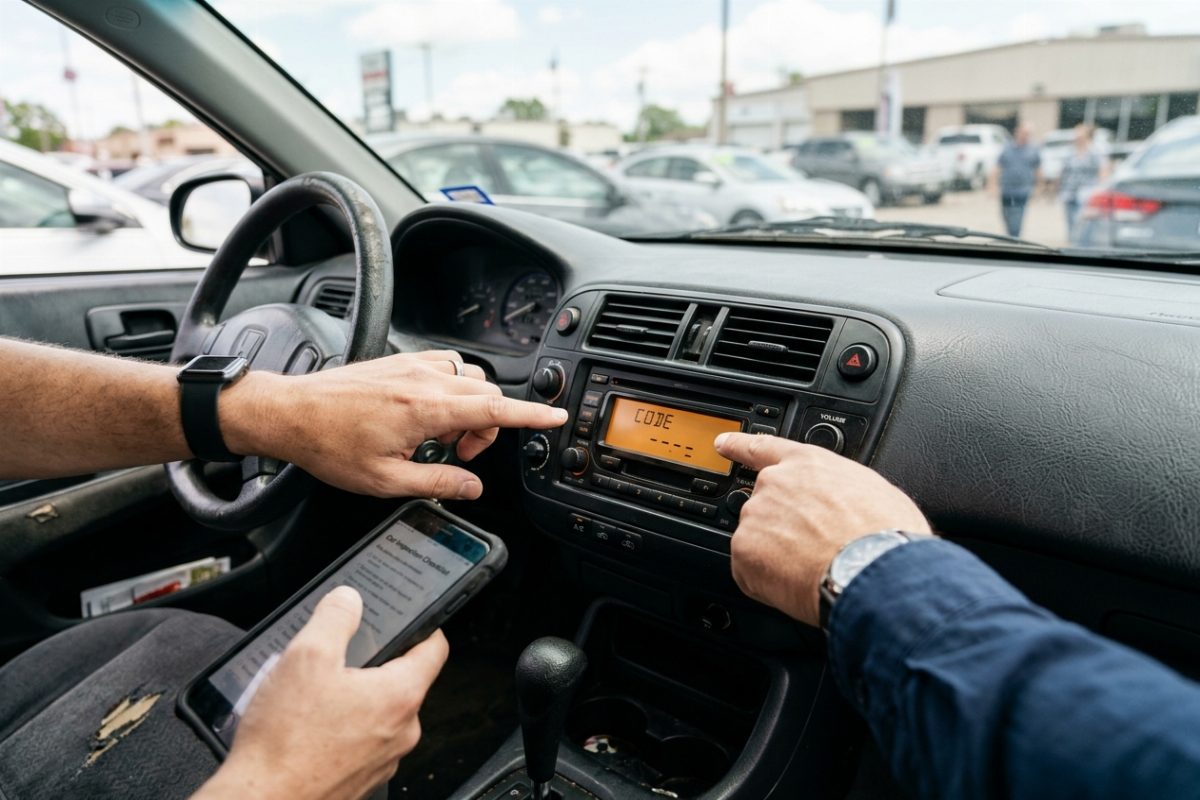
Quick answer: Ask the seller to unlock the radio and demonstrate its functions before you buy. If that cannot be done, agree in writing who will handle the issue and when. Keep any matching code and radio details with the purchase documents. Supplying a code alone does not show that the system works.
Ask the seller to show the exact message
Ask to see the screen with the radio switched on. Record the full wording of any code request or waiting message. A blank screen or a unit that keeps restarting needs different checks, so avoid relying on a description such as "the radio is locked."
Ask whether it worked during the seller's ownership, whether the battery or radio was recently changed, and whether a code card or other radio paperwork is available. A power interruption can trigger a code request on some systems. The message alone does not tell you the history or condition of the unit.
Check what the seller can demonstrate
If the seller says it only needs a code, ask them to obtain the matching code and show the radio working. Which functions remain available while a radio is locked varies by system. Test the equipment actually installed in the car, with the vehicle safely parked.
Edmunds' guide to testing a used car's audio system recommends checking playback, controls and individual speakers. Use the following checklist for the car you are considering:
| Check | What to ask the seller to demonstrate |
|---|---|
| Radio and speakers | Play AM/FM or another available audio source. Where fitted, use balance and fade controls to check sound from the front and rear, left and right speakers. |
| Screen and controls | Check the touchscreen, physical buttons, knobs and volume controls fitted to the car. |
| Phone or USB | Where supported, pair a phone or connect a suitable USB device and test audio playback. |
| Camera or parking display | Where fitted, ask the seller to demonstrate the camera image or parking display associated with the system. |
Note any checks that could not be completed and include them in a pre-purchase inspection. If a subscription feature is inactive, confirm the plan status before treating it as a fault. If the radio accepts a code but still malfunctions, have a qualified technician assess it.
Agree who will resolve the radio issue
Ideally, the seller will resolve the issue and demonstrate normal operation before you pay. If you decide to proceed with work outstanding, put the agreement in writing: what the seller will do, who will pay and when it will be completed. Specify whether the promise covers supplying a code or getting the system working.
For US dealer purchases, the FTC recommends getting promises in writing and arranging an independent inspection. Ask for the radio issue to be included in the inspection and any written repair estimate. A discount based on the price of a code will not tell you what an unidentified fault could cost.
Keep the radio details when you pick up the car
Collect the information that would help with a later code request or service visit:
- Any supplied code: keep the card or note and confirm which radio it belongs to.
- Radio details: save the installed unit's identifying information and any relevant paperwork the seller has.
- Purchase records: keep the agreed work and a note of any functions that could not be tested.
A code recorded for an earlier radio may not match the unit now installed. If you need to find the radio serial number, follow the instructions for that unit; ask the seller or a technician for help if removal is necessary.
If a replacement Uconnect unit has been installed, our used or replacement Uconnect radio guide explains why that radio needs its own matching code.
Already bought the car? Start with the installed radio
Contact the seller for any matching code or paperwork. Identify the installed radio and record the exact screen message before asking its manufacturer, an authorized dealer or a code service about retrieval options.
For supported Uconnect radios in Jeep, Dodge, Chrysler and Ram vehicles, the Uconnect radio code service lets you check your serial number before ordering. Review the current pricing and delivery information for your unit before paying.
If the screen is blank, the unit keeps rebooting or other functions are malfunctioning, arrange a diagnosis first. Code retrieval does not include repairing or configuring the radio.
Check the installed radio's serial number
Enter the serial number from the radio now in the car to see whether we support it before you order.
Not sure which radio you have? Browse Uconnect radio codes by model
Buying a used car with a locked radio FAQ
Related Articles
Used or Replacement Uconnect Radio
Why the old code and the VIN do not work after a swap, and which serial gets the right code.
Read GuideFind Your Radio Serial Number
Where the serial is printed on each radio, and how to read it from the screen on some units.
Read GuideUconnect Radio Code: Dealer or Online?
What a dealer quote and an online code order each cover, and what to have ready.
Read Guide