Used or Replacement Uconnect Radio Asking for a Code? Here Is What to Do
You swapped in a radio from eBay, a junkyard or another Chrysler, Dodge, Jeep or Ram, and now it says Enter Anti-Theft Code. The fix is simple once you know which serial number counts.
October 7, 2026 Updated: October 7, 2026
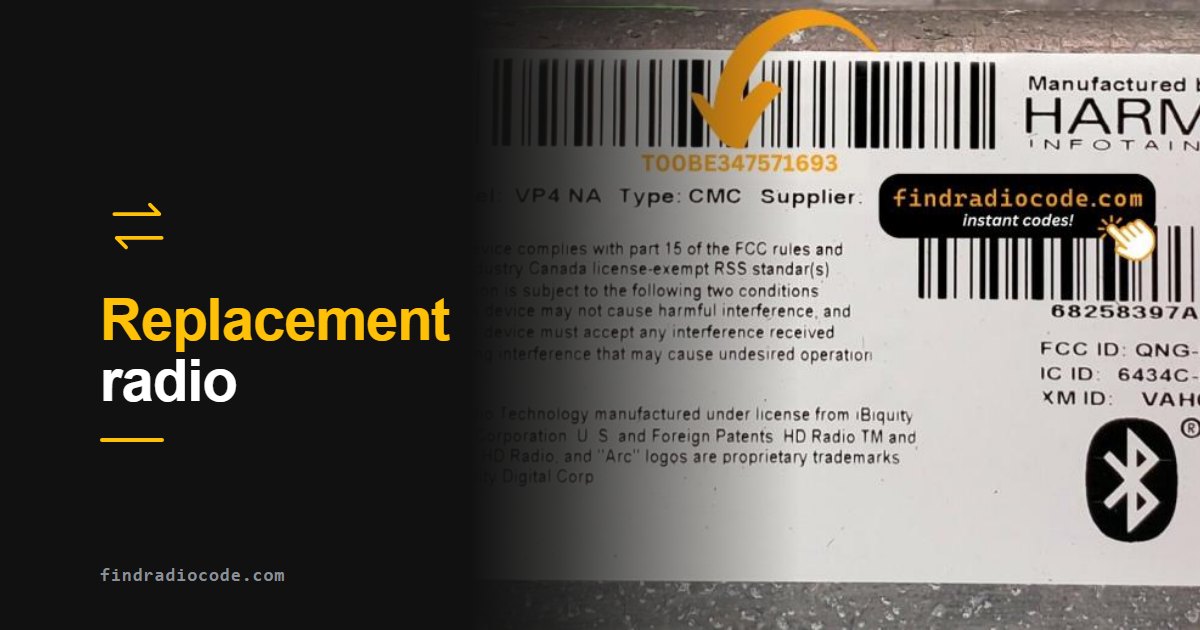
Quick answer: A used or replacement Uconnect radio needs the code for its own serial number, not the code of the radio you took out and not anything tied to your VIN. Read the serial from the label of the radio you installed (or from Dealer Mode if the screen works), enter it below, and the code is usually shown instantly, from $9.99.
Why the Replacement Radio Asks for a Code
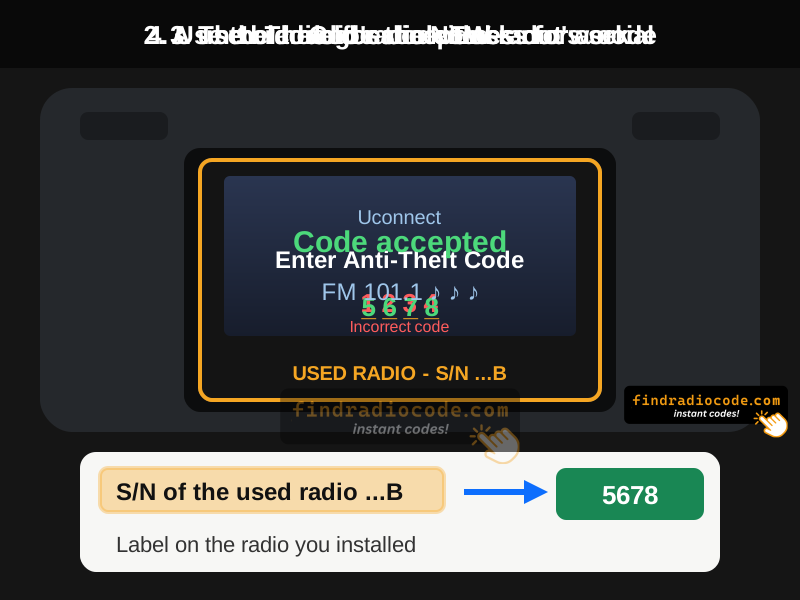
Every Uconnect head unit has its own 4-digit anti-theft code, calculated from that unit's serial number. When the radio loses power or finds itself in a different vehicle, it locks and waits for that code. Moving a radio to another car does not carry the code with it, and the previous owner almost never passes it on.
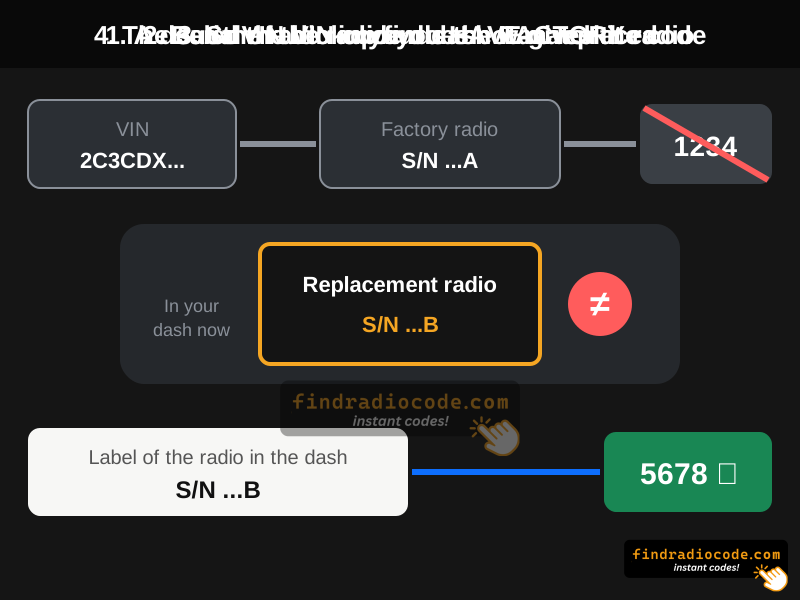
- The code from your old radio will not work. It belongs to a different serial number.
- A dealer VIN lookup will usually give the wrong code. The VIN points to the radio that left the factory with your vehicle, not the one you just installed.
- "Unlocked" listings still lock. A radio sold as working was unlocked in the seller's car; it asks again as soon as it is disconnected and installed in yours.
Which Number Do I Use?
| Your situation | Use this serial |
|---|---|
| Bought a used radio (eBay, junkyard, marketplace) | The serial on the label of the radio you bought |
| Moved a radio from another Chrysler, Dodge, Jeep or Ram | The serial of the radio now in your dash |
| Radio came back from repair or was exchanged | The serial of the unit you got back (it may be a different unit) |
| Original radio, just reconnected the battery | The serial of your original radio |
Step 1: Read the Serial of the Radio You Installed
This is the only number that matters. Two ways to get it:
- From the label. The serial is printed on a sticker on the top, side or back of the unit, usually after S/N or as a code starting with T00AM, T00BE, TM9, T0MYD, TQN, A2C or similar. If the radio is not in the dash yet, this is the easiest moment - take a photo of the label before you install it.
- From the screen. If the touchscreen works, many Uconnect units show the serial in Dealer Mode. The button combination depends on the generation: see Uconnect 8.4, Uconnect 8.4 NEW, Uconnect 7, Uconnect 12 and MyGIG.
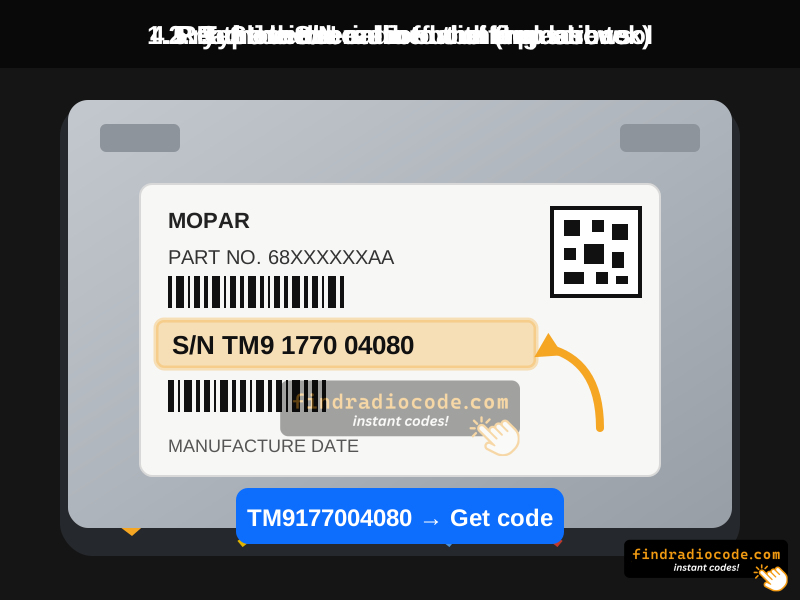
Already installed? Pulling a Uconnect radio far enough to read the label usually takes a plastic trim tool and a few screws. Model-specific steps are in the Uconnect removal guide.
Step 2: Get the Code for That Serial and Enter It
Enter the serial in the form below. Most codes are shown on screen and emailed instantly. Then type the 4 digits on the radio and confirm. If you made several wrong attempts before and the screen now shows WAIT or a timer, read why the Uconnect wait timer freezes first.
Get the Code for Your Replacement Radio
Type the serial from the radio you installed. No VIN, no papers.
Not sure which radio you have? Browse Uconnect radio codes by model
Code Accepted but Something Is Still Wrong?
The anti-theft code only unlocks the radio. Some head units are also tied to the vehicle they came from. If the code is accepted but features are missing, the unit complains about the vehicle, or it stays unhappy after a restart, that is a vehicle-configuration job for a dealer or a shop with a Stellantis diagnostic tool - not a code problem, and no code can fix it.
Buying a used unit? Ask for a clear photo of the label first. It shows the serial (so you can get the code) and the part number (so you can check the radio really matches your vehicle and trim).