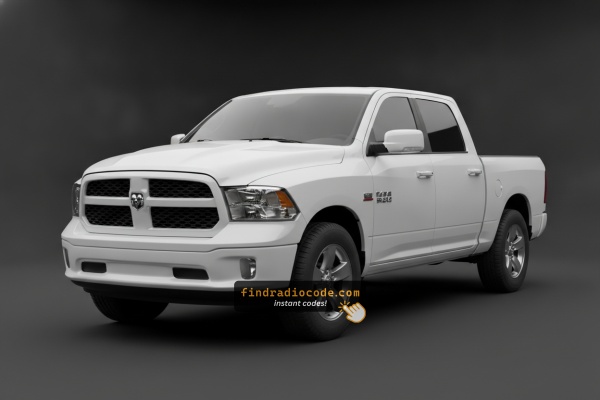
2020 Ram 1500 Classic Factory Radios We Support
Even within one model year, the 2020 Ram 1500 Classic was built with more than one radios. Start with the one that matches your dash.
| Years | Factory radio | Serial starts with |
|---|---|---|
| 2019-2023 | Aptiv Uconnect 5 VP2_5 DT Aptiv |
T0MYD
|
| 2019-2022 | Delphi Uconnect 3 RJ1 VP1 NA DS Delphi |
T0MYD
|
| 2019-2022 | Delphi Uconnect 5 VP2_5 DT Delphi |
T0MYD
|
How Serial-Based Ram 1500 Classic Radio Unlock Works
- Rather than relying on Ram dealership lookup or online threads you can find the code online using the radio S/N.
- Start by finding the serial number. It is always present on the unit itself, and in some cases you can see it on the 1500 Classic's radio screen.
- Type it into the field above, and our system will identify the correct 2020 1500 Classic unlock code.
- After getting it, input it using 1500 Classic's radio controls to unlock the system successfully.
- The entire process takes only a few minutes and requires minimal effort.
Can't Locate Your Unit's S/N? Follow The Steps Below for Ram 1500 Classic 2020
The important thing to know is that factory radios use a specific S/N to identify each unitindividually.
The security system links the code directly to this serial.
Unlike car-specific data like VIN or registration info, it is not determined by the model or production year, so you'll be able to get it even if you have a radio that you installed afterwards.
Depending on the manufacturer and radio installed in your Ram 1500 Classic, the retrieval method is different.
These are the best ways to locate it.
2020 Ram 1500 Classic - Which Radio Did You Get?
For 2020 the 1500 Classic kept the same Uconnect 4 hardware family that has been in the DS body since the mid-cycle refresh. Build records typically show one of these head units:
- Uconnect 3.0 (RA1) - small monochrome display on stripped Tradesman / fleet builds.
- Uconnect 5.0 (RA2 / VP2) - 5-inch colour touchscreen, no embedded nav, paired with most volume Big Horn trucks.
- Uconnect 8.4 (RA3 / VP3) - 8.4-inch touchscreen, no factory nav.
- Uconnect 8.4 NAV (RA4 / VP4) - 8.4-inch with built-in GPS navigation.
The dash bezel, climate cluster and connector pinouts are the same across all four, which is why the removal and code-entry steps below apply equally to every 2020 Classic.
Fast Serial Lookup Using Radio Controls
These are the steps you should follow for 2020 Ram 1500 Classic:
The 2020 Ram 1500 Classic continues the proven DS-body platform alongside the newer 5th-gen, offering a value-oriented entry point. It is equipped with the Uconnect 8.4" (RA3) touchscreen. The serial number can be found on screen via Dealer Mode:
Climate Button Method:
- Turn the ignition to ACC or ON.
- Hold the Climate Up, Climate Down, and Front Defrost buttons simultaneously for approximately 5 seconds.
- Dealer Mode appears on the display.
- Go to: System Info → Radio Part Info → Serial Number.
Alternative: Hold Temperature Up (red) and Temperature Down (blue) together for 5 seconds to open Engineering Mode, then follow the same path.
Display-Based Serial Number Retrieval
If your 2020 Ram 1500 Classic is fitted with the RA3 or RA4 8.4-inch head unit, the fastest path to the serial number is the Uconnect 4 dealer/service menu:
- Switch the ignition to RUN or ACC and wait for the home screen.
- Press and hold driver temperature UP, driver temperature DOWN, and front DEFROST together.
- Keep all three buttons pressed for roughly 5 to 7 seconds.
- When the diagnostic screen opens, navigate to the Radio Part Information area.
- Record the serial number string - it usually starts with T00AM, TM9 or a similar Continental/Panasonic prefix.
The base RA1 mono unit and the smaller RA2 5-inch unit do not always expose the serial number through dealer mode, so for those radios the chassis-label method is the dependable option.
Access the Serial by Pulling Out the Radio Unit
If the serial does not appear on display, the next step is checking the radio itself.
Many Ram radios require physical access to the serial sticker attached to the unit.
Typical approach:
- Start by completely powering down the engine - pull the key out.
- Then detach the radio surround.
- Next, unscrew the mounting points and pull the radio forward.
- Look for a printed tag showing the serial number.
If Dealer Mode is not accessible on your 2020 Ram 1500 Classic, the RA3 radio can be removed to read the serial label. The 1500 Classic shares the 4th-gen center stack:
- Remove the center stack bezel – Insert a plastic pry tool at the lower edge to pop off the friction-clipped trim panel.
- Remove the 4 Torx T20 screws – Securing the radio to the dash bracket.
- Slide the radio forward – Pull the unit forward enough to read the serial label on the side surface.
Wiring can remain connected while you photograph the serial.
Locate Serial on Ram 1500 Classic's Radio Chassis
When the on-screen serial cannot be read, the next dependable source on a 2020 Classic is the white sticker on the radio chassis itself. The DS dash makes this a straightforward job if you take your time.
Safety
- Set the parking brake and switch the ignition OFF.
- Disconnect the negative battery terminal; wait at least 60 seconds before unplugging connectors.
Tools
- Plastic trim pry tool (C-4755 equivalent).
- Phillips #2 screwdriver or 7mm socket.
- Microfiber cloth or low-tack tape to protect the dash.
Removal overview (DS body)
- Carefully pry the centre stack bezel away from the dash, starting at a lower corner.
- Walk around the bezel releasing each spring clip; do not yank.
- Disconnect any harnesses on the bezel switch pack.
- Remove the four mounting screws holding the radio to the sub-frame.
- Slide the radio out and unplug the antenna, USB harness and main multi-pin connector.
Serial number location
- Look on the top or side of the metal chassis for the white printed label.
- The label includes part number, manufacturer code, donor VIN, and the serial number used for code generation.
- Take a clear, well-lit photograph of the entire label.
Tips
- Avoid prying on the touchscreen glass or vent fins.
- If a plug refuses to release, check for a red secondary lock that has to be flipped first.
- Reconnect the battery only after the radio is fully reseated to avoid extra anti-theft prompts.
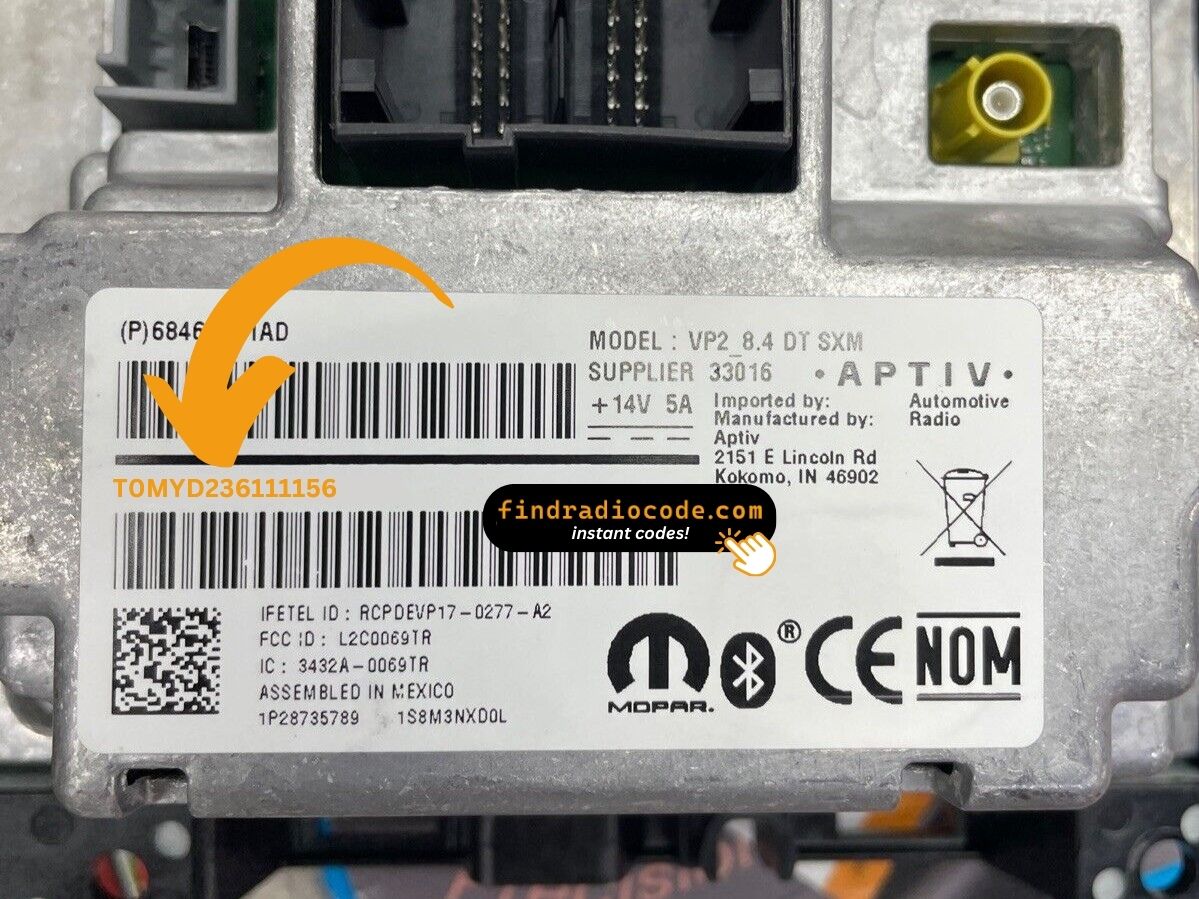
Example: Ram 1500 Classic serial number label location
Common Serial Number Structures
The 2020 Ram 1500 Classic Uconnect 8.4" (RA3) serial number formats:
T00AM– Harman VP2 Uconnect (most common format)T00BE– Continental variantTM9– Older Harman units
Radio designation: RA3. Serial: 14 characters. The 1500 Classic retains the same 4th-gen RA3 platform through its production run.
Reminder The P05064... or 68... on the same label is not the serial.
Common S/N Formats Used on 2020 Ram 1500 Classic Units
Across the 2020 Classic line-up the serial numbers tend to fall into a small set of Uconnect 4 patterns. The label on the chassis is always the source of truth - the prefixes below are general guidance only.
Uconnect 8.4 RA3 / RA4
- Most often begins with
T00AMon Continental-built units. - Earlier inventory and Panasonic-built batches may show the
TM9prefix. - Service-replacement boards occasionally use a
TQ1-style prefix.
Uconnect 5.0 RA2
- Typically uses a
TM9family prefix. - Serial appears as a fixed-length alphanumeric string near the part-number bar code.
Uconnect 3.0 RA1
- Confirmed prefix data for this base unit is sparse, so transcribe directly from the label and double-check before submitting.
If the string you wrote down does not start with one of these prefixes, make sure you are not accidentally reading the part number, hardware revision or VIN line on the same sticker.
Final Step - Enter the Radio Code
Once you receive the correct unlock code based on the S/N, you can restore default functionality by entering it into the unit.
The code entry process depends on the control layout, but most 2020 1500 Classic systems follow a similar structure using preset buttons, touch controls, or rotary knobs - depending on if it's a factory or an aftermarket unit.
You will typically see SAFE displayed on screen.
Detailed Input Instructions for 1500 Classic 2020
Entering the unlock code on the 2020 Ram 1500 Classic's Uconnect 8.4":
- The screen shows "ENTER CODE" or ---- after a battery event.
- Use the touchscreen keypad to enter each digit of the 4-digit code.
- The radio restores after the 4th digit – nothing else needed.
Lockout: 3 wrong attempts = 60-minute lockout. Keep ignition ON. Turning it off resets the timer.
Detailed Input Instructions for Ram 1500 Classic 2020
Your 2020 Classic uses the same four-digit Uconnect 4 anti-theft flow that the rest of this generation uses. Read the warning section before you start punching numbers.
Limited Attempt Warning
- The radio allows three attempts before locking.
- After the third wrong code the screen shows WAIT for roughly 30 minutes.
- The ignition must stay in RUN during the wait period.
RA3 / RA4 (8.4-inch screen)
- Turn the ignition to RUN with the engine off.
- Wait for the on-screen prompt requesting the anti-theft code.
- Tap each digit in turn on the numeric keypad.
- Press OK / Enter to confirm.
RA2 / RA1 (5-inch and base)
- Use the preset buttons (1-4) or the tune knob - the prompt will tell you which.
- Each preset typically increments a single digit.
- Confirm with the OK / SEEK button as the screen indicates.
Troubleshooting
- Re-read the chassis label or your saved photograph if it rejects the code.
- Confirm the code was generated against the correct serial number for this 2020 Classic.
- If WAIT appears, leave the ignition in RUN and wait the full timer before retrying.
Understanding Unlock Issues with Your 1500 Classic
The 1500 Classic's Uconnect 8.4" RA3 uses touchscreen-only code entry. Tap each digit on the digital keypad. No preset presses are needed. The radio unlocks after the last digit.
The 1500 Classic's Uconnect RA3 enters lockout after 3 wrong entries. The screen continues to display "ENTER CODE" but blocks all taps during the lockout.
To reset: Keep ignition ON for 60 full minutes. Any power loss resets the timer.
The RA3 label on the 1500 Classic has the serial number (14 chars: T00AM, T00BE, or TM9) and the part number (P05... or 68...). Only the 14-char serial generates the code.
The 1500 Classic's RA3 serial can also be read via Dealer Mode (System Info → Radio Part Info → Serial Number) without tools.
Code rejection on the 1500 Classic's Uconnect usually means the wrong serial was submitted. The RA3 label shows the serial (T00AM, T00BE, or TM9, 14 chars) and the part number (P... or 68...) — only the serial generates the code.
Re-check the label and contact support for a free re-check if needed.
No code prompt means the anti-theft isn't activated. Trigger the lock: briefly disconnect the battery, then turn ignition ON. The prompt appears on startup.
Why Did the Radio Lock and Ask for a Code?
The Ram 1500 Classic's Uconnect RA3 activates anti-theft whenever the battery is removed or replaced. Budget-oriented 1500 Classic owners encounter this primarily due to:
- Battery replacement — the most common trigger across all Uconnect-equipped vehicles.
- Used purchase without documentation — the 1500 Classic is a popular affordable used truck, so buyers find it locked on purchase.
- Radio fuse failure — also counts as power loss.
- Truck sitting unused until the battery dies.
The code is derived from the radio's serial number — not the VIN.