How Car Radio Anti-Theft Codes Work
Why some stereos ask for a code after a dead battery, what the code really protects, and how you can legally get yours back.
June 16, 2026 Updated: October 13, 2026
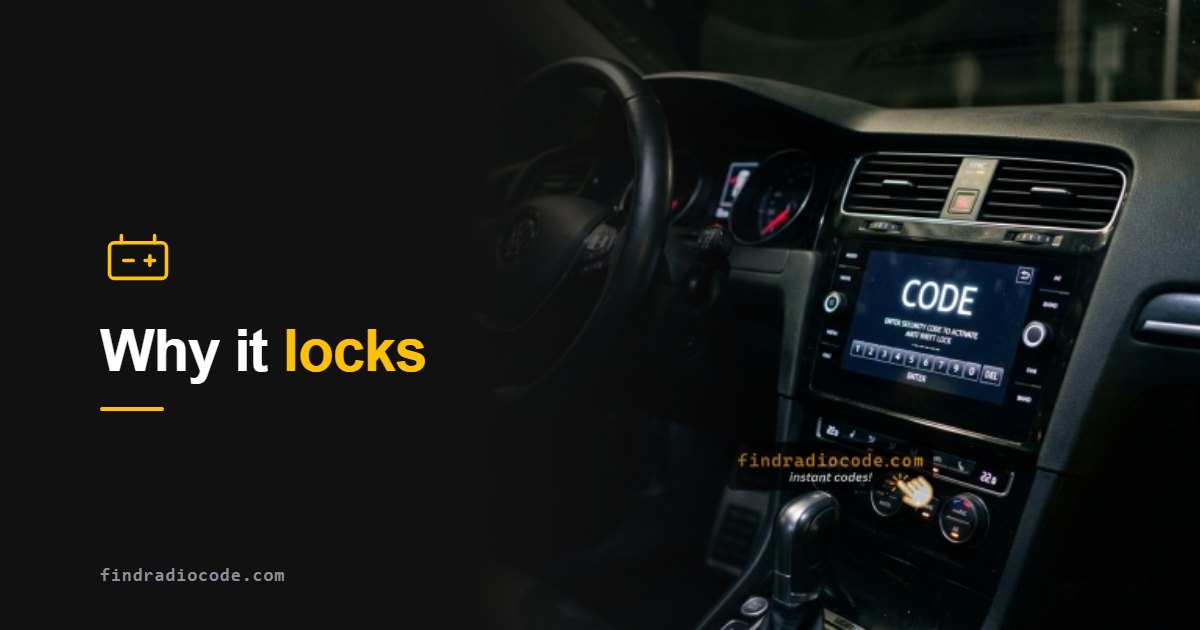
In short: A radio anti-theft code is a security PIN used by a unit that requests code entry. It is separate from the vehicle immobilizer. Whether a code is needed after power loss depends on the radio and its security system.
What This Guide Covers
If your radio displays a security message after a battery change, check the instructions for the installed unit. This guide explains code-based protection, other radio security systems and the information needed to recover a code where one is required.
What Is a Radio Anti-Theft Code?
A radio anti-theft code is a 4 to 6 digit security PIN built into the head unit - the single-DIN or double-DIN box behind your dashboard that connects through the standard ISO 10487 harness. The radio only plays once the correct code has been entered. The code is unique to your radio and is mathematically linked to the unit serial number, so a stolen or swapped radio is useless to anyone who does not have its code. Manufacturers like Honda, Acura, Fiat, Ford and the Stellantis Uconnect family all use a version of this system.
Where Is the Radio Anti-Theft Code Usually?
Start with the paperwork, because that is where the code was meant to live. If it is not there, the answer is almost always the radio serial number.
- A code card with the owner's manual. Many makers shipped one. Honda manuals describe a card that lists the audio system code and serial number, Volkswagen calls it the radio card, and Ford supplied a security code card with the owner documents. Used cars often lose it.
- A sticker in the glovebox. Honda, for example, puts the anti-theft details on a card or a sticker inside the glove compartment. Check the sides and the lid as well as the manual wallet.
- Nowhere at all. Many owners find no card, especially on Chrysler, Dodge, Jeep and Ram Uconnect radios, where the dealer works the code out from the radio serial number when it is needed (our Jeep anti-theft code guide covers that case). The label on the radio shows the serial number, not the code.
- The dealer. With the radio serial number and proof of ownership, a dealer can look the code up. Honda's own manuals say exactly that: if you lose the card, the dealer needs the system serial number.
- A serial-based code service. The same factory code, calculated from the serial number you read on the screen or on the radio label.
Whichever route you take, the key is the radio serial number. For every make except Renault and Dacia, the VIN alone will not get you a radio code.
When Does Losing Power Lock the Radio?
A power interruption can be followed by a code request on a radio that uses an anti-theft code. Other systems recognize the original vehicle or use a different security process. Check the actual screen message: a battery change alone does not establish that your radio needs a code.
Common moments a code request can appear:
- After a dead or replaced car battery
- After disconnecting the battery for repairs or storage
- After a blown radio or accessory fuse
- After buying a used radio or moving one between cars
What to Check After a Battery Change
If the radio displays an anti-theft code request, identify the installed unit and obtain the matching code. For Jeep, Dodge, Chrysler and Ram Uconnect radios, start with our Uconnect anti-theft guide. If it displays WAIT, follow the waiting-message guide before another attempt. A blank screen, a reboot loop or a frozen display needs troubleshooting for that symptom; purchasing a code alone will not diagnose it.
The Three Ways a Car Radio Locks Itself
Not every locked radio is waiting for a code. The message on the screen tells you which of three systems you are dealing with, and each one is unlocked differently.
1. A code calculated from the serial number
The most common type. The code is worked out from the radio serial number, and after a power loss or a swap the radio asks for it: CODE on many units, SAFE on Volkswagen, Audi, Skoda and Seat radios, Enter Anti-Theft Code on Uconnect. Chrysler, Dodge, Jeep, Ram, Ford, Honda and Acura radios work this way.
Unlock: read the serial number, get the matching code and enter it once.
2. A radio paired to the car
There is no code to type. The radio learns the vehicle VIN or listens for the car network, and locks when it is moved or cannot see the car: LOCKED on newer GM radios, CANCHECK or CHECK on some Fiat radios, Component Protection on newer Volkswagen Group units.
Unlock: a dealer or a specialist with the maker's software pairs the radio to the car again. A code service cannot do this step - see our GM locked radio guide.
3. A code shown on the screen, or a PIN you set
Some radios display their own code: Toyota and Lexus units show a 16-character ERC code, and the unlock password is calculated from it. Older GM Delco TheftLock radios (1994-2002) let the owner program a personal code, and LOC on the display means a code is stored and the radio is locked.
Unlock: for ERC, the code shown on the screen (see our Toyota ERC page). For an owner PIN, the owner's own code or a dealer backup code.
Some radios combine the first two types. A Uconnect radio, for example, keeps track of the vehicle it is installed in and asks for its serial-based code when that changes, which is why a used Uconnect unit arrives locked.
Radio Code vs Immobilizer vs Key PIN - Do Not Confuse Them
People often mix these up. They are separate systems:
- Radio anti-theft code: unlocks the stereo only. Derived from the radio serial number. This is what this site recovers.
- Engine immobilizer: stops the engine starting without a valid key. Nothing to do with the radio code. If the engine will not start and a key or security warning light is lit or flashing on the dash, you are dealing with the immobilizer, not the radio, and a radio code will not help.
- Key / PIN code: used to program a new key. Again, separate from the radio code.
Is It Legal to Recover Your Own Radio Code?
Yes. Recovering the anti-theft code for a radio you own is completely legal - it is your property. The security system exists to stop thieves reusing stolen units, not to stop owners. A legitimate service simply re-derives the original factory code from the serial number you provide, the same value the dealer would give you.
How Serial-Based Code Retrieval Works
A code-based radio leaves the factory with its code calculated from its serial number using the manufacturer algorithm. To get the code back you do not need the VIN or any personal data - you need the radio serial number. You read the serial from the screen or the unit label, enter it, and the matching factory code is returned. With FindRadioCode.com that happens instantly on screen and by email for most models, from $9.99.
Watch: Recovering Your Code From the Serial Number
See how the anti-theft code is recovered and entered using the radio serial number - the same process for most brands.

Unlock code for MyGIG / Uconnect using the serial number

Radio unlock code by serial number (demo)
More radio code tutorials on our YouTube channel
What to Do If Your Radio Says CODE or LOCKED
- Do not keep guessing. Many radios lock harder or add a long wait after several wrong attempts.
- Find your serial number. Use the on-screen method for your brand, or read the label on the unit. Our brand guides show exactly how.
- Get the matching code and enter it once, using the entry procedure specified for your radio. Keep the code somewhere safe in case the radio asks for it again.
Ready to Unlock Your Radio?
Find your radio serial number and recover your anti-theft code instantly - no dealer, no VIN, money-back guarantee.
Frequently Asked Questions
Related Articles
Unlock Your Uconnect Radio
Step-by-step guide to the Uconnect anti-theft code for Chrysler, Dodge, Jeep and RAM.
Read GuideFind Your Honda or Acura Serial
Read your Honda or Acura radio serial number from the screen, no removal needed.
Read GuideCan You Get a Code From the VIN?
Why the radio code comes from the serial number, not the VIN - explained simply.
Read Guide