
Understanding the 2023 Jeep Cherokee Radio Code Retrieval Process
To get the code, you'll take only a few simple steps.
- Locate your radio's serial - this is the only information required by our side.
Unlike when contacting the dealer, no VIN is needed. - When you've found the S/N, type it into the form above.
The system checks it against a database of supported radios and automatically catches the matching radio code. - In most cases, the code will appear instantly on the screen after payment and is also sent to your email for backup.
If we need to check it manually, you'll be notified before checkout. - Once you receive it, simply enter it into the radio to restore full functionality.
How to Enter the Radio Code
After receiving 2023 Jeep Cherokee radio code from the serial, you're ready to reactivate the radio.
Some drivers hesitate at this stage because input methods can look different across radio versions, but it's usually easy.
When the radio shows ENTER CODE, it means the unit is waiting for the correct numbers.
Detailed Entering Instructions for Cherokee 2023
To input the unlock code on your Uconnect radio:
- When the radio is locked, the screen will display "ENTER CODE" or show four dashes (----).
- Use the on-screen keypad (touchscreen models) or the preset buttons (non-touchscreen models) to enter each digit of your 4-digit code.
- After entering all 4 digits, the radio will unlock automatically – no need to press a confirm button.
Tip: Make sure you enter the code carefully. Three incorrect attempts will trigger a temporary lockout.
In-depth Entering Instructions for Cherokee 2023
Once the unlock code has been retrieved for a 2023 Cherokee Uconnect head unit, it can be entered directly at the dash - no scan tool or dealer visit required.
- Limited attempts: Mopar/Uconnect head units only accept three incorrect tries before the radio enters a
WAITstate, so confirm every digit before pressing it. - Place the ignition in RUN/ACC so the radio powers up but the engine stays off.
- Wait for the display to show
CODE,Please enter Anti-Theft Code, or a similar prompt. - Tap the on-screen number pad to enter each of the four digits and confirm with the OK/Enter touch button.
- If
WAITappears after wrong attempts, leave the radio powered with the ignition in RUN for the documented cool-down period (about 30 minutes; the vehicle may be driven during this time) before trying the correct code again.
Can't Find Your Radio S/N? Follow These Steps for Jeep Cherokee 2023
The first step is to locate the radio's serial num.
Depending on the radio unit installed in your 2023 Cherokee, the S/N can be found either through the display menu or by pulling the unit out and checking the label on the radio itself.
Below are the most common methods to identify your serial quickly.
Which Head Unit Is in Your 2023 Cherokee?
2023 was the final model year of the KL Cherokee - production ended in February 2023 and the trim lineup was reduced to two editions, Altitude Lux and Trailhawk. Both ship with the 8.4-inch Uconnect 4C touchscreen as standard, and there is no Uconnect 5 transition for the KL Cherokee.
- Uconnect 4C (
UAS) - 8.4-inch non-NAV touchscreen. Available on Trailhawk in non-NAV form. Visual ID: large 8.4-inch screen filling the dash opening, Apple CarPlay and Android Auto present, but no Map/NAV tile because navigation is not built in. - Uconnect 4C NAV (
UAQ) - 8.4-inch touchscreen with built-in GPS. Standard on Altitude Lux and the Trailhawk Premium pack. Visual ID: identical 8.4-inch bezel and glass to UAS, but the home screen carries a dedicated NAV/Map tile and on-board maps are bundled.
Field test: 8.4-inch with no Map tile = UAS, 8.4-inch with a Map tile = UAQ. Because the KL Cherokee was retired at the end of MY2023, no 12.3-inch or Uconnect 5 head unit was ever fitted to the model.
Screen-Based Serial Lookup Method
These are the steps you should follow for 2023 Jeep Cherokee:
The Jeep Cherokee KL (2014–2023) came with three different Uconnect configurations. The first step is identifying which one you have, because each uses a different method to access Dealer Mode.
8.4" Classic (2014–2018): Hold Fan Up + Fan Down + Front Defrost for 5 seconds → Dealer Mode. Navigate: System Info → Radio Part Info → Serial Number. Also works via Engineering Menu: hold Temp Up + Temp Down for 5 seconds.
Uconnect 7" (all years with this screen): Hold Temp Up + Temp Down for 5 seconds → Engineering Menu opens. Navigate: System Info → Target Main Data → Serial Number.
8.4" NEW (2019+): Press the bottom-left + bottom-right plastic bezel edges simultaneously until Dealer Mode opens. Navigate: System Info → Radio Part Info → Serial Number. Serial: 14 characters, e.g. T00AM1801T0282.
Before Removing the Radio, Try This Screen Method
The 2023 Cherokee continues with the 8.4-inch Uconnect 4C head unit (UAS non-NAV or UAQ NAV) right through to the end of KL production. The radio serial number can usually be read on screen via the hidden dealer/diagnostic menu, although newer Uconnect software builds have tightened dealer-mode access on some cars.
Uconnect 4C 8.4 (UAQ / UAS)
- Switch the ignition to RUN/ACC and wait for the Uconnect interface to finish booting.
- Press and hold the driver-side temperature UP, the driver-side temperature DOWN, and the front DEFROST buttons together for roughly 5-10 seconds.
- If the climate-button shortcut does nothing on a software-updated unit, press and hold the bottom-left and bottom-right corners of the screen at the same time for about 5-10 seconds.
- Browse to the radio/system info section to view the serial number on screen.
- Photograph the screen before transcribing the characters.
Taking Out the Unit to Access the S/N on the Tag
If the serial number cannot be accessed on-screen, use the pull-out method.
Most Jeep Cherokee OEM radios include a label with the serial number printed on the housing.
Basic process:
- Remove key from ignition.
- Lift away surrounding dashboard trim.
- Loosen screws holding the radio.
- Slide outward to inspect the label.
📹 Video Guide: Jeep Cherokee Radio Removal
Watch step-by-step tutorials for removing your Jeep Cherokee radio:
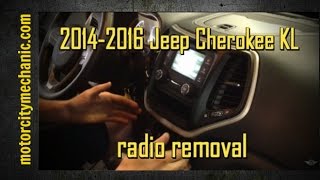
2014-2016 Cherokee KL
2019 Cherokee
General Cherokee
Need a different Cherokee year or model? Search YouTube for more Cherokee tutorials
Written Instructions
Physical Radio Removal (if Dealer Mode is unavailable)
If the on-screen method is not available on your vehicle, the radio can be physically removed to access the serial number label on the top or side of the unit:
- Remove the trim bezel – Carefully pry off the dashboard trim surrounding the radio using a plastic trim removal tool. The bezel is held by friction clips.
- Unscrew the mounting bolts – Remove the 4 mounting screws (usually Torx or Phillips) securing the radio to the dash frame.
- Slide the unit forward – Gently pull the radio out far enough to see the label. Do not disconnect the wiring harness unless necessary.
- Locate the serial number label – Look for a white or silver sticker with a barcode on the top or side of the unit. The serial number is a 14-character alphanumeric code (e.g.
T00AM1801T0282).
For detailed instructions with video tutorials for specific vehicles, see our Uconnect radio removal guide.
Manufacturer Label Inspection
If dealer mode has been restricted on the 2023 Cherokee by a Uconnect software update, the printed chassis label remains the next reliable source. The Uconnect 4C head unit on the KL Cherokee sits in a centre stack with the climate cluster below, so work slowly and methodically.
- Safety first: turn the ignition off, take out the key, disconnect the negative battery terminal, and wait a few minutes before touching wiring; never disturb the yellow airbag/SRS connectors and use plastic trim tools to avoid shorts and broken clips.
- Tools you will need: plastic trim removal kit, Phillips and small Torx bit set, 7mm/10mm socket set, flashlight.
- Pop the centre stack bezel free using a plastic pry tool starting at the lower edge and working up the sides; keep finger pressure even because the bezel sits adjacent to the climate cluster.
- Unclip any switch/HVAC connectors at the rear of the bezel before setting the trim aside on a clean cloth.
- Remove the screws (typically four, two upper and two lower) that secure the radio cage to the dash support bracket.
- Slide the radio rearward and disconnect the antenna lead and the multi-pin power/data harness on the back.
- The serial number sits on a printed barcode/sticker label on the top or side of the radio chassis, next to the part number and supplier markings.
- Photograph the label and double-check ambiguous characters such as 0/O, 1/I and B/8 before submitting the serial. If you are not comfortable working around airbag wiring, have a professional installer take the unit out for you.

Example: Jeep Cherokee serial number label location
S/N Patterns and Prefixes
Your Jeep Cherokee 2023 radio serial number may start with:
T00AMT00BETM9T0MYDA2CTQNTVPQNT0071T00AD
S/N Patterns and Prefixes
The factory radios on the 2023 Cherokee follow the standard Mopar/Uconnect serial style. The exact prefix depends on which Uconnect 4C trim shipped with the car and the supplier (Visteon, Continental, Harman or Panasonic) that built the unit. Cherokee did not transition to Uconnect 5 before production ended, so 8.4-inch UAS/UAQ formats are the only ones commonly seen on this model year.
Uconnect 4C 8.4 (UAQ / UAS)
- Typically printed as a 14-character alphanumeric string on the chassis label.
- Commonly begins with
T- frequent prefixes includeT00AM,TM9andTQ1- or withA2Con Continental-built variants. - Usually a continuous run of letters and digits with no dashes or spaces.
Cherokee 2023 Common Radio Problems
Seeing SAFE or WAIT?
This is a temporary lock.
Leave the radio powered and wait until the code input returns.
Avoid hardware model numbers or part numbers.
If no CODE message appears, start radio again or check power state.
Check:
- correct touchscreen action
- short press vs long press
- confirmation key location.
Look for:
- typing errors
- wrong serial format
- skipped confirmation step.
Try again after checking each digit.