
Which factory radio does your 2019 Jeep Cherokee use?
The radio in a 2019 Jeep Cherokee depends on the trim level. The pages below cover each unit we know was fitted in detail.
| Years | Factory radio | Serial starts with |
|---|---|---|
| 2017-2020 | Chrysler Uconnect 8.4 UDM Panasonic |
TM9
|
| 2017-2020 | Chrysler Uconnect 8.4 UDQ Panasonic |
TM9
|
| 2017-2020 | Chrysler Uconnect 8.4 UGQ Panasonic |
TM9
|
| 2017-2020 | Chrysler Uconnect 8.4 UKV Panasonic |
TM9
|
| 2017-2020 | Delphi Uconnect 7.0 VP2_7 WK CHN Delphi |
T0MYD
|
| 2017-2021 | Uconnect 7.0 UAG UCG 7 inch SDARS Continental |
TQN, TVPQN, A2C, A3C
|
| 2017-2021 | Uconnect 7.0 UAG UCG VP2RFP Continental |
TQN, TVPQN, A2C, A3C
|
| 2017-2021 | Uconnect 8.4 VP2RFP UAM UCM Continental |
TQN, TVPQN, A2C, A3C
|
Step-by-Step Jeep Cherokee 2019 Radio Code Retrieval Guide
- Instead of contacting Jeep dealer or searching forums you can find the code online using the radio serial number.
- Start by finding the serial number. The best place to search is on the unit itself, and in some cases it can be visible on the Cherokee's radio screen.
- Enter it into the field above, and the system will retrieve the correct 2019 Cherokee unlock code.
- After getting it, type it in using Cherokee's radio controls to release the blockade successfully.
- The entire process takes less than a minute for most users and requires minimal effort.
Radio Code Input Guide
Once you receive the correct unlock code based on the S/N, you can restore default functionality by entering it into the unit.
The code entry process depends on the head unit design, but most 2019 Cherokee systems follow a similar structure using preset buttons, touch controls, or rotary knobs - depending on if it's a factory or an aftermarket unit.
You will typically see CODE displayed on screen.
Correct Entering Process
To input the unlock code on your Uconnect radio:
- When the radio is locked, the screen will display "ENTER CODE" or show four dashes (----).
- Use the on-screen keypad (touchscreen models) or the preset buttons (non-touchscreen models) to enter each digit of your 4-digit code.
- After entering all 4 digits, the radio will unlock automatically – no need to press a confirm button.
Tip: Ensure you enter the code carefully. Three incorrect attempts will trigger a temporary lockout.
Entering Process
Once the unlock code has been retrieved for a 2019 Cherokee Uconnect head unit, it can be entered directly at the dash - no scan tool or dealer visit required.
- Limited attempts: Mopar/Uconnect head units only accept three incorrect tries before the radio enters a
WAITstate, so confirm every digit before pressing it. - Place the ignition in RUN/ACC so the radio powers up but the engine stays off.
- Wait for the display to show
CODE,Please enter Anti-Theft Code, or a similar prompt. - On the Uconnect 4C 8.4 (UAQ/UAS), tap the on-screen number pad to enter each of the four digits and confirm with the on-screen OK/Enter button.
- On the Uconnect 4 7-inch (UAG), use the on-screen keypad - or the numbered preset buttons if the unit prompts for them - to key the code in sequence.
- If
WAITappears after wrong attempts, leave the radio powered with the ignition in RUN for the documented cool-down period (about 30 minutes; the vehicle may be driven during this time) before trying the correct code again.
How Serial Numbers Work and Where to Find Them on 2019 Jeep Cherokee Radios
The first part is to locate the radio's serial number.
Depending on the radio unit fitted in your 2019 Cherokee, the S/N can be found either through the screen menu or by checking the label on the radio itself.
Follow the steps below to identify your serial the right way.
Factory Radios on the 2019 Jeep Cherokee
The 2019 model year is the first year of the KL Cherokee mid-cycle refresh and the radios on it are the Uconnect 4 family - all touchscreen units split by screen size and built-in navigation.
- Uconnect 4 (sales code
UAG) - 7-inch non-NAV touchscreen. Standard on Latitude and Latitude Plus, the most common radio on 2019 Cherokees by volume. Visual ID: smaller 7-inch screen centred in the dash opening with bezel material around it; Apple CarPlay and Android Auto are supported, but there is no factory NAV/Map tile on the home screen. - Uconnect 4C (sales code
UAS) - 8.4-inch non-NAV touchscreen. Standard on Trailhawk, optional upgrade on Latitude Plus and Limited. Visual ID: large 8.4-inch screen filling the dash bezel opening edge to edge; CarPlay and Android Auto are present, but the home screen has no Map/NAV tile because GPS navigation is not built in. - Uconnect 4C NAV (sales code
UAQ) - 8.4-inch with built-in GPS navigation. Standard on Overland and frequently optioned on Limited and Trailhawk Elite. Visual ID: identical 8.4-inch bezel and glass to UAS, but the home screen carries a dedicated NAV/Map tile and on-board maps are bundled.
Field check: 7-inch screen = UAG, 8.4-inch with no Map tile = UAS, 8.4-inch with a Map tile = UAQ.
Screen-Based Serial Lookup Method
The method for 2019 Jeep Cherokee is this:
The Jeep Cherokee KL (2014–2023) came with three different Uconnect configurations. The first step is identifying which one you have, because each uses a different method to access Dealer Mode.
8.4" Classic (2014–2018): Hold Fan Up + Fan Down + Front Defrost for 5 seconds → Dealer Mode. Navigate: System Info → Radio Part Info → Serial Number. Also works via Engineering Menu: hold Temp Up + Temp Down for 5 seconds.
Uconnect 7" (all years with this screen): Hold Temp Up + Temp Down for 5 seconds → Engineering Menu opens. Navigate: System Info → Target Main Data → Serial Number.
8.4" NEW (2019+): Press the bottom-left + bottom-right plastic bezel edges simultaneously until Dealer Mode opens. Navigate: System Info → Radio Part Info → Serial Number. Serial: 14 characters, e.g. T00AM1801T0282.
Find Your Serial Number on the Radio Display
The 2019 Cherokee ships with the Uconnect 4 family of head units. On these units the radio serial number can usually be read straight from the touchscreen via the hidden dealer/diagnostic menu - no need to remove the unit from the dash.
Uconnect 4C 8.4 (UAQ / UAS)
- Switch the ignition to RUN/ACC and wait for the Uconnect interface to finish booting.
- Press and hold the driver-side temperature UP, the driver-side temperature DOWN, and the front DEFROST buttons together for roughly 5-10 seconds until the dealer/engineering screen opens.
- If the climate-button shortcut does nothing, press and hold the bottom-left and bottom-right corners of the screen at the same time for about 5-10 seconds.
- Browse to the radio/system info section to read the serial number printed on screen.
- Photograph the screen so each character can be transcribed without typos.
Uconnect 4 7-inch (UAG)
- Place the ignition in RUN/ACC and let the screen finish loading.
- Press and hold both temperature UP and temperature DOWN buttons together for around 5-10 seconds to enter the engineering menu.
- Open System Info / Target Main Data to view the serial number on screen.
- Photograph the display before transcribing the digits.
Find the Serial by Pulling Out the Radio Unit
If the serial does not appear on screen, the next step is checking the radio itself.
Many Jeep radios require physical access to the ID label attached to the unit.
Typical approach:
- Start by completely powering down the engine - pull the key out.
- Then detach the dashboard bezel.
- Next, release the mounting points and move the radio forward.
- Look for a barcode label showing the serial number.
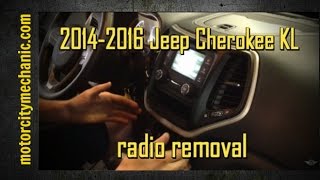
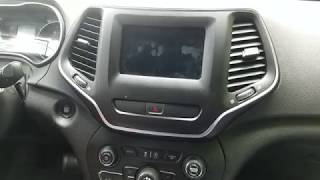
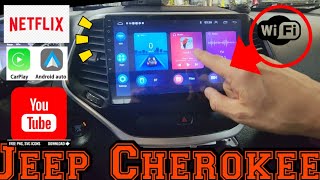
📹 Video Guide: Jeep Cherokee Radio Removal
Watch step-by-step tutorials for removing your Jeep Cherokee radio:
2014-2016 Cherokee KL
2019 Cherokee
General Cherokee
Need a different Cherokee year or model? Search YouTube for more Cherokee tutorials
Written Instructions
Physical Radio Removal (if Dealer Mode is unavailable)
If the on-screen method does not work on your vehicle, the radio can be physically removed to read the serial number label on the top, side, or back of the unit:
- Remove the trim bezel – Carefully pry off the dashboard trim surrounding the radio using a plastic trim removal tool. The bezel is held by friction clips.
- Unscrew the mounting bolts – Remove the 4 mounting screws (usually Torx or Phillips) securing the radio to the dash frame.
- Slide the unit forward – Gently pull the radio out far enough to see the label. Do not disconnect the wiring harness unless necessary.
- Locate the serial number label – Locate a white or silver sticker with a barcode on the top or side of the unit. The serial number is a 14-character alphanumeric code (e.g.
T00AM1801T0282).
For detailed instructions with video tutorials for specific vehicles, see our Uconnect radio removal guide.
View Serial by Pulling Out the Radio Unit
If the on-screen menu is unavailable on the 2019 Cherokee - for example after a software update that disabled dealer mode - the chassis label can still be reached by carefully removing the head unit. The Uconnect 4 stack on the KL Cherokee is integrated into the centre console with the climate cluster below, so work slowly to avoid breaking trim clips.
- Safety first: turn the ignition off, take out the key, disconnect the negative battery terminal, and wait several minutes before touching wiring; never disturb the yellow airbag/SRS connectors and use plastic trim tools so nothing shorts or breaks.
- Tools you will need: plastic trim removal kit, Phillips and small Torx bit set, 7mm/10mm socket set, flashlight.
- Removal overview: on the KL Cherokee the radio sits in a centre stack bezel with the climate controls below; pop the bezel out gently from the bottom edge using a plastic pry tool, work up the sides, and unclip any switch/HVAC harnesses before setting the bezel aside.
- Releasing the radio: remove the screws (typically four, two top and two bottom) holding the radio cage to the dash support bracket, then pull the head unit straight rearward.
- Disconnect carefully: release the antenna lead and the multi-pin power/data connectors on the back of the unit before fully extracting it.
- Find the label: the serial sits on a printed barcode/sticker on the top or side of the radio housing, alongside the part number and supplier markings.
- Tips: never pry against the touchscreen glass; if the bezel resists, stop and double-check for hidden screws rather than pulling harder. If you are not comfortable working around airbag/SRS wiring, have a professional installer remove the unit for you.

Example: Jeep Cherokee serial number label location
How Serial Numbers Usually Look on These Cherokee Radios
Your Jeep Cherokee 2019 radio serial number may start with:
T00AMT00BETM9T0MYDA2CTQNTVPQNT0071T00AD
Typical Serial Number Formats for 2019 Cherokee Radios
The factory radios on the 2019 Cherokee use the standard Mopar/Uconnect head-unit serial style. The exact prefix depends on which Uconnect tier shipped with the car and which supplier (Visteon, Continental, Harman or Panasonic) built the unit, so the printed sticker on the chassis is the authoritative reference.
Uconnect 4C 8.4 (UAQ / UAS)
- Typically a 14-character alphanumeric string printed on the chassis label.
- Commonly begins with
T- frequent prefixes includeT00AM,TM9andTQ1- or withA2Con Continental-built variants. - Often runs as a continuous string of letters and digits with no dashes or spaces.
Uconnect 4 7-inch (UAG)
- Usually carries a Mopar/Harman or Panasonic-style serial on the chassis label - the printed sticker on the unit itself is the authoritative reference.
- Always copy the serial exactly as printed and avoid guessing characters that look unclear.
Fixing Common Code Entry Problems for 2019 Cherokee
Avoid hardware model numbers or part numbers.
Look for:
- typing errors
- wrong serial format
- skipped confirmation step.
Retry after checking each digit.
Try turning the radio off/on or disconnecting the power briefly.
LOCK mode activates after many incorrect entries.
Keep:
- power supply stable
- ignition ON
- no button pressing during wait period.
Some radios require:
- holding the final digit
- pressing SEEK.