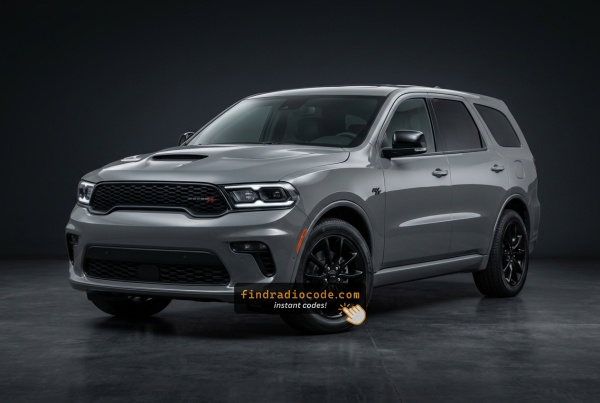
OEM Radios Used in the 2022 Dodge Durango
These radio models were fitted to the 2022 Dodge Durango. Open yours to see where its serial number is and how to get the code.
| Years | Factory radio | Serial starts with |
|---|---|---|
| 2018-2022 | Delphi Uconnect 7.0 UAG VP2_7 WD NA Delphi |
T0MYD
|
| 2018-2022 | R1 INT NA Harman |
T0012, T00BE
|
| 2019-2023 | Aptiv Uconnect 7.0 UAG VP2_7 WD NA Aptiv |
T0MYD
|
| 2019-2023 | Aptiv Uconnect 8.4 UJM VP2_8.4 HDCC SXM WD Aptiv |
T0MYD
|
How to Get Your 2022 Dodge Durango Radio Code
To get the code, you'll take only 4 simple steps.
- Find the radio's serial number - this is the only info required by our side.
The difference with the dealership lookup is that no VIN or paperwork is needed. - When you've found the S/N, type it into the form above.
Our system checks it against a database of supported factory radios and automatically retrieves the matching radio code. - In most cases, the code appears instantly on the screen after you pay and is also sent to your email for backup.
If we need to check it manually, you'll be notified before checkout. - When you receive it, simply enter it into the radio to restore full functionality.
Understanding the Radio Serial Number and How to Locate It on 2022 Durango
The initial step is locating the radio serial number.
Many drivers assume the code depends on the Dodge model or year, but actually, the whole process depends on the unique radio unit's serial number.
The serial is the key used to calculate the correct unlock code.
This is even better, because if you have a used radio, the VIN or other vehicle-specific data wouldn't be of much use.
Depending on the radio version used, you can see the serial directly from the display or by checking the label on the radio chassis.
Quick Method: Find the Serial Number on the Screen
These are the steps you should follow for 2022 Dodge Durango:
The 2022 Dodge Durango seats up to 7 passengers updated with the Uconnect 4C (RA4) 8.4" touchscreen prominently positioned in the console. Accessing the serial number on screen uses Dealer Mode:
- Turn ignition to ACC or ON.
- Press the bottom-left and bottom-right corners of the physical screen bezel (plastic frame, not the glass) at the same time for 5 seconds.
- Dealer Mode opens on screen.
- Navigate to: System Info → Radio Part Info → Serial Number.
Note On some 2022 Durango units, Dealer Mode may be restricted after a software update. If the bezel press doesn't respond, physical radio removal is required.
Releasing the Unit to See the S/N on the Tag
If the serial does not appear on screen, the next step is checking the radio itself.
Many Dodge radios require physical access to the ID label attached to the unit.
Common approach:
- Start by completely turning off the engine - pull the key out.
- Then remove the dashboard bezel.
- Next, unscrew the mounting points and slide the radio forward.
- Look for a printed tag showing the serial number.
If Dealer Mode is unavailable on your 2022 Durango, the RA4 radio must be removed to access the serial label. The Durango's elevated console provides straightforward access:
- Remove the center stack trim – The Durango's trim panel surrounds the 8.4" screen and climate controls. Start at the bottom with a plastic pry tool to pop off the friction-clipped panel.
- Remove the 4 Torx T20 screws – Securing the radio mounting frame.
- Ease the unit out – Pull the radio forward just enough to see the serial label on the top or side.
The 14-character serial is on a barcode sticker. Wiring can stay plugged in while you record it.

Example: Dodge Durango serial number label location
Serial Number Format Guide for 2022 Dodge Durango
The 2022 Dodge Durango Uconnect 4C (RA4) uses these serial number formats:
T00AM– Standard Harman prefix for Uconnect 4CT00BE– Continental-sourced version
Radio designation: RA4 (Uconnect 4C, 8.4"). Serial: 14 characters. The Durango received the RA4 update in 2019 and continued this platform through 2025.
Important: The serial number is not the same as the part number (P... or 68...) on the same label. The serial alone generates the unlock code.
Final Step - Enter the Radio Code
Now that you've generated 2022 Dodge Durango radio code from the serial, you're ready to reactivate the radio.
Many drivers get stuck at this stage because input methods can look different across radio versions, but it's usually easy.
When the radio shows CODE, it means the unit is waiting for the correct numbers.
Detailed Input Instructions for Durango 2022
Code entry on the 2022 Durango's Uconnect 4C:
- Ignition ON. The Durango's 8.4" display shows "ENTER CODE".
- Use the touchscreen to enter each digit of your 4-digit code.
- The radio auto-unlocks after the 4th digit — no extra step needed.
Lockout: 3 wrong attempts = 60-minute lockout. Leave the Durango's ignition ON. Turning it off restarts the wait.
Fixing Common Code Entry Problems for 2022 Durango
When no "ENTER CODE" appears after a battery event:
- Ensure the ignition is fully in ON (not ACC) and allow the system 15–20 seconds to initialize.
- Check the radio fuse in the Durango. A blown fuse prevents any radio power.
- On some 2022 Durango units, a software update could delay the code prompt — tap the display to activate the prompt.
If the screen stays blank, a blown fuse is the first thing to check.
A rejected code on the Durango's RA4 usually indicates a serial number error. The RA4 label shows both the serial (14 characters, starts with T00AM or T00BE) and the part number (P... or 68...) — only the serial generates a code.
Re-verify via Dealer Mode or the physical label and reach out for a free re-check if needed.
Three wrong code entries on the Durango's Uconnect 4C cause a 60-minute lockout, displaying "WAIT":
- Leave the ignition ON in the Durango — engine off is fine but ignition must stay ON.
- Allow the entire 60 minutes.
- Turning the Durango off resets the 60-minute timer.
After the lockout, try again with the verified code.
The RA4 label in the Durango lists multiple identifiers:
- Serial number — 14 alphanumeric characters, starting with
T00AMorT00BE. Use this. - Part number — starts with
P05or68. Do not use this.
On the Durango, Dealer Mode is the quickest way: System Info → Radio Part Info → Serial Number. No tools required.
In the 2022 Durango, all code entry is via the 8.4" touchscreen — no physical buttons are involved. When the locked screen appears:
- Press each number on the touchscreen number pad.
- The radio unlocks after the 4th digit — no confirm button needed.
If the Durango's touchscreen is unresponsive, turn the ignition off and back on, then allow the system to restart.
Why Did the Radio Lock and Ask for a Code?
Owners of this full-size SUV encounter radio lockouts most commonly due to:
- Towing-related electrical work — Durango owners who add trailer wiring or disconnect the battery for towing accessories will encounter this.
- Battery replacement — larger SUVs puts more strain on the battery, making replacements more frequent, and each one locks the radio.
- Long periods unused — SUVs used seasonally can drain enough to lock the radio.
- Used purchase — second-hand purchase without the prior owner's code requires the code immediately.
The unlock code is permanently tied to the RA4 serial number and always remains valid.