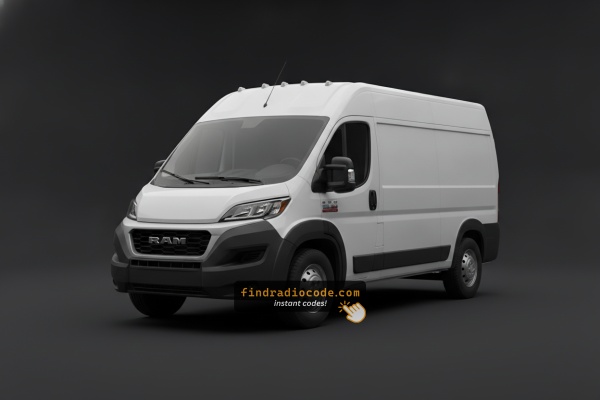
How Serial-Based Ram ProMaster Radio Unlock Works
- Skip long troubleshooting discussions or service visits - you can generate the code online with the radio S/N.
- First locate your radio's serial. The best place to search is on the unit itself, and in some cases it can be visible on the ProMaster's radio screen.
- Type it into the form above, and our software will generate the correct 2021 ProMaster unlock code.
- When you receive the code, type it in using ProMaster's radio controls to release the blockade fully.
- The entire process takes just a short moment and requires zero paperwork and no dealer visit.
Entering Your Unlock Code
Now that you've generated 2021 Ram ProMaster anti-theft code from the serial number, you're ready to reactivate the radio.
Many drivers get stuck at this stage because input process can look different across radio versions, but it's usually quick.
When the radio shows ENTER CODE, it means the unit is waiting for the correct numbers.
Step-by-Step - The Correct Way to Enter It
To type in the unlock code on the 2021 Ram ProMaster's radio:
- Turn the ignition to ON. The screen presents "ENTER CODE" or "CODE".
- Touchscreen models (5.0"/7.0" Uconnect): Use the on-screen keypad to enter each digit of the 4-digit code.
- Non-touchscreen models: Press preset buttons 1-4 to select each digit. Hold Enter/OK to confirm.
Lockout: 3 wrong attempts trigger a 60-minute lockout. Leave the ignition ON for the entire lockout timer. Do not turn the key off or the timer resets.
Radio Serial Number Explained - Finding It on Your Ram
Very important fact to know is that factory radios use a unique S/N to identify each unitindividually.
Your security system links the code directly to the serial.
Unlike vehicle-specific data such as VIN or registration information, it is not determined by the model or production year, so you'll be able to get it even if you have a radio that you bought afterwards.
Depending on the maker and radio installed in your Ram ProMaster, the retrieval method varies.
Here are the best ways to find it.
Identify Your 2021 Ram ProMaster's Factory Radio
The 2021 model year was another carry-over for the ProMaster on the radio side - Stellantis was already preparing the Uconnect 5 rollout, but it had not yet reached this Italian-platform van.
- AM/FM/MP3 base radio - fitted to entry-level cargo vans. No touchscreen, basic display, auxiliary input and steering-wheel volume control.
- Uconnect 3 with 5-inch colour touchscreen - the single Uconnect option, providing Bluetooth, USB, SiriusXM compatibility and rear-camera input.
- Pre-wiring - SiriusXM antenna and rear-camera leads are usually already in the loom even when a base radio was originally fitted, which makes upgrades straightforward.
If your dash has a small colour screen integrated into the upper centre stack you have the Uconnect 3. If it has a small two-line or basic display only, you have the standard AM/FM unit.
Screen-Based Serial Lookup Method
These are the steps you need to follow for 2021 Ram ProMaster:
The 2021 Ram ProMaster shares its platform with the Fiat Ducato and comes equipped with the Uconnect 5.0" (RA1) or Uconnect 7.0" infotainment system, depending on the trim level. Unlike full-size Ram pickups, the ProMaster's radio does not always support Dealer Mode.
Method 1 (7" Uconnect): Try pressing the bottom-left and bottom-right corners of the screen bezel for 5 seconds to open Dealer Mode.
Method 2 (all models): If Dealer Mode doesn't activate, the radio must be physically removed to access the serial number label. See removal instructions below.
Locate Serial on ProMaster's Radio Chassis
If the serial number cannot be accessed via display, use the hardware method.
Most Ram ProMaster OEM radios include a tag with the serial number printed on the casing.
Process details:
- Disable power.
- Lift away surrounding panel pieces.
- Remove fasteners holding the radio.
- Move slightly to inspect the label.
Removing the radio from the 2021 Ram ProMaster involves a different approach compared to standard Ram trucks:
- Turn off the vehicle.
- Find the radio unit in the center of the dashboard. The ProMaster's dashboard layout is utilitarian.
- Some ProMaster radios have small release holes on the left and right sides of the radio face. Insert DIN removal keys into these holes to disengage the internal clips.
- If there are no release holes, remove the dashboard bezel using a plastic pry tool, then unscrew the mounting screws and pull the unit forward.
ProMaster Tip: The 2021 ProMaster may use a Fiat-style radio mounting system with release key slots rather than the screw-mounted system found in other Ram trucks. Check the release holes before resorting to trim removal.
Removing the Radio in a 2021 Ram ProMaster
The 2021 ProMaster retains the same upper-dash radio location as the earlier vans, so removal is essentially the same procedure as for the 2019 / 2020 cars.
Before You Start - Safety
- Park on level ground and switch the ignition off.
- Disconnect the negative battery terminal and wait a few minutes.
- Keep keys to hand and a window cracked in case of any locking-related quirks.
Tools You Will Need
- Two stiff wire pins or a bent coat hanger.
- A plastic trim tool to release the bezel without marks.
- A small Phillips and Torx set in case of hidden screws behind the bezel.
- A phone with a good camera or a notepad to record the label.
Removal Overview
- Pry the trim bezel surrounding the radio away from the dash, working from the bottom corners.
- Locate the two small access holes on either side of the radio face and push the wire pins in until they seat.
- Pull both pins out together and the unit slides forward on its rails.
- Disconnect the harness plug, antenna lead and any USB extension before fully removing it.
Where to Find the Serial Number
- Inspect the top, side and rear of the chassis for a white printed or laser-etched label.
- The serial is typically a mix of letters and digits next to a barcode and a part number.
- Photograph the entire label so you have all the reference numbers.
Tips Before Reinstalling
- Plug each connector back in firmly until you feel it click.
- Reconnect the battery briefly and confirm the unit powers up before reinstating trim.
- Reset the clock, paired phones and station presets after the battery interruption.
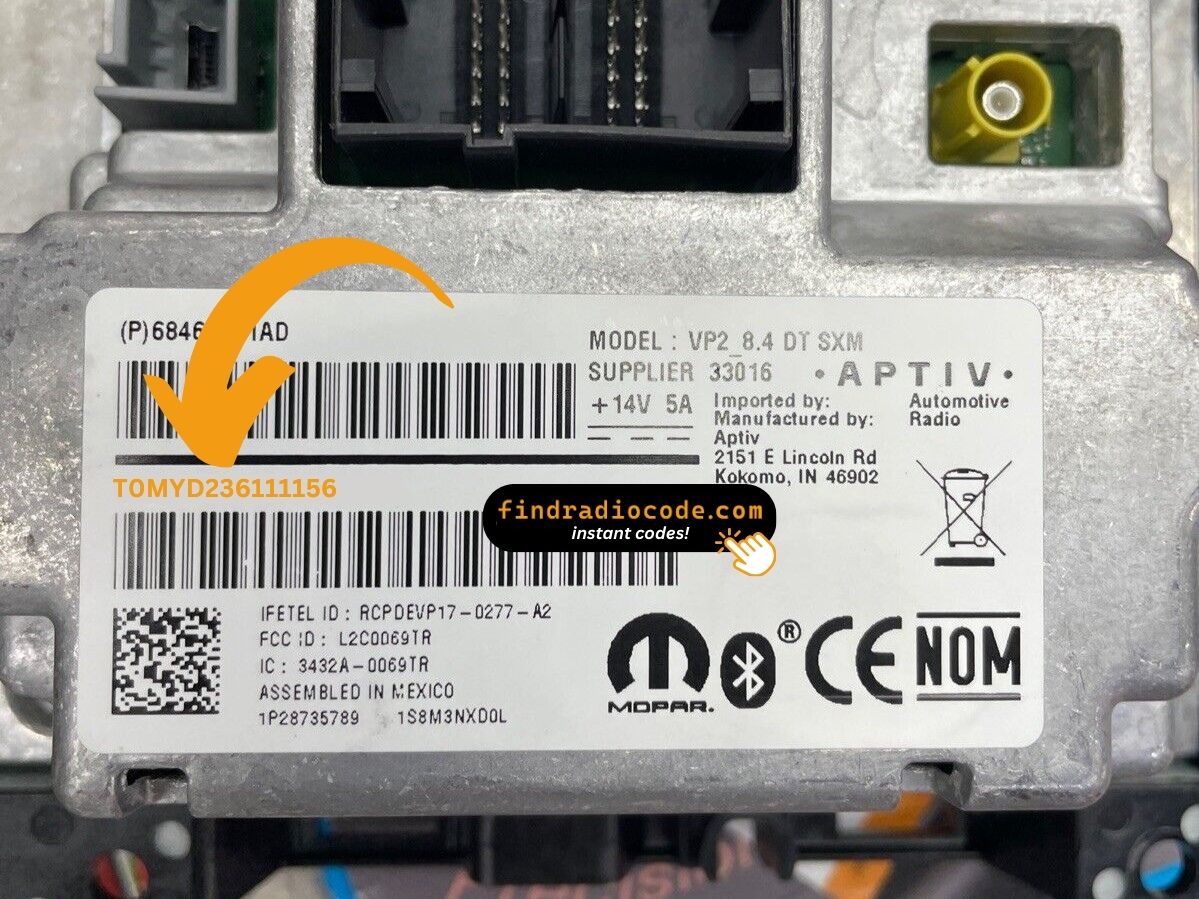
Example: Ram ProMaster serial number label location
Typical Serial Number Examples for 2021 ProMaster
The 2021 Ram ProMaster radio comes from Harman or Continental, similar to other Stellantis vehicles. Common serial number prefixes:
T00AM– Harman Uconnect units (standard prefix)T00BE– Continental unitsTM9– Older Harman production units (2014-2016)
Radio models for the ProMaster: RA1 (Uconnect 5.0" base), RA2 (Uconnect 4.3"), or a 7.0" Uconnect (higher trims). Serial numbers are 14 characters alphanumeric.
Note Since the ProMaster is Fiat Ducato-based, some first-year models may have Fiat-branded radio components. The serial format remains the same regardless.
Why Is the Radio Asking for a Code?
The ProMaster's Uconnect locks automatically after a battery disconnect or replacement. ProMasters are serviced frequently and batteries are replaced often, making this a routine occurrence.
Common causes:
- Battery replacement — the most frequent cause
- Blown radio fuse — especially after upfit installation
- Buying fleet-retired without any code documentation
- Battery fully drained from not being driven
The code comes from the radio's own serial number — not the VIN.
Fixing Common Code Entry Problems for 2021 ProMaster
No code prompt means the radio isn't engaged. To force the code screen: pull and reinsert the radio fuse, then turn ignition ON. The "ENTER CODE" prompt appears on startup.
The serial label is on the rear or side of the radio unit. As these vans may use DIN-style radio mounts with release key slots, you may not need to remove the full dash trim.
Serial: 14 alphanumeric characters starting with T00AM, T00BE, or TM9. Don't use the part number (P... or 68...) — it won't work.
ProMaster radios vary by trim: touchscreen models (5.0"/7.0" Uconnect) use on-screen digit taps; non-touchscreen models use preset buttons 1, 2, 3, 4 to cycle each digit, then Enter/OK to confirm.
Not sure which you have: look at the radio face. A touchscreen will respond to touch; a non-touchscreen won't.
After 3 wrong entries, the radio enters a 60-minute lockout. The display continues showing "CODE" or "ENTER CODE" but blocks all input.
To clear: Leave ignition ON for a full 60 minutes without switching off. ProMasters used in daily routes need to finish the full 60-minute wait without interruption before the next run.
The ProMaster radio label shows both a serial number (14 chars, starts with T00AM, T00BE, or TM9) and a part number (P05... or 68...). Only the 14-character serial produces the unlock code.
Should the label be hard to read (vans get dusty labels), take a photo with your phone and zoom in to avoid misreading digits. Reach out to support for a reverification if the code still fails.