Mercedes-Benz Radio Code: How to Find It and Unlock the Radio Without a Lockout
Mercedes fitted radios from four different suppliers and none of them will show you the serial on screen. Here is how to read the right number off the label, enter it correctly, and stay clear of the WAIT lockout.
October 6, 2026 Updated: October 6, 2026
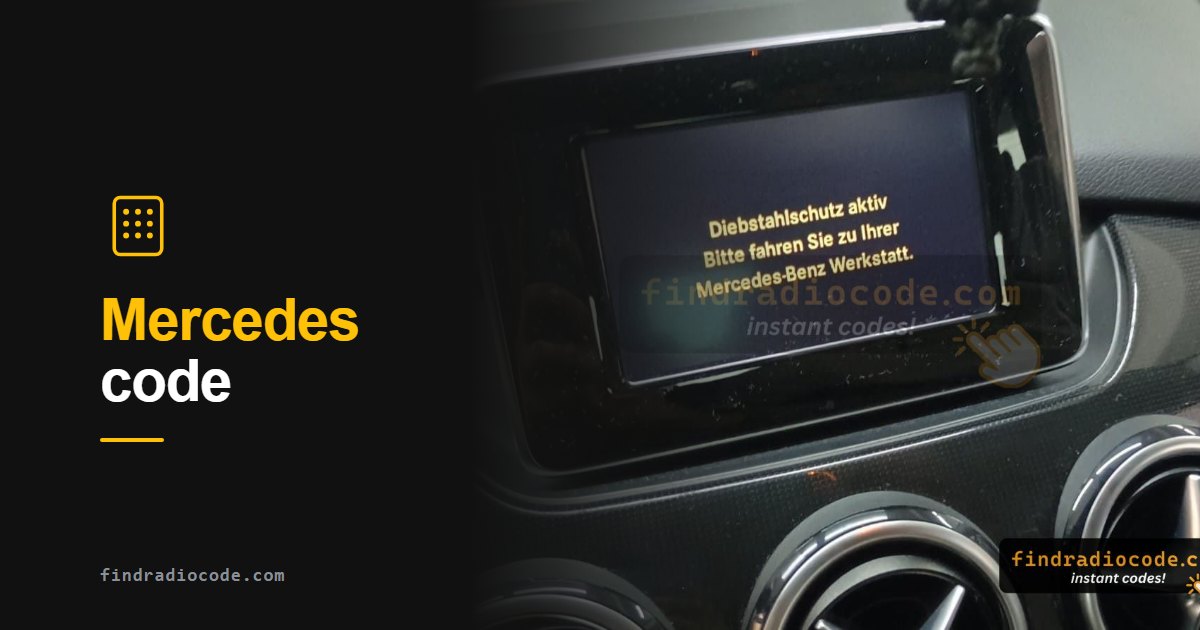
Quick answer: The code comes from the serial on the radio chassis label - the AL, BE, BP or CM prefix field marked S/N, never the A-prefix part number. Pull the unit with DIN release keys to read it, then enter the code with preset buttons 1 to 4 and hold button 6 to confirm. Three wrong attempts trigger a WAIT lockout of 10 to 60 minutes.
Why a Mercedes Is Harder Than a Honda
Two things make Mercedes radios more work than most. First, there is no on-screen serial - no button combination, no service menu, no dealer screen that prints the number. It exists only on a label on the radio chassis, so the unit has to come out of the dashboard. Second, Mercedes did not build its own head units: it bought them from Alpine, Becker, Blaupunkt and Bosch, and each supplier stamped its own serial format. Two cars of the same model year can carry completely different-looking serials.
The good news is that the process itself is short. Once the label is in front of you, the rest takes about five minutes - and on many newer models with COMAND there is no anti-theft code at all.
Does Your Mercedes Even Need a Code?
Before buying tools, check what the dashboard is actually telling you.
- The display reads CODE or SAFE. Yes, this is an anti-theft lockout and everything below applies.
- The display works normally but there is no sound. Not a code problem. Check the radio fuse and the amplifier before going any further.
- The screen is a large COMAND or MBUX display and simply reboots. Most newer Mercedes systems are tied to the car electronically rather than by a typed code, so there is nothing to enter. If it boots to the normal menu it is not locked.
- A truck dashboard - Actros, Atego, Axor. Mercedes trucks use Bosch and Blaupunkt units with their own serial families, most visibly the CM prefix. Same principle, different label.
Worth two minutes before anything else: check the service booklet and the glovebox. Mercedes supplied many cars with a radio code card, and dealers frequently tucked it into the wallet with the service history.
Getting the Radio Out
You need a set of DIN release keys - flat metal strips about 130mm long, a couple of dollars at any parts shop. Most Mercedes units take two, some take four.
- Switch the ignition off completely, and ideally disconnect the battery first.
- Push the keys firmly into the small holes at the bottom corners of the faceplate until you feel a click. On four-key units, insert the top pair as well.
- Apply gentle outward pressure on both keys while drawing the unit straight forward out of its cage.
- Do not lever against the wood or chrome trim - the release springs do the work, the keys only trip them.
- With the unit out, find the white or silver label on the top, side or rear of the chassis.

Making Mercedes radio removal keys and pulling the unit (video: fupabox)
Which Number on the Label Is the Serial?
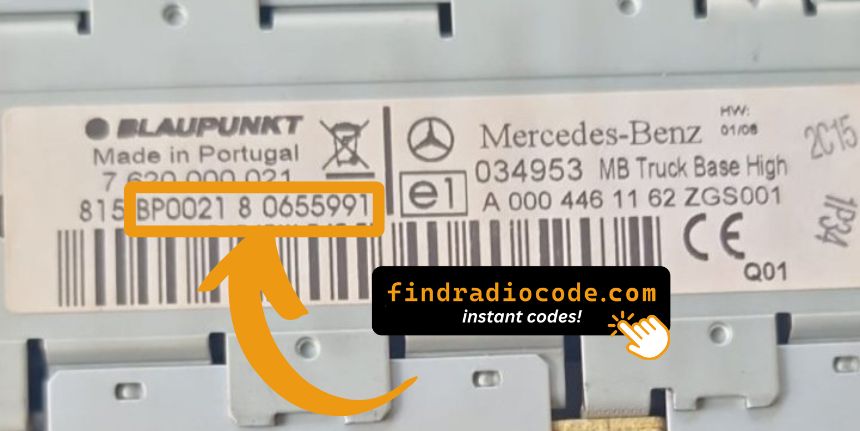
The label carries several numbers and only one of them generates a code. You want the field marked Serial or S/N, and it will start with one of these supplier prefixes:
- AL - Alpine, for example
AL2910followed by more characters - BE - Becker, for example
BE7822followed by more characters. Becker built the Audio 10, Audio 30 and many Special editions. - BP - Blaupunkt
- CM - Bosch, common on Mercedes trucks such as the Actros
- PA and ME - further Mercedes anti-theft families found on some units
A1638200186 - an A followed by ten digits. It identifies the radio model, not the individual unit, and it cannot generate a code. If the string you copied begins with an A and a long run of digits, look again for the S/N field.
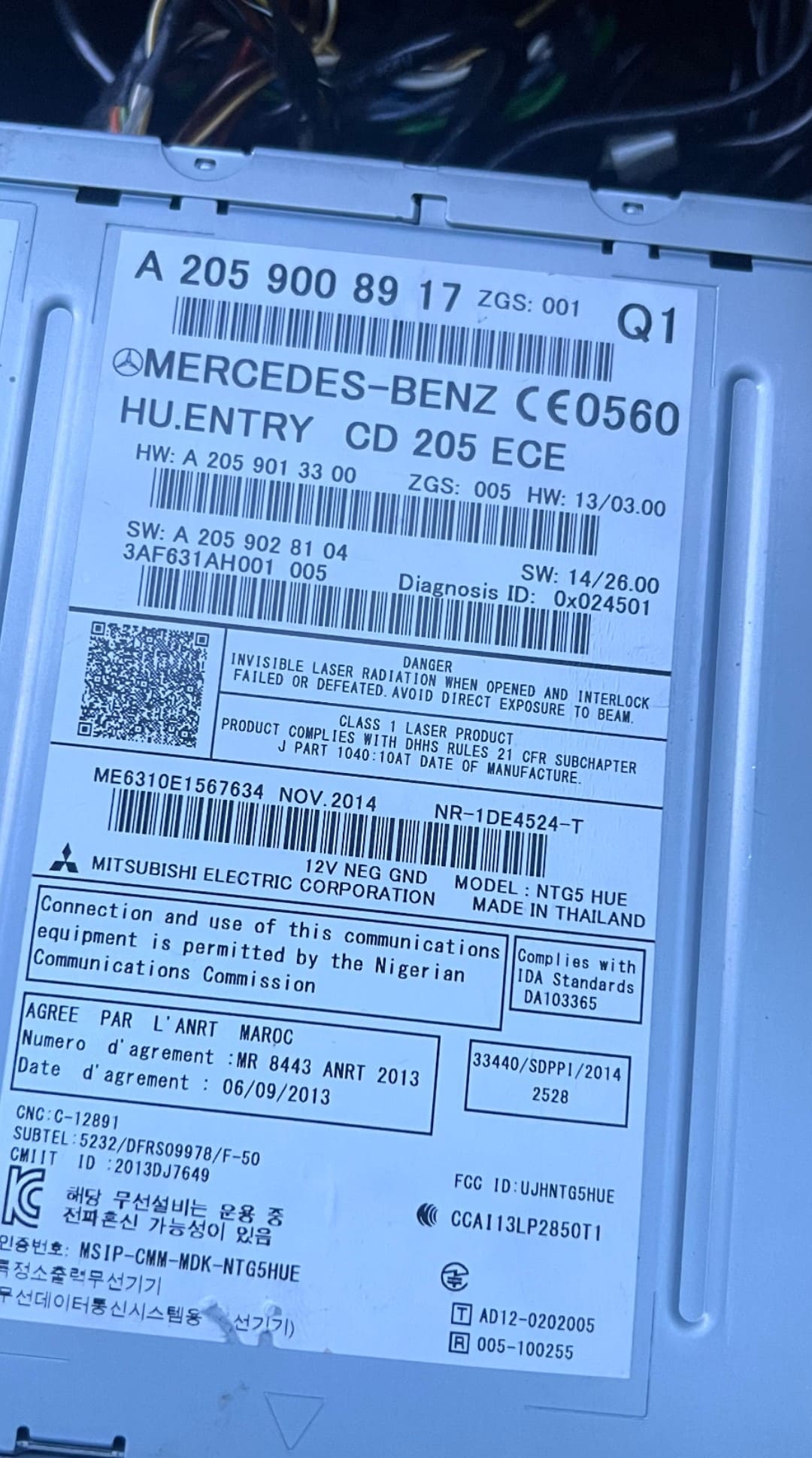
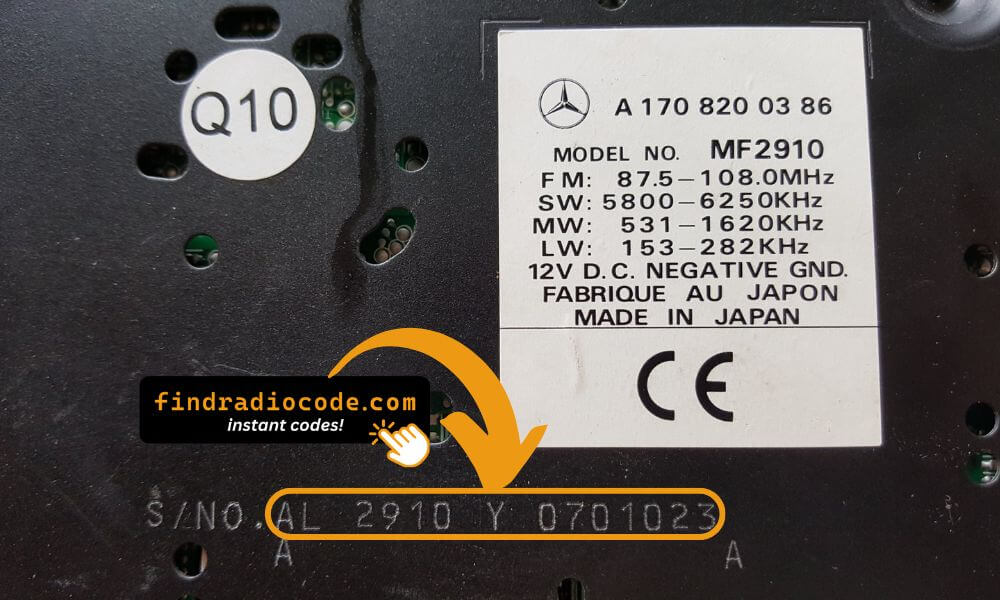
Found the S/N field on the label? Check your Mercedes serial now - we tell you instantly whether the code can be generated, before any payment.
How to Enter the Code
Mercedes uses the counting method rather than a keypad: each preset button drives one digit position, then one button submits.
- Turn the ignition to position 1 or ACC and wait for CODE to appear.
- Press preset button 1 repeatedly until the first digit of your code shows.
- Press 2 for the second digit, 3 for the third and 4 for the fourth.
- Press and hold button 6 (or the AM/FM button, depending on the unit) to confirm.
- The display shows OK and the radio unlocks immediately.
Older units with a tuning knob work slightly differently: turn the knob to select each digit and press it to confirm that digit, then hold the right knob or an arrow button once all four are set.

Entering the code on a Becker Special CC (video: fabulouscar)
The WAIT Lockout
You get three attempts. On the third failure most Mercedes radios display WAIT and refuse further input for anywhere between 10 and 60 minutes depending on the unit, and repeated rounds of wrong codes extend that period.
- Leave the ignition in position 1 or ACC so the radio stays powered - the countdown only advances while it has power.
- Wait out the period without switching the car off. Driving is fine, since the radio stays live.
- When CODE reappears, enter a code you have verified rather than another guess.
"Not every Mercedes radio can be solved from the serial number, and any service claiming otherwise is guessing. The honest way is to check the serial against the supported families before taking a cent."
A Note on Which Mercedes Units Are Supported
Not every Mercedes radio can be solved from the serial number. A number of specific unit families - certain Alpine and Becker production runs among them - use schemes where the code simply is not derivable from the serial, and any service claiming otherwise is guessing. Rather than take your money and hope, our system checks the serial against the supported families the moment you type it in and tells you straight away whether we can produce the code for that unit, before any payment. If yours falls outside, the honest answer is a Mercedes dealer with proof of ownership.
Across the Range
The method is the same whether you are looking at a C-Class with a Becker Audio 30, an E-Class with an Alpine unit, an A-Class, an S-Class, an SLK or a Sprinter van. Model-level detail and the serial photos live on the Mercedes radio code page, which covers C-Class, E-Class, A-Class, S-Class, SLK and Sprinter.
Truck owners should note that an Actros or Atego with a CM-prefix Bosch unit belongs to the commercial vehicle family rather than the passenger car one, even though the label looks similar at a glance.
Check Your Mercedes Serial First
Type the serial from the radio label and we will tell you immediately whether the code can be generated for that unit, and what it costs, before you pay anything. From $9.99, refunded if the code does not work.
Check My Mercedes SerialFrequently Asked Questions
Related Articles
How Anti-Theft Codes Work
Why a battery disconnect triggers the lock, and what the code is really protecting.
Read GuideRadio Code From the VIN?
The two makes where the VIN genuinely works, and why Mercedes is not one of them.
Read GuideIs Buying a Code Online Safe?
How to check a code retrieval service before handing over any money.
Read Guide