How the Code Retrieval Process Works for Chrysler Voyager 2026
To get the code, you'll take only 4 easy steps.
- Find your radio's serial number - this is the only information required by our side.
The difference with the dealership lookup is that no VIN or paperwork is needed. - Enter the serial number into our generator above.
The system checks it against a database of supported units and automatically catches the matching security code. - In most cases, the code appears instantly on the screen after you pay and is also sent to your email , just in case.
If manual verification is required (rare situations), you'll be informed before checkout. - Once you receive the code, simply enter it into your radio to restore the functionality.
Serial Number Location Guide for Chrysler Voyager 2026
The important thing to know is that factory radios use a specific serial number to identify each unitindividually.
Your anti-theft system links the code directly to the serial.
Different from vehicle-specific data like VIN or registration info, it is not determined by the model or production year, so you'll be able to get it even if you have a radio that you installed afterwards.
Depending on the maker and radio installed in your Chrysler Voyager, the access method varies.
Here are the most reliable ways to locate it.
Screen-Based Serial Lookup Method
These are the steps you should follow for 2026 Chrysler Voyager:
The Chrysler Voyager was reintroduced in 2020 as the entry-level minivan in the lineup — essentially the Pacifica with fewer features and a lower price. It rides on the same platform and uses Uconnect 8.4" NEW, which means the bezel-edge method works just like on the Pacifica.
Step 1: Turn ignition to ACC or ON.
Step 2: Press the bottom-left and bottom-right edges of the physical screen bezel frame at the same time. Hold until Dealer Mode appears. You must press the plastic trim border — not the touchscreen glass itself.
Step 3: Navigate System Info → Radio Part Info → Serial Number.
The serial is a 14-character alphanumeric code (e.g. T00AM1801T0282). Because the Voyager is the value-trim sibling of the Pacifica, no features are different that would affect this method.
Find the S/N by Pulling Out the Unit
If the serial does not appear on screen, the next step is checking the radio itself.
Many Chrysler radios require physical access to the ID label attached to the unit.
Usual approach:
- Start by completely shutting off the engine - pull the key out.
- Then detach the radio surround.
- Next, release the mounting points and move the radio forward.
- Look for a barcode label showing the serial number.
Physical Radio Removal for Chrysler Voyager
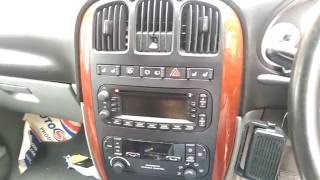
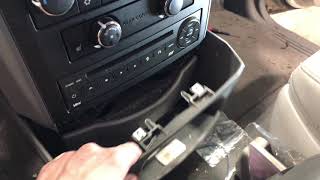
Chrysler Voyager (2020-2024) is essentially a rebadged Pacifica with similar Uconnect system.
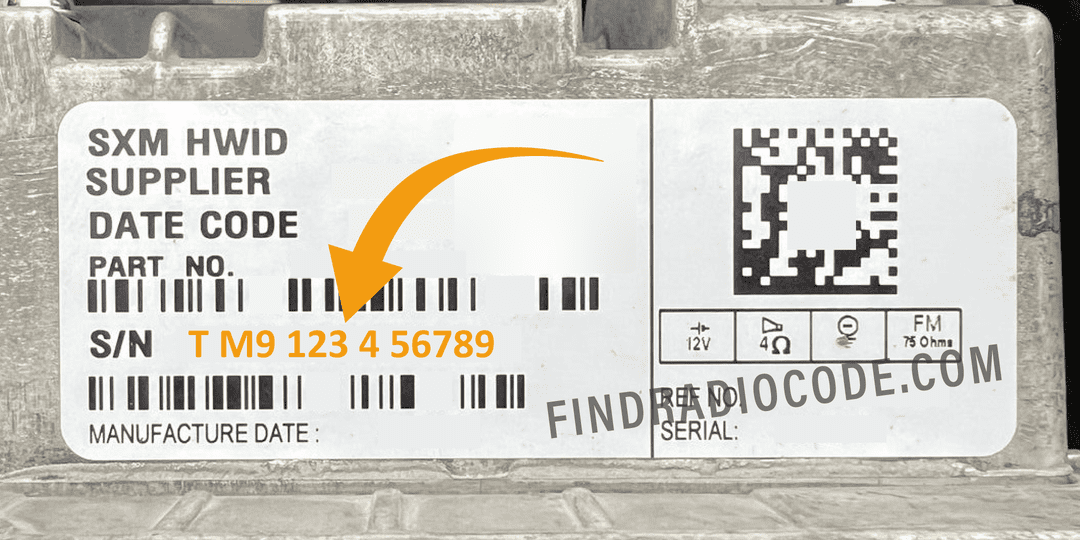
Example: Chrysler Voyager serial number label location
Standard Serial Number Patterns on This Radio
Your Chrysler Voyager 2026 radio serial number may start with:
T00AMT00BETM9T0MYDA2CTQNTVPQNT0071T00AD
How to Enter the Radio Code
After receiving 2026 Chrysler Voyager anti-theft code from the S/N, you're ready to reactivate the radio.
Many drivers hesitate at this stage because input methods can look different across radio versions, but it's usually simple.
When the radio shows ENTER CODE, it means the unit is waiting for the correct numbers.
In-depth Entering Instructions for Voyager 2026
To input the unlock code on your Uconnect radio:
- When the radio is locked, the screen will display "ENTER CODE" or show four dashes (----).
- Use the on-screen keypad (touchscreen models) or the preset buttons (non-touchscreen models) to enter each digit of your 4-digit code.
- After entering all 4 digits, the radio will unlock automatically – no need to press a confirm button.
Tip: Make sure you enter the code carefully. Three incorrect attempts will trigger a temporary lockout.
Older non-touchscreen Chrysler radios – MODE + SCAN priming
Pre-touchscreen head units (REF, REN, RBZ era fitted to 2007 to 2012 Chrysler 200, 300, PT Cruiser, Town and Country, and Sebring) use a different entry path:
- Turn the radio on with the ignition in ACC or ON. The display reads CODE.
- Press and hold MODE and SCAN together until the display shows 0000.
- Use presets 1, 2, 3, 4 to cycle each of the four digits in turn (preset 1 advances the first digit, preset 2 the second, and so on).
- When all four digits match your code, press SEEK to confirm. The radio unlocks and returns to normal play mode.
Fixing Common Code Entry Problems for 2026 Voyager
If the radio rejects the code:
- verify serial input
- re-enter digits slowly
- confirm using proper confirm action.
The wrong serial format is the most frequent cause.
LOCK mode activates after repeated incorrect entries.
Keep:
- power supply stable
- ignition ON
- no button pressing during wait period.
Check:
- correct control knob
- short press vs long press
- confirmation key location.
Common issues:
- part number instead of serial
- missing characters
- Incorrect prefix
Not every Chrysler head unit shows the modern touchscreen ENTER CODE keypad. Older REF, REN, RBZ, and base radios surface the lock state through plain display words. Match what you see on your screen to know which path to follow:
- CODE – The radio is asking for the 4-digit unlock code right now. Use the MODE + SCAN priming method described in the code entry section to enter it via presets 1 to 4.
- WAIT – You have entered three wrong codes already and the radio is in a 30 to 60 minute timed lockout. Leave ignition ON; turning the key off restarts the timer.
- SAFE – Less common on Chrysler, more common on older Stellantis-platform Fiat-sourced radios fitted to some PT Cruiser and Sebring trims, but still appears. Same meaning as CODE – the radio expects a 4-digit unlock code via the preset-button method.
If your screen shows none of these words and the radio is simply dark or stuck on a Stellantis logo, the head unit is not in a lock state – it is in a different fault. Contact us with a photo of what you see and we will confirm whether this is a code issue or a hardware repair path.