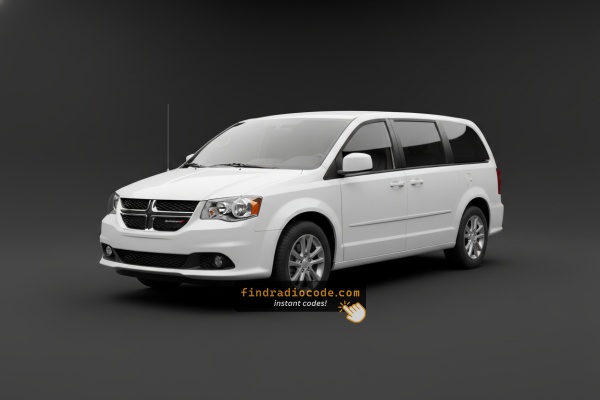
Can't Locate Your Unit's S/N? Follow These Steps for Dodge Caravan 2015
The useful thing to know is that factory radios use a unique serial number to identify each unit.
The anti-theft system matches the code directly to the serial.
Unlike vehicle-specific data like VIN or registration information, it is not determined by the model or production year, so you'll be able to retrieve it even if you have a radio that you bought afterwards.
Depending on the manufacturer and radio installed in your Dodge Caravan, the retrieval method varies.
Here are the most reliable ways to locate it.
Identify Your 2015 Caravan's Factory Radio
The 2015 Grand Caravan continued the same three-radio fleet with no hardware updates. Use the bullets below to identify yours:
- RES (Media Center 130) - the base AM/FM/CD radio. Non-touchscreen, single-line monochrome display, large rotary tune/volume knobs and a row of hard preset buttons. No screen, no NAV button. Standard on AVP/SE - the dominant fit on lower trims.
- RBZ (430 MyGIG) - 6.5-inch color touchscreen, glossy black bezel, hard buttons on the left and right edges (Radio, Media, Controls, More, Phone). No NAV soft key on the touchscreen home page. Standard on SXT/R/T; the most common touchscreen variant.
- RHB (430N MyGIG) - same 6.5-inch screen and bezel as the RBZ, indistinguishable from the outside. Identification is software-side: a NAV soft key on the home menu, Garmin splash screen at startup, 28GB hard drive for ripped music. Optional - less common than RBZ.
- Rear-seat DVD entertainment (optional) - overhead flip-down 9-inch screen, separate DVD player in the lower dash, wireless headphones. Independent of the head unit.
Check the Display First - Serial Retrieval Without Tools
Try the following for your 2015 Dodge Caravan:
The 2015 Dodge Caravan is a family minivan and comes with the Uconnect 8.4" (RA3) touchscreen. The serial number can be retrieved without any tools using Dealer Mode.
Climate Button Method:
- Turn the ignition to ACC or ON.
- In the Caravan's center stack, the Climate Up, Climate Down, and Front Defrost buttons are located below the 8.4" screen. Hold all three at once for 5 seconds.
- Dealer Mode opens on the screen.
- Go to: System Info → Radio Part Info → Serial Number.
Alternative: Hold Temperature Up (red) and Temperature Down (blue) for 5 seconds to open Engineering Mode, then follow the same path.
Access the S/N by Pulling Out the Unit
If the serial number cannot be accessed through menu, use the hardware method.
Most Dodge Caravan original radios include a label with the serial number printed on the housing.
Step-by-Step:
- Power down the vehicle.
- Remove the trim surrounding the radio.
- Unscrew the mounting bolts.
- Pull the unit forward to access the label.
The serial number is usually located near the manufacturer sticker.
If Dealer Mode doesn't work on your 2015 Caravan, the radio must be removed to find the serial label. The Caravan's tall, accessible console makes the process manageable from the front seat:
- Remove the center bezel – The Caravan's center trim panel wraps around the 8.4" display and HVAC section. With a pry tool, start at the lower edges to pop off the friction clips.
- Remove the 4 mounting screws – Typically T20 screws at the radio frame corners.
- Pull the radio forward – Slide the unit out enough to see the serial label on the top or side unit.
The serial is a 14-character code on a barcode sticker. Cables can stay connected.
Find the S/N by Pulling Out the Unit
The factory head units offered on the 2015 Grand Caravan - typically the RES single-CD radio, the RBZ MyGIG 430 (6.5-inch touchscreen), the RHB MyGIG 430N (6.5-inch touchscreen with navigation), and the optional REZ rear-seat DVD entertainment module - all keep their serial on a printed chassis label. Because these legacy radios do not expose the serial on screen, the unit has to come out for the sticker to be read.
- Safety first: turn the ignition off, remove the key, disconnect the negative battery terminal, and wait several minutes; never disturb the yellow airbag/SRS connectors and use plastic trim tools to keep clips and metal contacts intact.
- Tools you will need: plastic trim removal kit, Phillips screwdriver, small Torx bit set, flashlight, and a 7 mm socket on hand for any deeper retaining bolts.
- Ease the centre dash bezel forward at the lower edge using a plastic pry tool and work up the sides; on the post-2011 Caravan dash the bezel is held by four friction clips with no visible screws.
- With the four clips released, lay the bezel on a soft cloth - on this body it does not need to be unplugged from any harness to free the radio.
- Remove the four screws securing the radio chassis to the dash bracket.
- Slide the radio forward and disconnect the antenna lead and the multi-pin power/data harnesses at the rear of the unit.
- The serial number is printed on a barcode/sticker label on the top or side of the chassis next to the part number; the REZ rear-seat DVD module wears the same kind of printed label on its own case.
- Photograph the label and double-check ambiguous characters such as 0/O and 1/I before submitting the serial.

Example: Dodge Caravan serial number label location
S/N Patterns and Prefixes
The 2015 Dodge Caravan's Uconnect 8.4" (RA3) features these common serial formats:
T00AM– Harman VP2 Uconnect (standard format)T00BE– Continental-made variantTM9– Earlier Harman units
Radio designation: RA3 (or VP2 with optional Beats Audio). Serial: 14 characters.
Note The Caravan's label includes a part number (P05064... or 68...). The serial number alone is needed for the unlock code.
Common S/N Formats Used on 2015 Caravan Units
The factory radios fitted to the 2015 Grand Caravan are legacy Mopar head units rather than the later Uconnect 8.4 platform, so the prefix on the chassis label varies with which radio was specified and which supplier built it.
RBZ MyGIG 430 and RHB MyGIG 430N
- These Mitsubishi-built MyGIG units typically print an alphanumeric serial on the case sticker.
- Common Mopar/MyGIG prefixes from this generation include
TM9alongside otherT-style codes. - The serial usually runs as a continuous block of letters and digits with no dashes or spaces.
RES (single-CD)
- The base RES head unit usually carries a Mopar-style serial on a chassis sticker.
- Treat the printed label on the unit itself as the authoritative reference and copy each character exactly.
REZ rear-seat DVD module
- The optional REZ overhead DVD entertainment unit also wears a printed chassis label with its own serial.
- If codes are needed for that module, transcribe its serial separately and avoid guessing unclear characters.
Step-by-Step Dodge Caravan 2015 Radio Code Retrieval Guide
Getting your radio code takes only a few simple steps.
- Locate your radio's serial number - this is the only information required to generate the correct unlock code.
Unlike when contacting the dealer, no VIN or paperwork is needed. - Enter the serial number into our generator above.
Our system checks it against a database of supported units and automatically retrieves the matching anti-theft code. - In most cases, the code appears instantly on the screen after you pay and is also sent to your email , just in case.
If manual verification is required (rare situations), you'll be notified before checkout. - Once you receive the code, simply enter it into your radio to restore full functionality.
Got the Code? Here's How to Enter It
Once the system gives you 2015 Dodge Caravan anti-theft code from the S/N, you're ready to reactivate the radio.
Some drivers get stuck at this stage because input methods can look different across radio versions, but it's usually easy.
When the radio shows dashed lines, it means the unit is waiting for the correct numbers.
In-depth Entering Instructions for Caravan 2015
Entering the unlock code on the 2015 Caravan's Uconnect 8.4":
- With ignition ON, the screen displays "ENTER CODE".
- Tap the on-screen keypad to enter your 4-digit code. The Caravan's 8.4" screen is easily visible from the driver's seat.
- The radio auto-confirms after the 4th digit — no confirm button is needed.
Lockout: 3 wrong entries = 60-minute lockout. Leave ignition ON. Turning it off starts the countdown over.
The Correct Way to Enter It
Once the unlock code has been retrieved for a 2015 Grand Caravan radio, it can be entered directly at the head unit - no scan tool or dealer visit is required.
- Limited attempts: Mopar head units only accept a small number of incorrect tries (commonly three) before going into a long lockout/WAIT state, so confirm each digit before pressing it.
- Place the ignition in RUN/ACC so the radio powers up but the engine stays off.
- Wait for the display to show
CODE,Enter Anti-Theft Code, or a similar prompt. - On the RBZ/RHB MyGIG (6.5-inch) units, type the digits using the on-screen number pad; on the base RES head unit, press the numbered preset buttons (1-6) in sequence.
- Confirm with the on-screen OK/Enter button on the MyGIG units, or with the tune/menu knob (or labelled enter button) on the RES.
- If
WAITor a similar timeout appears after the failed-attempt limit is reached, leave the radio powered with the ignition in RUN for a continuous 30 minutes before trying the correct code again.
Why Did the Radio Lock and Ask for a Code?
Caravan owners face radio lockouts primarily due to:
- Heavy family use battery wear — Minivans used daily for family transport with heavy accessory loads put more load on the battery, making replacements more frequent and every replacement triggers the code.
- Extended parking — family minivans parked for extended periods may drain enough to lock the radio.
- Battery replacement — routine battery service triggers the anti-theft.
- Used purchase — Caravans are popular used family purchases, so many buyers encounter the locked radio.
The code is permanently tied to the radio serial number and always remains valid.
Troubleshooting Common Radio Problems - Caravan 2015
If the Caravan's radio doesn't show the code screen after a battery event:
- Confirm the ignition is in ON (not just ACC) and wait 15–20 seconds to initialize.
- Check the radio fuse — a blown fuse prevents any display.
- Certain models respond to a screen tap to trigger the code prompt.
Should nothing appear, a blown fuse is most likely the cause.
The RA3 label on the Caravan's radio contains multiple numbers:
- Serial number — 14 alphanumeric characters, prefixed by
T00AM,T00BE, orTM9. Submit this. - Part number — begins with
P05064or68. Not used.
The easiest way: Dealer Mode — System Info → Radio Part Info → Serial Number. No physical removal needed.
Three wrong attempts on the Caravan's Uconnect cause a 60-minute lockout showing "WAIT":
- Leave the Caravan's ignition ON — engine off is fine but key must stay in ON.
- Wait the entire 60 minutes.
- Cycling the ignition restarts the wait from scratch.
Once clear, re-enter carefully with the verified code.
The Caravan's Uconnect 8.4" uses touchscreen-only code entry — no preset buttons are involved. When the locked screen shows:
- Tap each digit on the on-screen keypad.
- The radio confirms after the last digit entered — no confirm step is needed.
If the touchscreen doesn't respond, turn the ignition off and back on, then wait for the system to restart.
Code rejection on this minivan typically means the wrong serial was used. The RA3 label contains both the serial (14-char code, prefixed by T00AM, T00BE, or TM9) and the part number (P... or 68...) — only the serial generates a code.
Verify the number via Dealer Mode or the label and reach out for a free re-check if needed.