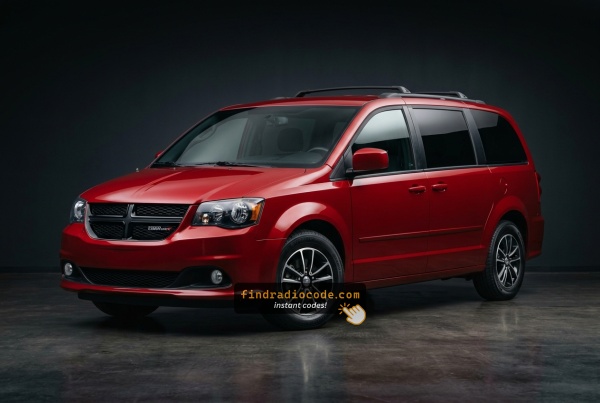
2017 Dodge Grand Caravan Head Units and Suppliers
Even within a single year, the 2017 Dodge Grand Caravan could leave the factory with different radios. Start with the one that matches your dash.
| Years | Factory radio | Serial starts with |
|---|---|---|
| 2013-2018 | Uconnect 3.0 RA1 VP1 Continental |
TQN, TVPQN, A2C, A3C
|
| 2013-2018 | Uconnect 8.4 RA3 VP3 NA Harman |
T00AM, T00BE, T0012
|
| 2014-2018 | Uconnect 5.0 RA2 VP2 Continental |
TQN, TVPQN, A2C, A3C
|
| 2014-2018 | Uconnect 8.4 RA4 VP4 CA Harman |
T00AM, T00BE, T0012
|
| 2015-2017 | Chrysler Uconnect 8.4 RE3 Panasonic |
T00AM, T00BE
|
| 2017-2019 | Delphi Uconnect 3 RJ1 VP1 NA DS Delphi |
T0MYD
|
| 2017-2020 | Uconnect 5.0 UCA UDA VP2RFP Continental |
TQN, TVPQN, A2C, A3C
|
| 2017-2021 | Uconnect 7.0 UAG UCG VP2RFP Continental |
TQN, TVPQN, A2C, A3C
|
Why Is the Radio Asking for a Code?
Full-size minivan owners most frequently encounter this because of:
- Heavy family use and battery strain — Minivans used intensively for families with heavy accessory loads puts extra strain on the battery, leading to more battery changes and every replacement triggers the code.
- Long periods parked — family minivans sitting unused for days or weeks may drain enough battery to lock the radio.
- Battery replacement — routine battery service activates the code screen.
- Used purchase — minivans change hands often, so many new owners find the radio locked at purchase.
The unlock code is permanently assigned to the serial number and never changes.
How to Unlock a Dodge Grand Caravan Radio After Power Loss
Vehicle radios use security codes dependent on the radio unit itself instead of the model or production year.
- The system uses the Grand Caravan's radio serial to retrieve the unlock code.
- When you input the serial into the generator, the system identifies the radio unit and retrieves the corresponding code.
- Simply input the digits into the Grand Caravan stereo.
- This approach saves time compared to traditional methods for 2017 Dodge Grand Caravan.
Entering Your Unlock Code
When you obtain the correct unlock code based on the S/N, you can restore default functionality by entering it into the unit.
The code entry process depends on the head unit design, but most 2017 Grand Caravan systems follow a similar structure using preset buttons, touch controls, or rotary knobs - depending on if it's a factory or an aftermarket unit.
You will typically see ENTER CODE displayed on screen.
In-depth Input Instructions for Grand Caravan 2017
Code entry on the 2017 Grand Caravan using the Uconnect 8.4":
- Ignition ON. Screen shows "ENTER CODE".
- Use the touchscreen number pad to enter each digit of the 4-digit code on the Grand Caravan's screen.
- The radio auto-confirms after the 4th digit — no extra step needed.
Lockout: 3 incorrect entries = 60-minute lockout. Keep ignition ON. Turning it off extends the wait.
Entering Process
Once the unlock code has been retrieved for a 2017 Grand Caravan radio, it can be entered straight at the head unit - no scan tool or dealer visit is required.
- Limited attempts: Mopar head units only accept a small number of incorrect tries (commonly three) before going into a long lockout/WAIT state, so confirm each digit before pressing it.
- Place the ignition in RUN/ACC so the radio powers up but the engine stays off.
- Wait for the display to show
CODE,Enter Anti-Theft Code, or a similar prompt. - On the RBZ/RHB MyGIG (6.5-inch) units, type the digits using the on-screen number pad; on the base RES head unit, press the numbered preset buttons (1-6) in sequence.
- Confirm the entry with the on-screen OK/Enter button on the MyGIG units, or with the tune/menu knob (or labelled enter button) on the RES.
- If
WAITor a similar timeout appears after the failed-attempt limit is reached, leave the radio powered with the ignition in RUN for a continuous 30 minutes before trying the correct code again.
Can't Find Your Unit's Serial Number? Follow These Steps for Dodge Grand Caravan 2017
The starting step is locating the radio serial number.
Many people assume the code depends on the Dodge model or year, but actually, the unlock process relies on the unique radio's serial number.
Each radio has its own serial tied to the security system.
This is actually better, because if you have a used radio, the VIN or other Dodge-specific data wouldn't help.
Based on the radio used, you can see the serial directly from the screen or by looking at the label on the radio chassis.
Which Head Unit Is in Your 2017 Grand Caravan?
2017 was another carryover year - the Grand Caravan radio lineup was the same as 2013-2016. Identify yours by these traits:
- RES - Media Center 130 (base AM/FM/CD). Non-touchscreen. Small single-line monochrome display, hard preset buttons across the bottom and large rotary knobs for tune and volume. No NAV button, no Bluetooth, no SiriusXM from the factory. Standard on SE/AVP - the most common fit overall.
- RBZ - 430 MyGIG (6.5" touchscreen, no nav). Glossy black bezel, 6.5-inch Mitsubishi-built color touchscreen, hard buttons for Radio, Media, Controls and More on the bezel. No NAV soft key on the home page because it has no navigation hardware. Standard on SXT and higher; the dominant touchscreen variant.
- RHB - 430N MyGIG (6.5" with Garmin nav). Externally identical to RBZ - same screen, same bezel, same buttons. The differentiator is on-screen: a NAV soft key on the home menu, a Garmin splash logo at startup and a 28GB internal hard drive for stored music. Optional and the rarer of the two touchscreen units.
- Optional rear-seat DVD entertainment. 9-inch overhead flip-down screen, separate DVD player in the lower dash, wireless IR headphones; standalone module independent of the head unit.
Before Removing the Radio, Try This Screen Method
Try the following for your 2017 Dodge Grand Caravan:
The 2017 Dodge Grand Caravan seats up to 7 or 8 passengers and comes equipped with the Uconnect 8.4" (RA3) touchscreen. The serial number is accessible without removing the radio through Dealer Mode.
Climate Button Method:
- Turn the ignition to ACC or ON.
- In the Grand Caravan's center console, the Climate Up, Climate Down, and Front Defrost buttons sit below the 8.4" display. Press and hold all three simultaneously for 5 seconds.
- Dealer Mode opens on screen.
- Go to: System Info → Radio Part Info → Serial Number.
Alternative Method: Hold Temperature Up (red) and Temperature Down (blue) together for 5 seconds to access Engineering Mode, then navigate to the serial.
Grand Caravan's Hardware Label Method
If the serial number cannot be accessed on-screen, use the pull-out method.
Most Dodge Grand Caravan original radios include a sticker with the serial number printed on the housing.
Process details:
- Shut down the car.
- Carefully remove surrounding mounting frame.
- Loosen screws holding the radio.
- Pull forward to inspect the label.
Should Dealer Mode be unavailable on your 2017 Grand Caravan, the RA3 radio must be removed to see the serial label. The Grand Caravan's wide center console provides good access for this work:
- Remove the center stack bezel – The Grand Caravan's center bezel covers the display and HVAC area. Trim removal tool releases the friction-clipped panel — start from the bottom.
- Remove the 4 Torx T20 screws – Located at radio mounting frame corners.
- Slide the radio out – Ease the unit forward enough to access the serial label on the top or side surface.
The 14-character serial is on a barcode sticker. The harness can stay connected.
Pulling Out the Radio Unit to See the S/N on the Tag
The factory head units offered on the 2017 Grand Caravan - typically the RES single-CD radio, the RBZ MyGIG 430 (6.5-inch touchscreen), the RHB MyGIG 430N (6.5-inch touchscreen with navigation), and the optional REZ rear-seat DVD entertainment module - all keep their serial on a printed chassis label. These legacy radios do not expose the serial through the screen, so the head unit has to come out for the sticker to be read.
- Safety first: switch the ignition off, remove the key, disconnect the negative battery terminal, and wait several minutes; never disturb the yellow airbag/SRS connectors and use plastic trim tools to keep clips and metal contacts intact.
- Tools you will need: plastic trim removal kit, Phillips screwdriver, small Torx bit set, flashlight, and a 7 mm socket on hand for any deeper retaining bolts.
- Ease the centre dash bezel forward at the lower edge using a plastic pry tool and work up the sides; on the post-2011 Grand Caravan dash the bezel is held in by four friction clips with no visible screws.
- With the four clips released, lay the bezel on a soft cloth - on this body it does not need to be unplugged from any harness to free the radio.
- Remove the four screws securing the radio chassis to the dash bracket.
- Slide the radio forward and disconnect the antenna lead and the multi-pin power/data harnesses at the rear.
- The serial number is printed on a barcode/sticker label on the top or side of the chassis, alongside the part number and Mopar/supplier markings; the REZ rear-seat DVD module wears the same kind of printed label on its own case.
- Photograph the label up close and double-check ambiguous characters such as 0/O and 1/I before submitting the serial.

Example: Dodge Grand Caravan serial number label location
Common Serial Number Structures
Year Dodge Grand Caravan Uconnect 8.4" (RA3) serial number prefixes:
T00AM– Harman VP2 (most common format for this minivan)T00BE– Continental versionTM9– Older Harman units
The Grand Caravan uses the RA3 radio platform (VP2 with optional Beats Audio). Serial length: 14 characters.
Important The Grand Caravan's label includes a part number (P05064... or 68...). Use only the serial to generate the unlock code.
S/N Patterns and Prefixes
The factory radios fitted to the 2017 Grand Caravan are legacy Mopar head units rather than the later Uconnect 8.4 platform, so the prefix on the chassis label depends on which radio was specified and which supplier built it.
RBZ MyGIG 430 and RHB MyGIG 430N
- These Mitsubishi-built MyGIG units typically print an alphanumeric serial on the case sticker.
- Common Mopar/MyGIG prefixes seen on this generation include
TM9alongside otherT-style codes. - The serial is usually a continuous run of letters and digits with no dashes or spaces.
RES (single-CD)
- The base RES head unit usually carries a Mopar-style serial on a chassis sticker.
- Treat the printed label on the unit itself as the authoritative reference and copy each character exactly.
REZ rear-seat DVD module
- The optional REZ overhead DVD entertainment unit also wears a printed chassis label with its own serial.
- If codes are needed for that module, transcribe its serial separately and avoid guessing unclear characters.
Understanding Unlock Issues with Your Grand Caravan
The Grand Caravan's RA3 radio label shows more than one number:
- Serial number — 14 characters, starts with
T00AM,T00BE, orTM9. This is what you submit. - Part number — starts with
P05064or68. Do not use this.
On this model, Dealer Mode gives the serial directly: System Info → Radio Part Info → Serial Number. No physical access required.
When the Grand Caravan's radio doesn't show a code prompt after a battery event:
- Confirm the ignition is in ON (not ACC) and allow a moment for the system to initialize.
- Check the fuse box — a blown fuse prevents the display from activating.
- Some Grand Caravan units may require a brief touch to bring up the code entry prompt.
If the screen stays blank, power issue is the most likely cause.
The Grand Caravan's Uconnect locks for 60 minutes after 3 wrong code attempts. The screen displays "WAIT":
- Keep the Grand Caravan's ignition ON — car can be off but ignition stays in ON.
- Allow the full 60 minutes.
- Turning off the ignition resets the timer.
Once the lockout ends, re-enter the correct code.
A code rejection on the Grand Caravan's Uconnect usually indicates a serial number mismatch. The RA3 label displays both the serial (T00AM, T00BE, or TM9, 14 characters) and the part number (P... or 68...) on the same sticker — just the serial is needed.
Verify the serial via Dealer Mode or the physical label and reach out for a free re-check if needed.
The Grand Caravan's Uconnect 8.4" uses touchscreen-only input for code entry — no preset keys are used. When "ENTER CODE" is shown:
- Tap each digit on the on-screen keypad.
- The radio confirms after the 4th digit — no "Enter" key is required.
If the touchscreen is sluggish, cycle the ignition and wait 30 seconds.